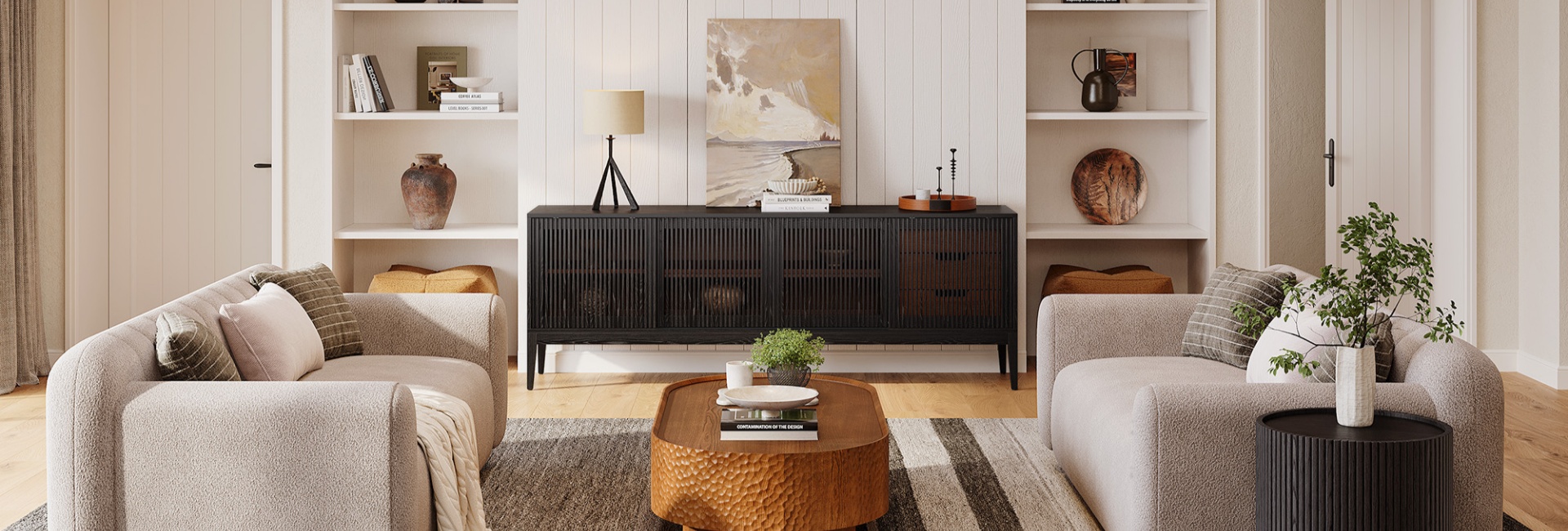
Choosing between a credenza vs TV stand can feel more complicated than it needs to be. Both can be long, low pieces of furniture that sit beneath a television, but they are designed with different priorities in mind.
A credenza is primarily a storage piece. A TV stand or media console is designed around a television and the equipment that goes with it. That difference affects height, cable routing, ventilation, storage, and how the furniture fits into the room.
The good news is that the furniture label doesn't have to make the decision for you. A credenza can work as a TV stand when its width, height, stability, cable access, and ventilation fit your setup.
If you want mostly concealed storage and a piece that can serve other purposes later, a credenza may be the better choice. If your priority is a lower viewing height, organized media equipment, and built-in cable management, a purpose-built TV stand is usually easier to work with.
Table of Contents
- Credenza vs TV Stand: The Quick Difference
- What Is a Credenza, Really?
- What Is a TV Stand Built to Do?
- Can a Credenza Be Used as a TV Stand?
- When Is a Credenza the Better Choice?
- Credenza vs TV Stand: Storage and Everyday Use
- How Deep Should a Credenza or TV Stand Be?
- How to Size a Credenza or TV Stand to Your TV
- Credenza TV Stand: Styling a Calmer Wall
- Cable Management and Ventilation: The Practical Part
- Credenza vs Sideboard vs Buffet: What's the Difference?
- Is a Credenza the Same as a Media Console?
- Our Hernest Picks for a TV-Ready Look
- FAQs
- Can a credenza be used as a TV stand?
- What's the difference between a TV stand and a credenza?
- What is a TV stand called?
- Can you use a sideboard as a TV stand?
- How wide should a TV stand be compared to the TV?
- How tall should a media console be for comfortable viewing?
- What size TV fits on an 84-inch media console?
- How do you manage cables when using a credenza as a TV stand?
Credenza vs TV Stand: The Quick Difference
Bottom line: A TV stand is purpose-built for a television, while a credenza is primarily storage furniture. A credenza can work just as well under a TV when its height, width, weight capacity, cable access, and ventilation suit the setup.
Choose a credenza if:
You want most of your electronics and clutter hidden behind doors.
The furniture needs to work for more than just your TV.
You prefer a furniture-first look rather than an equipment-focused setup.
The credenza's height works with your viewing position or you plan to wall-mount the TV.
You want a piece that could move to another room if your media setup changes.
Choose a TV stand if:
Your TV will sit directly on the furniture.
You have several gaming or audio components to accommodate.
Built-in cable routing matters.
Your electronics need ventilation.
You want a lower profile designed specifically for a television.
What Is a Credenza, Really?
A credenza is a long, relatively low case piece with doors, drawers, or a combination of both. It is primarily designed for storage and is traditionally associated with dining rooms, living spaces, and offices.
The word has a long history, but the modern credenza is much simpler in purpose: it is a horizontal storage piece designed to sit against a wall.
That broad function is part of its appeal. A credenza doesn't have to remain tied to one room or one type of use. It can store dining pieces in one home, office supplies in another, or media equipment beneath a television.
From dining room to media wall
Traditional credenzas became closely associated with dining-room storage, where they provided a place for linens, dishes, serving pieces, and other items. Their long, low proportions also made them useful in living rooms and offices.
That same shape works naturally beneath a television.
The important distinction is that the shape of a credenza may resemble a TV stand without giving you the same functionality. A cabinet can look perfect under a TV but still be difficult to use if it is too tall, too deep, lacks cable openings, or doesn't provide enough ventilation for electronics.
That's why the furniture name is less important than the specifications.
A long oak cabinet might be marketed as a credenza, sideboard, media console, or TV cabinet. Before buying, look at its actual dimensions, storage configuration, construction, and cable access rather than relying on the product name alone.
What Is a TV Stand Built to Do?
A TV stand, media console, or media unit is designed around the television and the equipment that typically sits nearby.
That purpose shows up in several practical details.
Lower viewing height
Many purpose-built TV stands are around 18–24 inches tall, although there is no universal standard. The goal is generally to keep a TV at a comfortable height for seated viewing.
Traditional dining credenzas are often taller, so the same television may sit noticeably higher on one.
If your TV rests on the furniture, the height of the cabinet should be considered together with the TV's dimensions and your sofa height. If the cabinet is taller than you prefer, wall-mounting the TV can give you more control over the final screen position.
Cable routing
A media console will often include rear cutouts, openings, or other provisions for routing power and signal cables.
That matters when you have:
A streaming device
Game consoles
A soundbar
A router
A cable or streaming box
HDMI cables
Power strips
A general-purpose credenza may have a completely enclosed back. It can still be used for a TV, but you may need to add your own cable openings or route cables around the cabinet.
Ventilation
Electronics generate heat, and enclosed storage can restrict airflow.
If you keep a game console, receiver, or other heat-producing equipment inside a credenza, check how air moves through the cabinet. An open-back section, ventilation opening, or adequate clearance can make the setup easier to manage.
A cabinet should not be treated as automatically suitable for electronics simply because it is large enough to fit them.
Can a Credenza Be Used as a TV Stand?
Yes. A credenza can be used as a TV stand if the furniture is suitable for the television and media equipment.
Before placing a TV on a credenza, check four things: width, height, stability, and cable/ventilation access.
Check the width
The cabinet should be at least as wide as the TV, and a little wider usually creates a more balanced look.
For example, an 84-inch media console can provide plenty of visual margin around a large television, but the actual TV width and the placement of its feet still need to be checked.
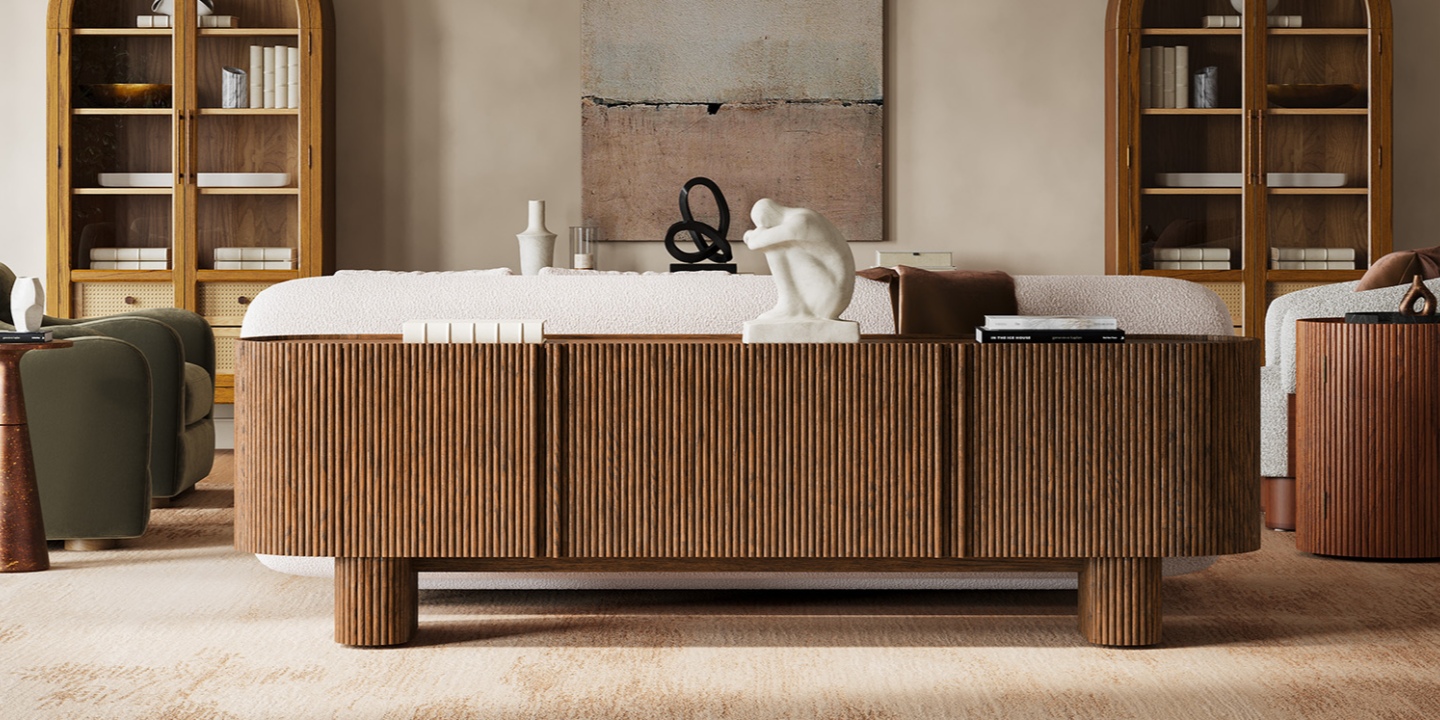
The Marisol 84" Oak Media Console is designed for TVs up to 85 inches and includes four rear cord cutouts. Those features make it an example of a furniture-forward media console that also addresses common TV setup needs.
Check the height
A credenza that works beautifully as storage may be too tall for a TV that sits directly on top.
Instead of choosing the furniture first and adjusting the television afterward, consider the final screen position. A useful starting point is to place the center of the TV around seated eye level. For many living rooms, that may be roughly 40–42 inches from the floor, but your sofa height, seating position, and personal comfort should determine the final placement.
If you prefer a taller credenza, wall-mounting the television can separate the furniture's storage function from the screen's viewing height.
Check stability and weight capacity
The top needs to support the television safely, and the TV's feet need to sit securely on the available surface.
Always check the manufacturer's stated weight capacity and TV-size guidance for the specific piece. Do not assume that a cabinet is suitable simply because it is wider than the television.
Check cable and ventilation access
A cabinet with a solid back may require additional cable routing.
Look for:
Rear cord cutouts
Open-back sections
Space around cables and power connections
Enough interior room for electronics
Adequate airflow around heat-producing devices
If the cabinet doesn't have these features, plan the cable route before moving the TV into place.
When Is a Credenza the Better Choice?
A credenza can make more sense when the room needs furniture that does more than hold a television.
For example, in an open-concept home, the same cabinet may visually connect a living area with a dining area. In a multi-purpose room, concealed storage may be more useful than open media compartments.
A credenza is also a good option if you expect your furniture to outlast your current TV. A television may be replaced several times, while a well-proportioned storage cabinet can move from a media wall to a dining room, office, or entry area later.
The decision is less about whether one furniture type is inherently better and more about which function matters most in your room.
Credenza vs TV Stand: Storage and Everyday Use
Storage is one of the clearest differences between the two.
A traditional credenza tends to prioritize concealed storage. Doors and drawers can hide objects that would otherwise make the room look busy.
A TV stand or media console often divides storage into spaces designed around media equipment. Open shelves can make devices easier to access, while closed cabinets can hide less attractive accessories.
When concealed storage wins
A credenza can be especially useful when you want to hide:
Remote controls
Controllers
Spare cables
Board games
Books
Household accessories
Small electronics
Closing the doors creates a cleaner visual field beneath the TV.
When open storage is more practical
Open shelves can make more sense when you frequently use your equipment or need remote signals to reach devices.
They also make it easier to see whether a device is powered on and provide more straightforward airflow.
For a simple setup with one streaming device and a soundbar, concealed storage may be enough. For a larger gaming or home-theater setup, dedicated media storage may be easier to manage.
How Deep Should a Credenza or TV Stand Be?
Depth is easy to overlook because shoppers tend to focus on width.
A cabinet that fits the wall can still make a room uncomfortable if it projects too far into a walkway.
Traditional credenzas may be around 18–20 inches deep, while some slim TV stands are closer to 14–16 inches. These are useful examples rather than fixed industry standards; always check the actual dimensions of the furniture you're considering.
Before buying, measure the distance from the wall to the nearest walking path.
Then consider what needs to fit inside the cabinet:
TV or soundbar cables
Streaming devices
Game consoles
Receivers
Routers
Power strips
Plugs and cable bends
Interior depth matters just as much as the exterior measurement.
A cabinet may be 18 inches deep but provide less usable space once the back panel, doors, shelves, and cable connections are taken into account.
How to Size a Credenza or TV Stand to Your TV
The most reliable way to size furniture for a TV is to measure the television itself rather than relying on its diagonal screen size.
Measure the TV's full width
A TV's advertised size refers to its diagonal screen measurement.
For example, a 65-inch television is not 65 inches wide. Its actual width is closer to 57 inches, depending on the model.
The feet can also extend differently from one TV to another.
Before buying a cabinet, measure:
The full TV width.
The distance between the TV feet.
The TV's total depth if it will sit on the furniture.
The TV's weight.
The height of the screen and its center.
This prevents a common mistake: choosing furniture based only on the advertised TV size.
Give the TV some visual margin
A cabinet that is exactly as wide as the television can look cramped.
A few inches of furniture extending beyond each side of the TV usually creates a more balanced composition. The exact amount depends on the size of the room and the furniture itself.
At the same time, a very wide cabinet can overwhelm a small wall.
The goal isn't simply to find the widest possible cabinet. It is to find a piece that works with both the television and the wall around it.
Plan the viewing height
For a TV sitting on furniture, start with seated eye level rather than the cabinet's height alone.
A common starting point is for the center of the screen to sit around 40–42 inches from the floor, but there is no single correct number for every home.
Your sofa, seat height, viewing distance, and whether you tend to recline all matter.
If the credenza is taller than your preferred setup allows, wall-mounting the TV can solve the height issue without giving up the cabinet.
Check the depth
Measure the deepest component that needs to go inside the cabinet.
Then leave enough room for:
Cable bends
Power connections
Airflow
Door clearance
Future equipment
A tight fit may look efficient on paper but become frustrating once everything is plugged in.
Credenza TV Stand: Styling a Calmer Wall
A credenza beneath a television can make the media wall feel more like furniture and less like an equipment station.
The easiest mistake is decorating every inch of the top.
The TV is already a large visual rectangle. The furniture below it generally benefits from some open space.
Keep the top edited
A simple arrangement can include:
One taller vertical element
One low decorative object
An area of open surface
A lamp, vase, or plant can provide height without competing with the screen. A shallow tray or a few books can add a lower horizontal layer.
The exact objects matter less than the amount of visual space you leave around them.
Consider light and finish
A highly reflective surface can create glare in some rooms, especially near windows or strong lighting.
Matte, natural, or wire-brushed wood finishes can add warmth while keeping the cabinet visually understated.
Oak works particularly well when you want the media furniture to feel connected to the rest of the room rather than looking like a piece of electronics equipment.
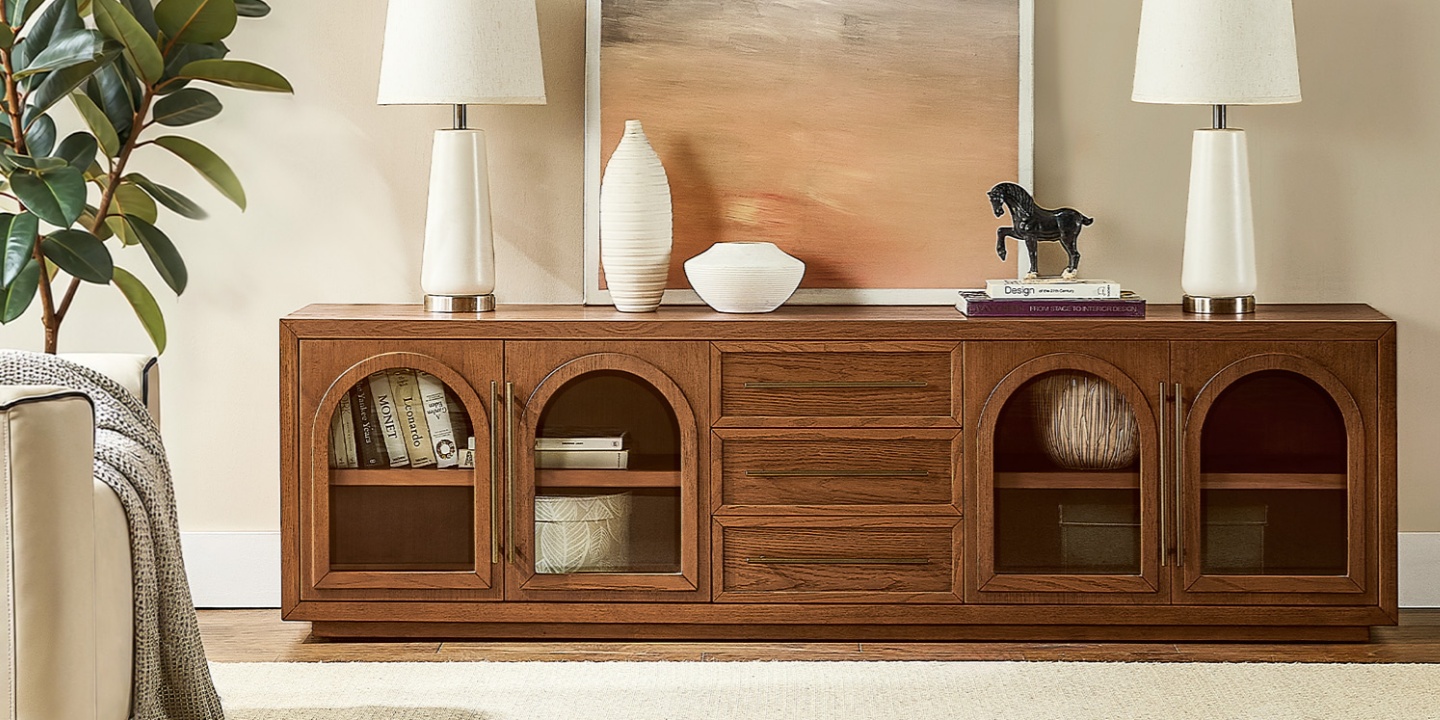
For a darker look, the Lira 84" Oak Media Console combines an 84-inch-wide profile with a warm brown oak finish and arched four-door detailing. It is designed for TVs up to 85 inches and includes storage features that keep the media wall visually contained.
Cable Management and Ventilation: The Practical Part
A credenza can hide a surprising amount of media clutter, but closed storage doesn't automatically solve cable management.
Before you put electronics inside, plan where every cable starts and ends.
Use existing cord cutouts
If the cabinet has rear openings, route power and signal cables through them before installing the equipment.
For example, the Marisol 84" Oak Media Console has four rear cord cutouts, while the Lira 84" Oak Media Console provides rear openings for cable routing.
If a cabinet doesn't include cable openings, rubber grommets or a low-profile cable raceway can provide a cleaner route than allowing cords to hang over the edge.
Keep some slack in the cables so future equipment changes don't require rerouting everything.
Give electronics room to breathe
Gaming consoles, receivers, and other electronics can generate heat during use.
If a device is stored behind a cabinet door, check that the manufacturer's ventilation requirements can be met. An open-back compartment or sufficient airflow may be preferable to a tightly enclosed space.
Remote-control signals can also be an issue. Infrared signals generally cannot pass through solid wood, so an electronic device hidden behind a closed door may not respond unless the cabinet has an appropriate opening or another control method is used.
Keep the power setup organized
A surge protector or power strip can help consolidate several connections, but it should remain accessible and should not be crammed into a space where heat can build up.
Labeling cables is also worthwhile if your setup includes several HDMI, power, or audio connections. It takes a few minutes and can save considerably more time when a device needs to be replaced.
Credenza vs Sideboard vs Buffet: What's the Difference?
These terms overlap in furniture retail, which can make TV shopping even more confusing.
Credenza
A credenza is generally a long storage cabinet with doors, drawers, or both. Its furniture-oriented design can make it attractive beneath a television, particularly when you want the media wall to blend with the rest of the room.
Sideboard
A sideboard is also primarily storage furniture and may look similar to a credenza. Some sideboards are taller or deeper, so they need to be evaluated individually before being used as a TV base.
Buffet
A buffet is closely associated with dining and serving. It may be too tall for a television that sits directly on top, but it can work as storage beneath a wall-mounted TV.
Console table
A console table is typically narrower and more open than a credenza or media console. It can work decoratively beneath a wall-mounted television, but its limited depth and cable storage may make it less practical for multiple media components.
The furniture label matters less than the dimensions and features.
Is a Credenza the Same as a Media Console?
Not exactly.
A media console is designed around a television and related equipment. It often includes cable cutouts, open compartments, ventilation considerations, or storage sized for media devices.
A credenza is storage furniture first. It can support a TV when its dimensions and construction are appropriate, but it may not have the features needed for a more complex media setup.
In practice, the two categories overlap considerably. Many modern media consoles have the long, low proportions and concealed storage associated with credenzas.
If you like the look of a credenza but want TV-friendly functionality, look for a media console with:
A furniture-forward design
Concealed storage
Appropriate TV capacity
Rear cord cutouts
Suitable depth
Adequate ventilation for electronics
That combination gives you the appearance of a credenza with the practical features of a media console.
Our Hernest Picks for a TV-Ready Look
If you want the furniture feel of a credenza with media-friendly features, several Hernest media consoles are worth considering.
Marisol 84" Oak Media Console
The Marisol 84" Oak Media Console is designed for TVs up to 85 inches and includes four rear cord cutouts. Its Brown Oak finish and fluted front provide concealed storage while keeping the media wall visually warm.
It is a practical option for a larger TV wall where you want the console to extend beyond the screen rather than match its width exactly.
Valborg 80" Oak Media Console
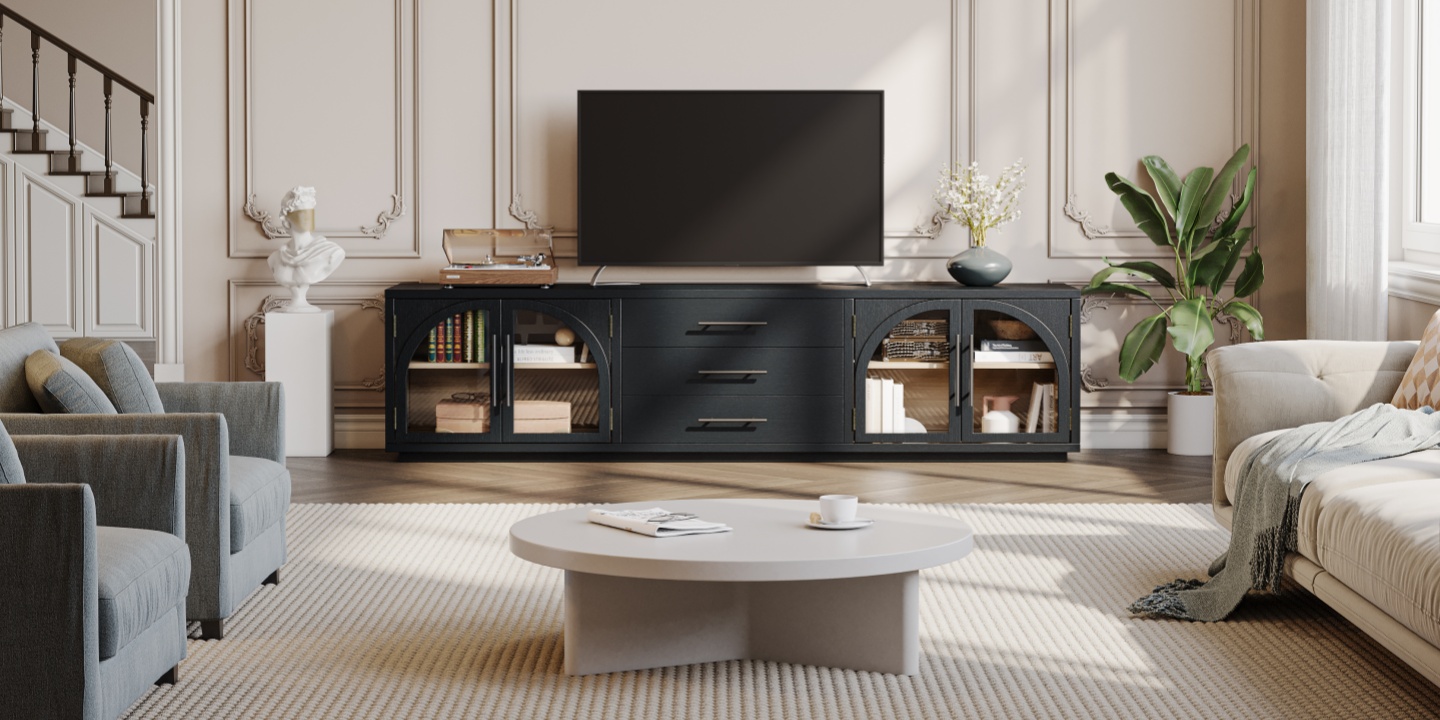
The Valborg 80" Oak Media Console offers an 80.1-inch-wide profile and is designed for TVs up to 85 inches.
Its Black Oak finish and arched four-door front give the piece a darker, more architectural appearance, while the enclosed storage keeps media accessories out of sight.
Lira 84" Oak Media Console
The Lira 84" Oak Media Console combines a warm brown oak finish with arched storage and rear cord cutouts. It is designed for TVs up to 85 inches.
Explore the full Hernest media console collection to compare widths, finishes, storage layouts, and TV capacities.
FAQs
Can a credenza be used as a TV stand?
Yes. A credenza can work as a TV stand when it is wide and stable enough for the television and provides a practical way to manage cables and electronics. Height is another important consideration. If the credenza is too tall for comfortable seated viewing, wall-mounting the TV can help.
What's the difference between a TV stand and a credenza?
A TV stand is designed specifically around a television and media equipment, while a credenza is primarily general storage furniture. TV stands often have lower profiles, cable cutouts, and features that make electronics easier to organize. A credenza can perform the same role when its dimensions and features are suitable.
What is a TV stand called?
A TV stand may also be called a media console, media unit, media cabinet, or TV console. Some furniture retailers also use terms such as credenza or sideboard for similar-looking pieces. When shopping, compare the actual dimensions and features rather than relying only on the product name.
Can you use a sideboard as a TV stand?
Yes, provided the sideboard is wide and stable enough for the television and has enough depth for the TV feet and cables. Check the height carefully, because some sideboards are taller than purpose-built TV stands. If electronics will be stored inside, also check cable routing and ventilation.
How wide should a TV stand be compared to the TV?
A TV stand should generally be at least as wide as the television, with some extra width on each side usually creating a more balanced appearance. Measure the TV's actual width and the distance between its feet rather than choosing furniture based only on the TV's diagonal screen size.
How tall should a media console be for comfortable viewing?
Many media consoles are around 18–24 inches tall, but there is no universal ideal height. The important measurement is the final position of the TV relative to your seated eye level. A common starting point is to place the center of the screen around 40–42 inches from the floor, then adjust based on your sofa and viewing position.
What size TV fits on an 84-inch media console?
An 84-inch console such as the Marisol or Lira is designed for TVs up to 85 inches. However, the exact TV width, foot placement, weight, and manufacturer's specifications should still be checked before purchase. An 85-inch TV is not automatically the same width or foot configuration as every other 85-inch model.
How do you manage cables when using a credenza as a TV stand?
Use rear cord cutouts if the cabinet has them. If it doesn't, rubber grommets or a low-profile cable raceway can provide a cleaner route. Leave enough slack for cable bends and future equipment changes, and keep power strips and electronics in spaces where heat can dissipate.