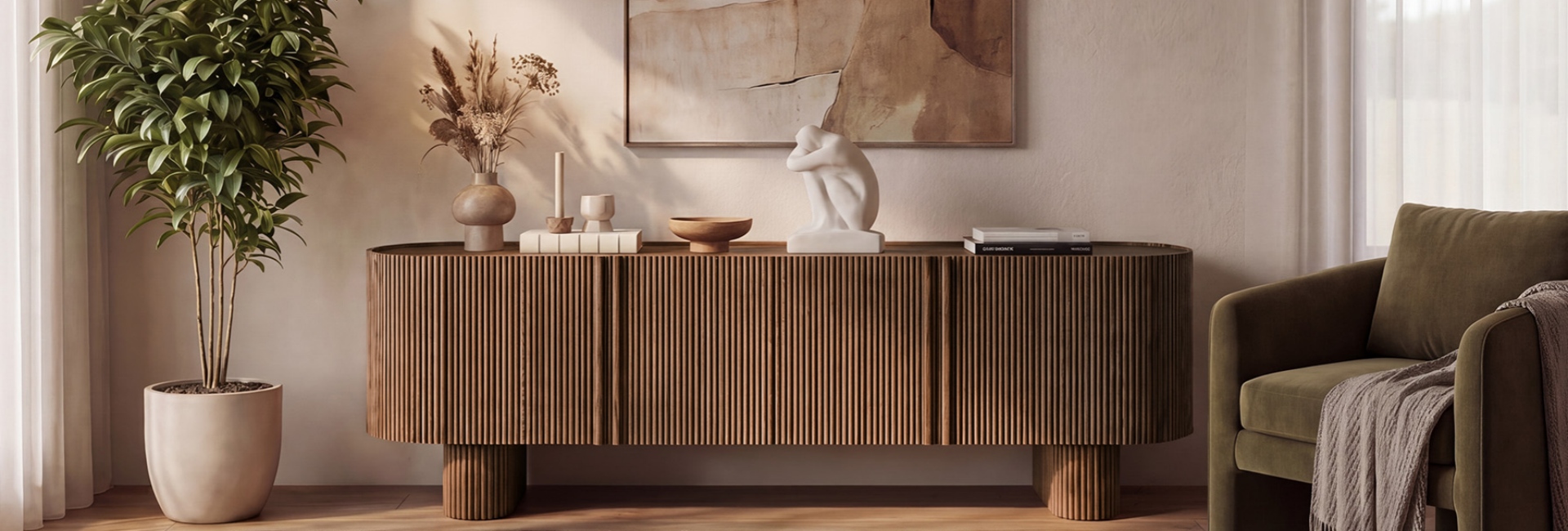
A wall-mounted TV saves floor space, but it leaves an open area below the screen. What belongs there? For most living rooms, a low media console is the practical answer. It adds storage, gives electronics a place to live, and creates a visual anchor beneath the screen.
You don't have to put furniture under a wall-mounted TV. Floating shelves, a low cabinet, a bench, or even simple decor can work depending on the room. The key is getting the proportions right. This guide covers what to put under a mounted TV, how high the console should be, how much space to leave between the TV and furniture, and how to manage the cables.
Table of Contents
- What to Put Under a TV Hanging on the Wall
- How to Choose a TV Stand for a Wall Mounted TV
- How High Should a TV Stand Sit Under a Wall Mounted TV?
- How Many Inches Above the Console Should You Mount the TV?
- How Wide Should Your TV Stand Be for a Balanced Look?
- Cable Management for a Wall Mounted TV
- What Materials Make a Good TV Console?
- How to Style the Space Under a Wall Mounted TV
- Assembly, and Installation
- FAQs
- What should I put under a wall mounted TV in a living room?
- Do you need a console under a wall-mounted TV?
- How many inches above a media console should a TV be mounted?
- How high should a TV stand be under a wall mounted TV?
- Should a media console be wider than the TV?
- How do I hide cables with a wall-mounted TV and console?
- Can a media console work as a buffet or sideboard?
- What's the best option under a wall-mounted TV for a small room?
What to Put Under a TV Hanging on the Wall
The space below a wall-mounted TV doesn't need to be filled, but the right piece can make the entire setup feel more intentional. Start with what the area needs to do: store electronics, provide closed storage, add display space, or simply balance the screen visually.
Media Consoles: The Practical Choice for Most Rooms
A media console is the most versatile option for a living room. It can hold streaming devices, game systems, remotes, speakers, and other electronics while providing closed storage for items you don't want on display.
For larger TVs, console width becomes especially important. A console around 80 inches wide can work well with a 75- to 85-inch TV, depending on the screen's actual width and the available wall space. The goal is to create a balanced horizontal base without making the furniture feel oversized for the room.
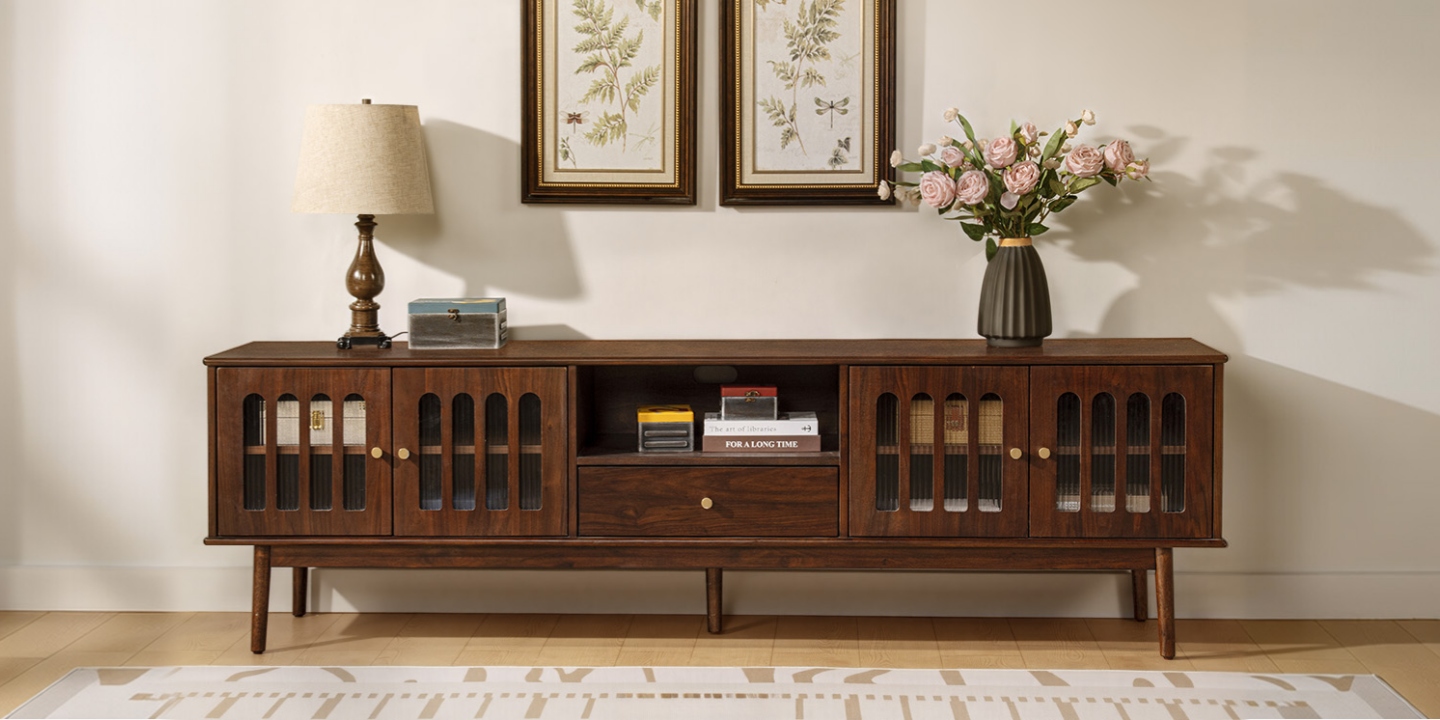
The Aldric 84" Media Console is one example. It is designed for TVs up to 85 inches and combines brown walnut tones, walnut veneer, solid wood elements, and four rear cord cutouts. Those cutouts make it easier to route power and device cables through the back instead of leaving them visible.
Floating Shelves for a Lighter Look
Floating shelves are useful when keeping the floor visually open matters more than concealed storage. One or two shelves can provide space for books, a small speaker, plants, or decorative objects without adding the visual weight of a full console.
The trade-off is storage. Shelves don't hide much, so you still need a plan for game consoles, streaming boxes, power strips, and extra cables. If the TV is mounted over an open shelf, cable routing becomes particularly important.
Cabinets, Credenzas, and Low Benches
A low cabinet or credenza can provide more enclosed storage than an open console. Depending on its design, it can also work elsewhere in the home as a dining-room buffet, entry cabinet, or storage piece.
A low bench with baskets is another option for casual rooms. It provides less built-in cable management but can work when the TV setup is simple. In a bedroom or multipurpose room, a low dresser may also work, although its height and depth need to be checked carefully before installation.
Decorative Styling When Storage Isn't the Point
If your TV is mounted in a room where electronics are minimal, you may not need furniture underneath it at all. Framed artwork, a vase, books, or a plant can make the wall feel finished without adding another cabinet.
This approach works particularly well in secondary living spaces or rooms where the TV is rarely used. For a primary TV room with multiple devices, however, furniture usually provides more practical value.
How to Choose a TV Stand for a Wall Mounted TV
Before shopping, take a few measurements. You don't need a complicated formula, but the measurements should come from your actual room rather than the TV size alone.
Quick Measurement Checklist
The most useful numbers are your TV's actual dimensions, the available wall width, and your seated eye level.
A 65-inch TV, for example, is measured diagonally, but the actual screen width is roughly 57 inches. A 55-inch screen is roughly 48 inches wide. Always use the manufacturer's actual dimensions when making a final furniture decision.
Once you know the available wall width, compare it with the TV width and the console dimensions.
How High Should a TV Stand Sit Under a Wall Mounted TV?
Console height affects both the appearance of the wall and the position of the TV. The important measurement isn't the TV size by itself. It is the relationship between the console height, the TV-to-console gap, the TV height, and your seated eye level.
Start With Seated Eye Level
A screen center around 42 inches from the floor is a common starting point for a living-room installation, but it is not a universal rule. Your actual seated eye level matters more.
Sit in your normal viewing position and measure from the floor to your eyes. Then account for half the TV's height to determine approximately where the bottom of the screen should sit.
The basic calculation is:
Screen bottom height = seated eye level − half of TV height
From there, subtract the planned gap between the TV and console to estimate the furniture height.
For example, if your seated eye level is 40 inches and your TV is 32 inches tall, the approximate bottom of the screen would be:
40 − 16 = 24 inches from the floor
If you want a 5-inch gap, a console around 19 inches high would place the TV at that starting point. In practice, you may adjust the numbers based on your soundbar, furniture proportions, and how the setup looks from the sofa.
Console Height by TV Size
The following ranges are useful starting points rather than fixed rules.
Your sofa height, TV dimensions, mounting position, and soundbar can all change the ideal result. Use these numbers to narrow your furniture choices, then check the actual screen height from your seated position.
How Many Inches Above the Console Should You Mount the TV?
There isn't one required gap for every wall-mounted TV. The right distance depends on what sits between the TV and console and how high the screen needs to be for comfortable viewing.
4–6 Inches Is a Useful Starting Point
For a simple TV-and-console setup without a soundbar, 4 to 6 inches between the top of the console and the bottom of the TV is a practical starting range.
It keeps the furniture visually connected to the screen while leaving enough space for cleaning, ventilation, and everyday use.
The gap doesn't need to be perfectly symmetrical with other elements on the wall. The more important consideration is that the TV remains at a comfortable viewing height.
Allow More Room for a Soundbar
A soundbar changes the calculation. If the speaker sits on the console, leave enough vertical space for the soundbar itself and for the sound to project toward the room.
A 6- to 10-inch gap may work better when a soundbar is involved, depending on its height and the TV manufacturer's clearance recommendations.
If you plan to place decorative objects, a center speaker, or another device between the console and TV, allow additional room rather than forcing everything into a narrow gap.
The best approach is to measure the objects that will actually sit there before drilling the mounting holes.
How Wide Should Your TV Stand Be for a Balanced Look?
For a traditional floor-standing media console, a piece at least as wide as the TV usually creates the most balanced proportion. Having some extra width on each side can make the setup feel more substantial.
A console that is substantially narrower than the screen can still work in a small room, but it should be an intentional choice rather than the result of buying whatever fits.
TV Size and Console Width
These ranges are visual guidelines, not installation requirements. Measure the actual TV width before making the final choice.
For example, an 84-inch-wide console can pair naturally with a 75- to 85-inch TV because the furniture provides enough horizontal width to balance a large screen. In a smaller room, however, a console close to the TV's width may be easier to accommodate.
Cable Management for a Wall Mounted TV
A wall-mounted TV looks cleaner when the cables are planned before installation. The console should be part of that plan rather than an afterthought.
In-Wall Kits vs. Surface Raceways
An in-wall power and cable solution can provide the cleanest appearance, but electrical work inside a wall needs to follow applicable codes and use appropriately listed components. If you're not comfortable working around electrical wiring, use a qualified professional.
A surface raceway is the simpler alternative when you don't want to open the wall. Many raceways can be painted to blend into the wall, making the cable path less noticeable.
If possible, placing an outlet behind the TV can also reduce visible power-cord length.
How a Console Helps Hide Cables
A media console with rear cord cutouts makes cable routing easier. Look for openings positioned where your equipment will actually sit and enough interior depth to manage excess cable.
The Aldric's four rear cord cutouts are useful when several devices need to connect behind the console. For a simpler setup, fewer openings may be enough.
Route the cables through the rear panel, keep excess length organized with reusable cable ties or Velcro straps, and avoid sharply bending or pinching cords behind the furniture.
What Materials Make a Good TV Console?
A TV console needs to handle daily use, so construction matters as much as appearance. Look beyond the finish and check how the cabinet, drawers, doors, and hardware are built.
Solid Wood, Veneer, and Engineered Wood
Solid wood is durable and has a natural grain, but it can also be more expensive and can respond to changes in humidity.
Wood veneer over an engineered or solid-wood core can provide the appearance of a particular wood species while offering more dimensional stability than a solid slab in some applications.
Engineered wood is also common in modern furniture construction. The right choice depends on the construction, finish, environment, and how heavily the console will be used.
For Hernest consoles that use kiln-dried wood components, the process is intended to help control moisture content and improve dimensional stability.
Joinery and Hardware
Drawer construction is one useful detail to inspect. Dovetail joints use interlocking pieces rather than relying only on fasteners or adhesive, making them a commonly used durable drawer-box construction.
Hardware matters too. Soft-close slides and hinges can make everyday use quieter and smoother, while properly aligned doors and drawers are signs of careful construction.
When comparing two consoles that look similar online, check the drawer construction, hardware, materials, and back-panel design rather than judging only by the finish.
How to Style the Space Under a Wall Mounted TV
Once the console and TV are positioned correctly, styling should support the screen rather than compete with it.
Symmetry, Lighting, and Texture
Symmetry can make a TV wall feel organized. Matching or visually similar objects at each end of the console can create a balanced arrangement.
Soft lighting can also help at night. Bias lighting behind the TV or a small lamp on the console can prevent the screen from becoming the only bright element in the room.
For decor, start with a few larger pieces rather than filling every inch of the console. Books, a ceramic vase, a plant, or a small piece of artwork can add texture without blocking the screen.
Keep decorative objects low enough that they don't interfere with viewing.
Match the Console to the Room
The console doesn't have to exactly match every other piece of furniture. Repeating an existing wood tone, metal finish, or color is often enough to make the piece feel connected to the room.
For a mid-century-inspired space, clean lines, warm wood tones, and tapered legs can work well. In a more traditional room, richer wood tones and glass-front details may feel more natural.
If the room mixes several furniture styles, focus on proportion and color rather than trying to make every piece belong to exactly the same era.
Assembly, and Installation
A few practical considerations are worth handling before installation.
For assembly, check the product dimensions and package weight before delivery. Large consoles may require two people to move and assemble safely, particularly when stairs or narrow hallways are involved.
TV mounting is a separate consideration. The correct mounting hardware depends on the wall material and the TV's VESA pattern and weight. If you're working with brick, concrete, an unusual wall construction, or you're unsure where the studs are, professional installation may be the better option.
FAQs
What should I put under a wall mounted TV in a living room?
A low media console is the most versatile choice because it provides storage, supports electronics, and creates a visual anchor below the screen. Floating shelves, a low cabinet, a bench, or decorative objects can also work depending on the room.
Do you need a console under a wall-mounted TV?
No. A wall-mounted TV can work without furniture underneath it. A console is useful when you need storage for electronics, cable management, or a surface for decor. If the TV has little equipment nearby, floating shelves or simple wall decor may be enough.
How many inches above a media console should a TV be mounted?
For a simple TV-and-console setup without a soundbar, 4 to 6 inches is a useful starting range. With a soundbar, you may need 6 to 10 inches or more, depending on the speaker's height and the TV's recommended clearance.
How high should a TV stand be under a wall mounted TV?
Many living rooms work well with a console between 24 and 30 inches high, but console height should be based on your seated eye level, TV height, and the gap between the furniture and screen. Larger TVs often work better with lower furniture.
Should a media console be wider than the TV?
For a traditional floor-standing console, a piece at least as wide as the TV usually creates a balanced look. A few extra inches on either side can make the arrangement feel more substantial. In a small room, a slightly narrower console can still work if the proportions are intentional.
How do I hide cables with a wall-mounted TV and console?
Use an appropriate in-wall cable solution for the cleanest result, or a paintable surface raceway if you don't want to open the wall. Route cables through the console's rear cord cutouts and organize excess length inside the cabinet.
Can a media console work as a buffet or sideboard?
Yes. A low console with doors and drawers can also work as a dining-room buffet or entry cabinet, provided its height, depth, and storage configuration suit the space. This can make one furniture piece more useful in a smaller home.
What's the best option under a wall-mounted TV for a small room?
Choose a slim console that is close to the TV's width without taking up more floor space than necessary. A slightly narrower piece can work when the room is tight. Prioritize shallow depth, useful storage, and rear cable cutouts so the setup stays functional without making the room feel crowded.