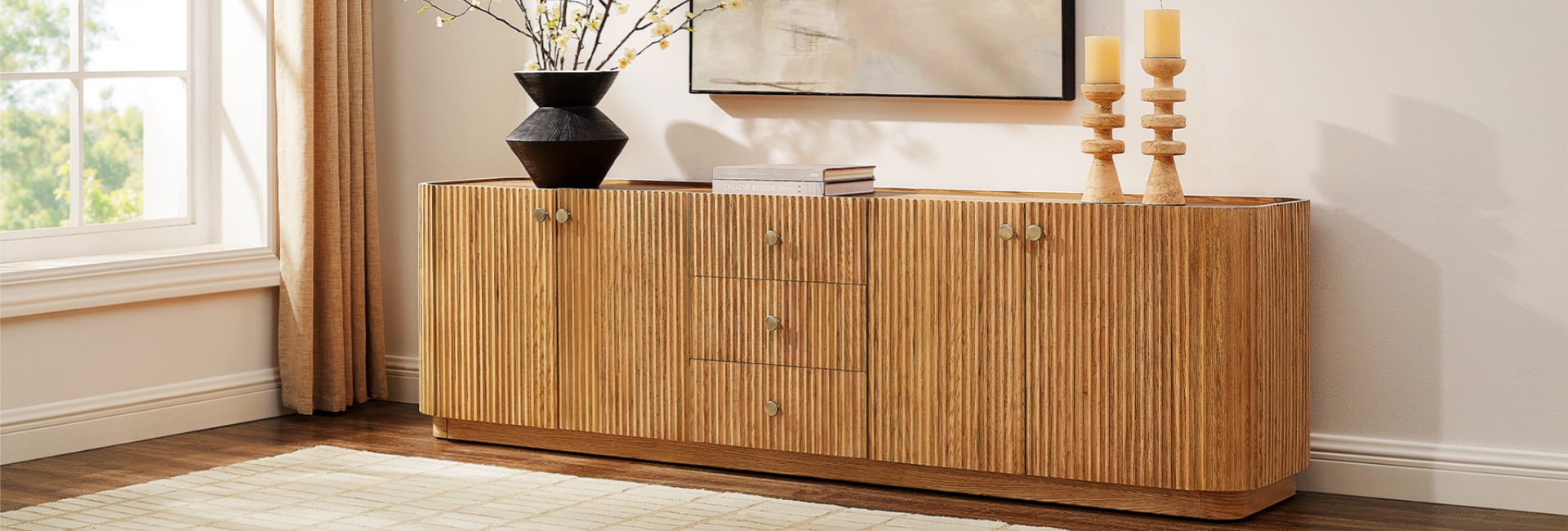
You should replace your TV stand when it becomes unstable, develops permanent sagging, can no longer safely support your TV, or has structural damage from moisture or worn hardware. A larger TV may also require a new stand if its weight, base, or dimensions exceed the current stand's specifications.
A TV stand does not have a fixed expiration date. You do not necessarily need a new one just because it is five, eight, or ten years old. What matters is whether the stand can still safely support your TV, equipment, and everyday use.
You should also consider replacing your TV stand if it no longer provides enough room for your equipment or a practical way to manage cables. If the stand is structurally sound, a loose screw or minor cosmetic problem may be repairable. If the structure itself has weakened, replacement is usually the safer choice.
Table of Contents
- When Should You Replace a TV Stand?
- 9 Signs You Need to Replace Your TV Stand
- 1. The Stand Rocks or Shifts
- 2. The Top Panel or Shelves Are Sagging
- 3. Doors and Drawers No Longer Align
- 4. Veneer, Laminate, or Edge Banding Is Failing
- 5. You See Water Damage or Swelling
- 6. The Back Panel Is Loose or Detached
- 7. Screws or Cam Locks No Longer Hold
- 8. Cable Management Has Become a Daily Problem
- 9. Your New TV No Longer Fits the Stand's Requirements
- How Long Does a TV Stand Last?
- Should You Replace Your TV Stand When You Buy a Bigger TV?
- TV Stand Safety: Why Anchoring Matters
- Can You Repair a TV Stand Instead of Replacing It?
- Choosing a Replacement TV Stand
- Media Console or TV Stand: Which Should You Choose?
- A 10-Minute Checklist Before You Buy
- FAQs
- How long should a TV stand last?
- What are the signs I need a new TV stand?
- Can I repair a sagging or wobbly TV stand?
- How do I know if my TV stand can hold my new TV?
- Should my TV stand be wider than my TV?
- Is MDF or particleboard bad for a TV stand?
- How do I hide cables with a new TV stand?
- Do I need to anchor a TV stand to the wall?
- When should I replace my TV stand after buying a bigger TV?
- What style of TV stand goes with a mid-century modern living room?
When Should You Replace a TV Stand?
The clearest reasons to replace a TV stand are:
-
It rocks, shifts, or feels unstable.
-
The top or shelves sag under the load.
-
Screws, cam locks, or joints no longer hold securely.
-
The material has swollen, cracked, or deteriorated from moisture.
-
Your new TV is too heavy or too large for the stand's specifications.
-
The TV base no longer sits securely on the available surface.
-
Your equipment no longer fits with adequate ventilation and cable access.
-
The stand has no practical way to manage the cables and devices you now use.
Age by itself is not a reliable reason to replace a TV stand. A well-maintained, properly constructed piece can remain useful for many years, while a poorly suited stand may need replacement much sooner.
9 Signs You Need to Replace Your TV Stand
If you are wondering whether your current stand has reached the end of its useful life, start with these nine checks.
1. The Stand Rocks or Shifts
A TV stand should not rock when you touch it, walk past it, or open a cabinet door. Movement can indicate a loose fastener, an uneven floor, a weakened joint, or a frame that has gone out of square.
First, check whether the floor is uneven and tighten accessible hardware. If the stand still moves after those basic checks, especially with a heavy TV on top, treat the instability as a structural problem rather than a cosmetic one.
2. The Top Panel or Shelves Are Sagging
Permanent bowing under the TV's weight is a more serious problem than a minor visual change.
Remove unnecessary weight and inspect the panel. If it remains visibly bowed, check the manufacturer's weight rating and the construction of the stand. Do not add more weight in the hope that the panel will stabilize itself.
When shopping for a replacement, compare the TV's actual weight with the stand's stated capacity and consider the combined load of the TV and everything else stored on or inside the unit.
3. Doors and Drawers No Longer Align
Doors that suddenly sit crooked or drawers that stop closing smoothly can simply need hardware adjustment. Repeated misalignment, however, can also indicate that the cabinet has shifted or a panel has weakened.
Try tightening the hardware and checking the cabinet for obvious damage. If the problem keeps returning, especially alongside wobbling or sagging, replacement may make more sense than repeatedly adjusting the same problem.
4. Veneer, Laminate, or Edge Banding Is Failing
Peeling veneer, bubbling laminate, chipped edges, or separating seams are not automatically reasons to replace a TV stand. Cosmetic damage can sometimes be repaired.
The problem becomes more serious when damage exposes the underlying material to moisture or affects a structural panel. If an area is swelling, cracking, or losing its ability to hold hardware, repair may no longer be practical.
5. You See Water Damage or Swelling
Moisture can be particularly damaging to wood products and engineered materials. A spill that is cleaned quickly may cause little damage, while prolonged exposure can lead to swelling, weakened joints, or deterioration.
Look closely at areas near drinks, humidifiers, windows, and walls where condensation may occur. If a load-bearing panel has swollen or permanently changed shape, replacing the stand is generally more practical than trying to restore the original structure.
6. The Back Panel Is Loose or Detached
A loose back panel may look minor, but it can affect the rigidity of the cabinet.
Check whether the panel has simply come loose from its fasteners. If the surrounding material is damaged or the cabinet has become noticeably less rigid, the problem is more serious.
This is also a good time to inspect the cable openings. A replacement stand should give your current devices enough room for power and signal cables without forcing cords against sharp edges or blocking ventilation.
7. Screws or Cam Locks No Longer Hold
Furniture hardware can loosen with normal use. Tightening the fasteners may solve a minor problem.
The bigger concern is when a screw spins without gripping or a cam lock can no longer secure the panel. If the mounting hole has become stripped or the surrounding material has deteriorated, replacing the hardware may not restore the original strength.
This is particularly important on joints supporting a large TV.
8. Cable Management Has Become a Daily Problem
Your TV setup may have changed considerably since you bought the stand.
You may now have:
-
A streaming device
-
One or more game consoles
-
A soundbar
-
A receiver
-
Ethernet equipment
-
External storage
-
Several power cables and HDMI connections
If the back of the stand has become a permanent tangle, the problem is more than appearance. Cords can be difficult to reach, equipment may have inadequate ventilation, and routine cleaning or device changes become unnecessarily difficult.
A replacement with properly positioned rear cord cutouts or cable-routing space can solve the problem at the furniture level.
9. Your New TV No Longer Fits the Stand's Requirements
A larger TV is one of the most practical reasons to replace a TV stand.
Do not judge compatibility by screen size alone. Check:
-
The TV's actual width
-
The width and position of its feet or base
-
The TV's weight
-
The stand's stated weight capacity
-
The stand's depth
-
The space needed for a soundbar or other equipment
-
The manufacturer's installation requirements
A TV can technically fit over a stand and still be a poor match if its feet extend beyond the usable surface or the stand is not rated for the load.
If you are moving from a smaller screen to a 75-, 80-, or 85-inch TV, compare the new TV's measurements with the stand before assuming the existing furniture can handle the upgrade.
How Long Does a TV Stand Last?
There is no universal lifespan for a TV stand. Construction, material, load, moisture, sunlight, maintenance, and everyday use all affect how long it remains serviceable.
A well-built solid-wood or quality plywood console can remain useful for many years and may be repairable when individual components wear out. Engineered-wood furniture can also provide years of service when it is properly constructed, kept dry, and used within its weight rating.
Instead of treating a material as having a fixed expiration date, look at the condition of the actual piece.
A 10-year-old stand with sound joints, a level top, and adequate capacity may be perfectly usable. A newer stand with swelling, stripped hardware, or permanent sagging may already need replacement.
What Affects a TV Stand's Lifespan?
Several factors matter more than age alone.
Load: Repeatedly exceeding the manufacturer's weight rating can accelerate sagging or hardware failure.
Moisture: Water and high humidity can damage wood products and cause some engineered materials to swell.
Sunlight: Prolonged direct sunlight can change the color and appearance of finishes.
Assembly: Poorly tightened or incorrectly installed hardware can cause instability and premature wear.
Maintenance: Periodically checking fasteners and addressing small problems early can extend the useful life of a structurally sound piece.
Should You Replace Your TV Stand When You Buy a Bigger TV?
Not always. The right question is whether the existing stand still meets the new TV's requirements.
Start with the TV's weight. Then check the width and placement of the TV's feet or base. A screen can be wider than the furniture beneath it without automatically being unsafe, but the TV needs a stable, manufacturer-approved support arrangement.
Depth matters too. The stand should provide an appropriate surface for the TV base while leaving enough room for cables and any equipment placed in front or below it.
For larger screens, a wider media console can also create better visual proportion across the wall. Hernest's media consoles collection includes wider designs for larger TVs, along with different storage and cable-management configurations.
How Wide Should a TV Stand Be?
A common design guideline is to choose a stand that is somewhat wider than the TV. The exact amount depends on the TV's base, the room, and the look you want.
For example, a 65-inch TV may work well with a 70- to 80-inch console, while a larger 75-, 80-, or 85-inch TV may call for a wider console.
Do not use the TV's diagonal screen measurement to determine whether the stand is wide enough. Measure the actual TV width and, more importantly, the distance between and footprint of the TV's feet or base.
What About TV Weight Capacity?
Always start with the manufacturer's stated weight capacity.
Calculate the total load you expect the furniture to carry, including the TV and any equipment that will sit on the stand. Do not treat a generic percentage as a universal safety rule. The manufacturer's specifications and installation instructions should take priority.
If the TV is heavier than the stand's rated capacity, replace the stand rather than trying to reinforce it with additional weight-bearing material on your own.
TV Stand Safety: Why Anchoring Matters
A stable-looking TV stand is not the same thing as a fully secured TV setup.
The U.S. Consumer Product Safety Commission estimates that U.S. emergency departments treated an average of about 17,800 people per year for tip-over injuries involving televisions, furniture, and appliances from 2020 through 2022. CPSC reported that 44% of those victims were under 18.
CPSC recommends anchoring TVs and furniture securely to the wall. It also advises placing TVs on sturdy, low furniture, pushing the TV back as far as possible when anchoring is not possible, keeping cords out of reach, and following the manufacturer's instructions.
That means replacing an unstable TV stand is only part of the safety equation.
Check These Three Things
1. Is the stand stable?
It should sit firmly without rocking or shifting.
2. Is the TV properly supported?
Use furniture designed to support a television and follow the TV and furniture manufacturer's instructions.
3. Are the TV and furniture secured where appropriate?
Use the supplied or compatible anti-tip hardware and follow the installation instructions.
A wider stand can improve proportions and provide more usable surface area, but width alone does not make a TV setup safe. Stability, depth, construction, TV placement, and anchoring all matter.
Can You Repair a TV Stand Instead of Replacing It?
Sometimes repair makes more sense than replacement.
A repair may be enough when:
-
A screw has simply loosened.
-
A door or drawer needs adjustment.
-
A minor cosmetic scratch needs attention.
-
A replaceable hardware component has failed.
-
A structurally sound wood joint needs reinforcement.
Replacement makes more sense when:
-
The stand remains unstable after tightening and adjustment.
-
A load-bearing panel has permanently sagged.
-
Particleboard or another engineered panel has swollen from moisture.
-
Structural cracks affect the cabinet.
-
Fasteners can no longer grip the surrounding material.
-
The stand cannot safely support your current TV.
-
The TV extends beyond the manufacturer's recommended support area.
If the problem affects the furniture's ability to support a heavy TV, do not rely on a temporary cosmetic fix. If you are unsure whether the structure is still safe, stop using it until you can verify its condition and weight capacity.
Choosing a Replacement TV Stand
Once you have decided to replace the stand, solve the functional problems first. Style comes after the basic measurements and safety requirements.
1. Measure the TV and the Wall
Record the TV's actual width, depth, and weight.
Then measure:
-
Available wall width
-
Available floor depth
-
TV feet or base dimensions
-
Soundbar dimensions
-
Clearance around the furniture
-
Walking space in front of the TV
Do not buy based only on the TV's advertised screen size.
2. Match Storage to Your Equipment
Make a quick inventory before shopping.
Count the devices that need space and decide which ones need to stay enclosed. Streaming devices, consoles, receivers, routers, remotes, game controllers, and accessories all take up more room than they appear to when scattered around a TV.
Closed cabinets can hide bulky equipment and everyday clutter. Drawers work well for remotes, cables, manuals, and smaller accessories. Open or adjustable storage can be useful for equipment that needs easier access.
3. Check Cable Management
Look for rear cord cutouts or other cable-routing features.
The location matters as much as the existence of a hole. A cutout should allow the power and signal cables to reach the TV and equipment without creating tight bends or blocking ventilation.
If you wall-mount the TV, cable routing becomes even more important because the console may need to accommodate the cables coming down from the wall.
4. Consider Material and Construction
Do not judge durability from material name alone.
Look at the construction, joints, hardware, panel thickness, finish, weight rating, and manufacturer's specifications.
Solid wood can be repairable and durable, while quality engineered materials can also perform well when properly constructed and used within their intended load. The better question is whether the furniture is properly built for the load and use you have in mind.
5. Choose a Style That Fits the Room
Once the functional requirements are handled, choose the look.
For rooms with tapered legs, warm wood tones, clean horizontal lines, and restrained detailing, a mid-century modern TV stand can provide a more specific design direction. Hernest's collection focuses on mid-century-inspired TV stands and media consoles with clean silhouettes and a range of wood finishes.
For a broader range of materials, storage layouts, and contemporary silhouettes, the media console collection offers more variety.
Media Console or TV Stand: Which Should You Choose?
The terms are often used interchangeably, but shopping intent can be slightly different.
A TV stand usually emphasizes the furniture's role in supporting the television. A media console tends to place more emphasis on storage, devices, cable management, and the overall look of the TV wall.
If you are replacing a stand because your equipment has grown, your TV has become larger, or you need more enclosed storage, a media console may be the more useful category to explore.
If the room has a specific design direction, such as mid-century modern, a mid-century modern TV stand can narrow the options more quickly.
A 10-Minute Checklist Before You Buy
Before checking out, run through this list:
-
Measure the TV's actual width and depth.
-
Measure the TV feet or base and confirm they fit the usable surface.
-
Check the TV's weight.
-
Confirm the stand's stated weight capacity.
-
Measure the wall and available floor depth.
-
Account for your soundbar and other equipment.
-
Count the devices that need storage.
-
Check for suitable cable-routing openings.
-
Confirm the stand can be anchored according to the manufacturer's instructions.
-
Review the warranty, assembly requirements, and delivery timing.
-
Make sure the style works with the furniture already in the room.
FAQs
How long should a TV stand last?
There is no universal lifespan. A TV stand's useful life depends on its construction, material, load, moisture exposure, assembly, and maintenance. A properly maintained stand can remain useful for many years, while structural damage or overloading can shorten its service life significantly.
What are the signs I need a new TV stand?
The clearest signs are instability, permanent sagging, damaged structural panels, stripped hardware, moisture-related swelling, or a TV that exceeds the stand's size or weight requirements. A stand that no longer provides adequate storage or cable management may also be worth replacing.
Can I repair a sagging or wobbly TV stand?
Minor hardware problems can sometimes be repaired. However, permanent sagging, structural cracks, swollen panels, stripped mounting points, or continued instability under a heavy TV are stronger reasons to replace the furniture.
How do I know if my TV stand can hold my new TV?
Check the manufacturer's weight capacity and compare it with the TV's weight and the total load of equipment you plan to place on the stand. Also confirm the TV's feet or base fit securely within the recommended support area.
Should my TV stand be wider than my TV?
Generally, a stand that is somewhat wider than the TV creates better visual proportion and gives you more usable surface area. But width is not the only consideration. The TV's feet, stand depth, weight capacity, stability, and manufacturer's requirements matter too.
Is MDF or particleboard bad for a TV stand?
Not necessarily. Engineered wood can work well when the furniture is properly constructed and used within its rated capacity. Moisture, overloading, and weakened joints are more important warning signs than the material name alone.
How do I hide cables with a new TV stand?
Look for rear cord cutouts or dedicated cable-routing space. Before buying, count your devices and identify where the power and HDMI cables need to go. A well-designed cable path can make a large difference when the TV is wall-mounted or connected to several devices.
Do I need to anchor a TV stand to the wall?
CPSC recommends securing TVs and furniture to the wall to help prevent tip-overs. Follow the manufacturer's instructions and use compatible anti-tip hardware. If anchoring is not possible, CPSC recommends a sturdy, low base and placing the TV as far back as possible.
When should I replace my TV stand after buying a bigger TV?
Replace it when the new TV exceeds the stand's weight capacity, does not fit securely on the available surface, or requires more depth or equipment space than the stand provides. A larger TV does not automatically require a new stand, but its actual measurements and weight should be checked before use.
What style of TV stand goes with a mid-century modern living room?
Look for clean horizontal lines, warm wood tones, low-profile proportions, tapered legs, restrained hardware, and other mid-century-inspired details. Hernest's mid-century modern TV stands collection focuses specifically on this design direction.