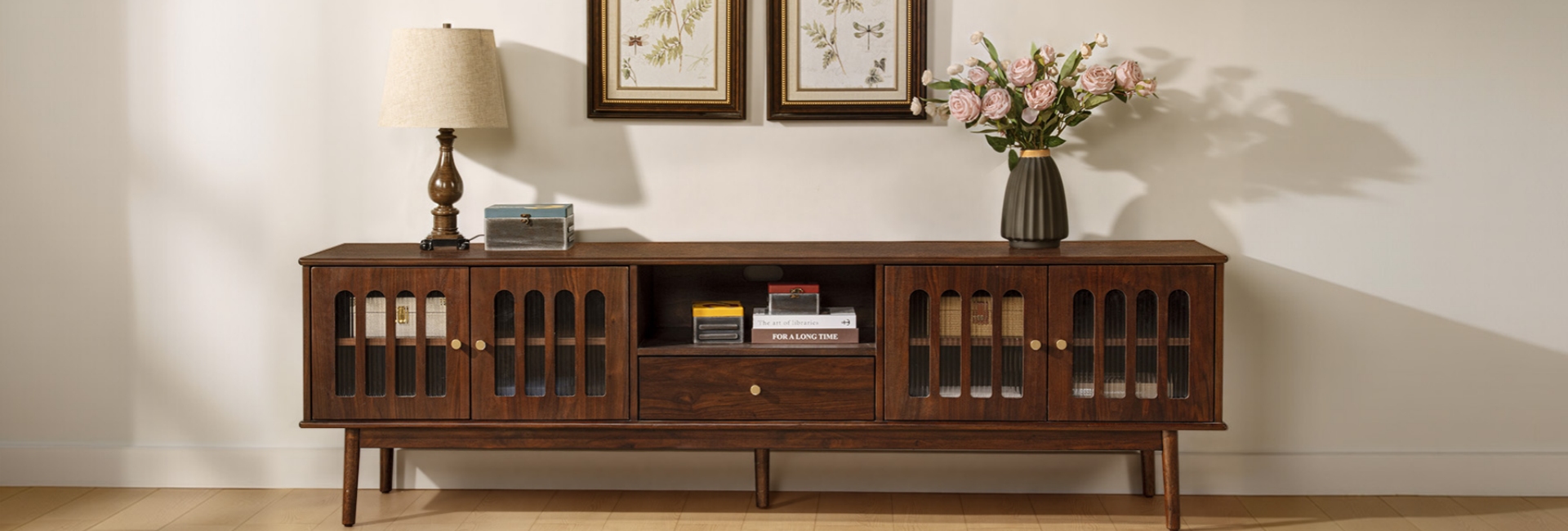
Choosing a media console with enough storage starts with your equipment, not just your TV. A console should give every device, cable, remote, and accessory a practical place to sit, hide, or stay accessible. Start by measuring your gear, then choose the right width, depth, height, and mix of cabinets, drawers, and open storage.
The TV is usually the easiest part. The harder part is everything around it: the streaming box, game console, soundbar, router, remotes, spare HDMI cables, controllers, and the accessories that seem to multiply over time. A console that looks perfect in a photo can become frustrating once you try to fit your actual setup inside it.
This guide breaks down how to measure your equipment, choose the right console dimensions, match storage types to what you own, and check ventilation, cable access, and construction. It also includes two Hernest oak media consoles with different storage configurations, so you can see how those decisions work in a real room.
Table of Contents
- 1. Start by Listing What You Actually Own
- 2. How Wide Should a Media Console Be?
- 3. Don't Skip Depth and Height
- 4. Cabinets, Drawers, or Open Shelves?
- 5. Check Material and Build Quality
- 6. Don't Forget Cable Management
- 7. Make Sure Electronics Can Breathe
- 8. Choose a Finish That Works With the Room
- 9. Match the Storage Setup to Your Room
- 10. A Quick Pre-Buy Checklist
- FAQs
- How do I know if a media console has enough storage?
- Should a media console be wider than the TV?
- How wide should a media console be for a 65-inch TV?
- What's the best height for a media console?
- Are cabinets or drawers better for a media console?
- How do I hide cables with a media console?
- What material is best for a media console?
- How much weight can a media console hold?
- Can I use a media console as a sideboard in the dining room?
1. Start by Listing What You Actually Own
Before looking at media consoles, make a quick inventory of everything that lives near your TV.
Count the individual items rather than broad categories. A "gaming setup," for example, might include a console, two controllers, a charging dock, game cases, and several cables. A streaming setup might include a streaming device, router, remote controls, and a soundbar.
Your list helps answer two different questions:
-
How much storage do you need?
-
What type of storage do you need?
Small loose items such as remotes, controllers, batteries, and cables are easier to organize in drawers. Larger electronics such as game consoles, receivers, and other components generally need wider or deeper compartments. Frequently used devices may be better in open or ventilated storage.
The goal isn't to fill every inch of the console. Leave some room for cable routing and for equipment you may add later. Buying a console that fits today's setup exactly can leave you shopping for more storage sooner than expected.
A Simple Storage Rule
Use your equipment list to guide the configuration:
-
Small accessories: Choose drawers.
-
Bulky equipment: Choose cabinets or deeper compartments.
-
Frequently used electronics: Consider open or ventilated storage.
-
A mixed setup: Look for a combination of drawers, cabinets, and shelves.
This is usually more useful than choosing a console based only on how many drawers or doors it has.
2. How Wide Should a Media Console Be?
Width is one of the first dimensions to check because the console needs to work with both your TV and the wall.
A common starting point is to choose a console that is slightly wider than the TV. This gives the TV a more grounded appearance and provides some usable surface area on either side.
However, don't calculate the console width from the TV's diagonal measurement alone.
Measure the TV's Actual Width
TV sizes are measured diagonally, while furniture is measured from side to side. A typical 16:9 TV is approximately:
-
43-inch TV: 38 inches wide
-
55-inch TV: 48 inches wide
-
65-inch TV: 57 inches wide
-
75-inch TV: 65 inches wide
-
85-inch TV: 74 inches wide
Actual dimensions vary slightly by model and bezel design, so check your TV's specifications before buying.
As a starting point, choose a console that extends several inches beyond each side of the TV. This gives you some visual breathing room and leaves space for speakers, decor, or other equipment when needed.
Recommended Console Width by TV Size
These ranges are starting points rather than strict requirements. Your wall, furniture arrangement, speakers, and storage needs may call for a different size.
Consider the Wall, Too
A console does not have to be sized only around the TV.
In a long living room, a wider console can help fill the wall and create a more intentional composition. In a small apartment or a narrow alcove, a console that is technically wider than the TV may leave too little clearance around the furniture.
Think about the TV, wall, and surrounding furniture as one composition.
If you're planning to upgrade to a larger TV soon, it can also make sense to choose the console around your future setup rather than buying a piece that will only fit your current screen.
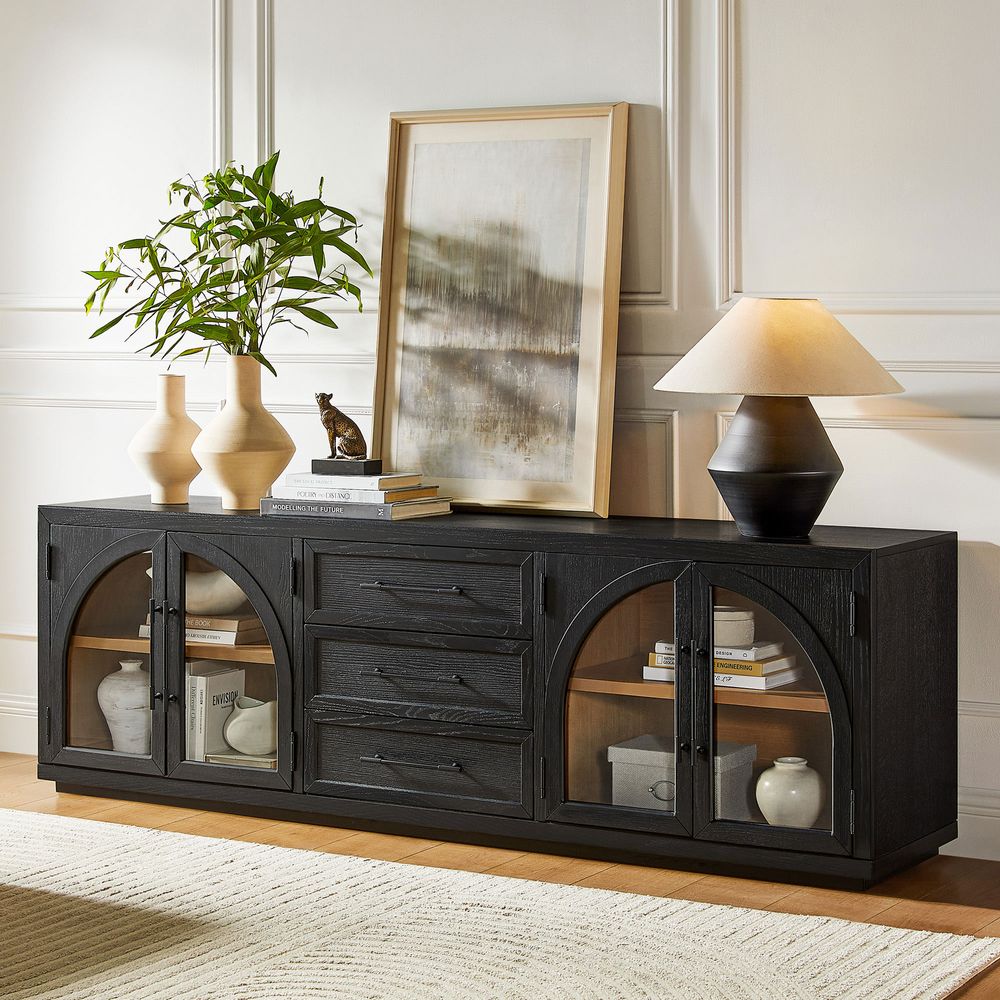
Valborg 80-Inch Oak Media Console
View Product
3. Don't Skip Depth and Height
Width gets most of the attention, but depth and height determine whether the console actually works with your equipment and viewing position.
Choose Enough Depth for Your Equipment
Many media consoles fall around 15–18 inches deep, but the right depth depends on the equipment you're storing.
Measure your deepest component first. Then account for:
-
Cable connections
-
Power plugs
-
Ventilation
-
Door or drawer clearance
-
Space needed to reach the equipment
For a setup with a deeper receiver or amplifier, you may need a console closer to 16–20 inches deep or more.
A simple formula is:
Required console depth = deepest equipment + connection clearance + ventilation space
Don't forget to check the interior depth rather than relying only on the console's overall exterior depth. A back panel, doors, or interior construction can reduce the usable space.
Get the Console Height Right
For a TV that sits directly on the console, the final screen position matters more than the console height by itself.
A useful starting point is to position the center of the screen close to your seated eye level. For many sofa setups, that falls somewhere around 42–48 inches from the floor, although seating height and personal preference vary.
A lower console around 20–25 inches tall can work well when the TV sits directly on top, especially with lower-profile seating.
If the TV is wall-mounted, you have more flexibility because the console is primarily providing storage rather than supporting the screen.
The key is to calculate the console height + TV height before buying, rather than choosing the console by storage capacity alone.
4. Cabinets, Drawers, or Open Shelves?
"Enough storage" doesn't simply mean having more storage. It means having the right storage for the things you need to put away.
Closed Cabinets
Best for:
-
Game consoles
-
Receivers and other components
-
Board games
-
Power strips
-
Larger accessories
-
Items you want hidden
Watch for:
-
Limited ventilation
-
Interior depth
-
Door clearance
-
Cable access
-
Remote-control signal issues
Cabinets are particularly useful when you want the room to look clean even when the equipment inside isn't.
Drawers
Best for:
-
Remotes
-
Controllers
-
HDMI cables
-
Batteries
-
Charging accessories
-
Manuals and small items
Drawers make small objects easier to find because you can pull the contents toward you instead of reaching into the back of a deep cabinet.
If you have several small accessories, a console with drawers can be more useful than adding another large cabinet.
Open Shelves
Best for:
-
Soundbars
-
Frequently used devices
-
Streaming equipment
-
Books
-
Decor
Open storage provides easy access and better airflow, but it also keeps cables and dust visible. If you choose open shelves, plan your cable routing before filling the space.
When a Hybrid Console Makes Sense
For many entertainment setups, the most practical configuration is a combination:
Drawers for small items + cabinets for bulky equipment + open or ventilated space for frequently used electronics.
That's why storage configuration can matter just as much as the total number of compartments.
5. Check Material and Build Quality
A media console supports a television and gets regular use from drawers, doors, and shelves. Construction matters, especially if you plan to keep the piece for years.
Solid Oak vs. Engineered Wood
There isn't one material that works best for every media console.
Solid hardwood is valued for its natural grain, durability, and ability to be repaired or refinished in some situations. Engineered wood can provide dimensional stability and consistent surfaces, particularly for larger panels.
A combination of solid wood, engineered wood, and wood veneer can therefore be a practical construction approach. The important thing is to understand which materials are used for the frame, doors, drawer fronts, and larger panels.
Hernest media consoles use solid oak in combination with engineered wood and oak veneers on applicable designs. This construction combines the character of oak with stable materials for larger surfaces.
Wood also responds to changes in temperature and humidity. Keeping a console away from prolonged moisture and wiping up spills promptly can help protect the finish over time.
Look at the Joinery
You don't need to be a furniture maker to check a few construction details.
For drawers, dovetail joints are a traditional form of joinery that mechanically interlocks the drawer components. Soft-close glides and hinges can also make frequent everyday use quieter and smoother.
Interior shelves matter too. If you're storing different-sized equipment, adjustable shelves give you more flexibility than fixed shelves.
6. Don't Forget Cable Management
A console can have plenty of storage and still be frustrating if you can't route the cables properly.
Look for Rear Cord Cutouts
Rear cord cutouts make it easier to connect devices inside the console to outlets, the TV, or other equipment.
Before buying, check:
-
Number of cord cutouts
-
Their position
-
Whether the back panel is removable
-
Where your wall outlet is located
-
Whether your cables can reach without excessive extension cords
A cutout in the wrong location may still work, but one that lines up with your outlet or equipment can make installation much cleaner.
Plan the Cable Path
Don't wait until the console arrives to figure out cable management.
Think about the route from:
TV → console → devices → power outlet
If your TV is wall-mounted, also consider how the HDMI and power cables will travel between the TV and the console.
Keep power cables and signal cables organized where possible, and leave enough slack to remove equipment without disconnecting everything.
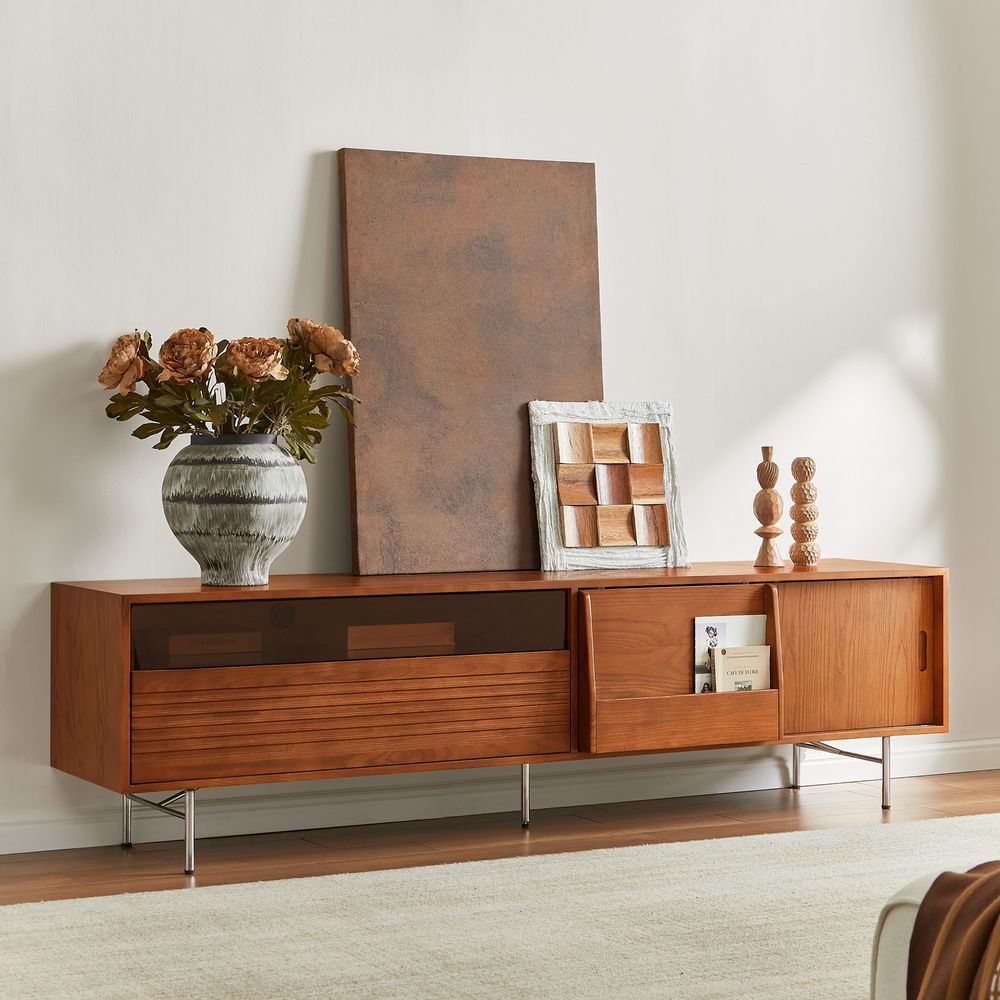
Frode 84-Inch MCM Media Console
View Product
7. Make Sure Electronics Can Breathe
Ventilation becomes particularly important when equipment is stored behind doors.
Receivers, game consoles, routers, and other electronics can generate heat during use. A completely enclosed compartment can restrict airflow, depending on its design.
Look for:
-
Rear openings or cord cutouts
-
Ventilated or slatted doors
-
Adequate clearance around the equipment
-
Enough depth for the device and its connections
If an electronic component's manufacturer specifies clearance around the device, follow those instructions rather than relying only on the furniture dimensions.
For equipment that produces significant heat, open or ventilated storage may be a better choice than a tightly enclosed compartment.
8. Choose a Finish That Works With the Room
Once the dimensions and storage configuration are right, you can think about appearance.
The media console is a large horizontal element, so its finish can influence how the entire TV wall feels.
Wood Finishes
Warm oak tones can work well with other natural wood furniture, while darker finishes can create stronger contrast against lighter walls.
You don't necessarily need to match every piece of furniture exactly. Coordinating the overall wood temperature and finish can create a more cohesive look without making the room feel overly coordinated.
Mid-Century and Modern Rooms
Low profiles, clean lines, and warm wood are common in both mid-century-inspired and modern interiors.
An arched console can introduce a softer architectural detail, while fluted or textured fronts add visual depth without requiring decorative accessories.
The important thing is to treat style as the final filter. Storage, dimensions, equipment clearance, and cable management should come first.
9. Match the Storage Setup to Your Room
At this point, choosing a console becomes much easier.
For a Medium Wall With Lots of Small Accessories
If you have several remotes, controllers, cables, and other small items, prioritize drawers along with closed cabinets.
The Valborg 80-Inch Black Arch Media Console combines two cabinets with three drawers, giving you separate places for bulky equipment and smaller accessories.
It is a useful example of a hybrid storage layout when you want substantial storage without using an extra-wide console.
For a Long Wall and Larger TV
If you have a large wall, a larger TV, and more equipment to organize, a wider console can provide additional storage while giving the TV wall more visual weight.
The Skimra 84-Inch Oak Media Console combines three drawers with adjustable interior shelves and four rear cord cutouts. Its wider footprint makes it suitable for a larger TV wall where you want storage and a substantial furniture presence.
The two configurations illustrate an important point: the right console isn't necessarily the one with the most storage. It's the one whose storage matches what you actually own and the space available in your room.
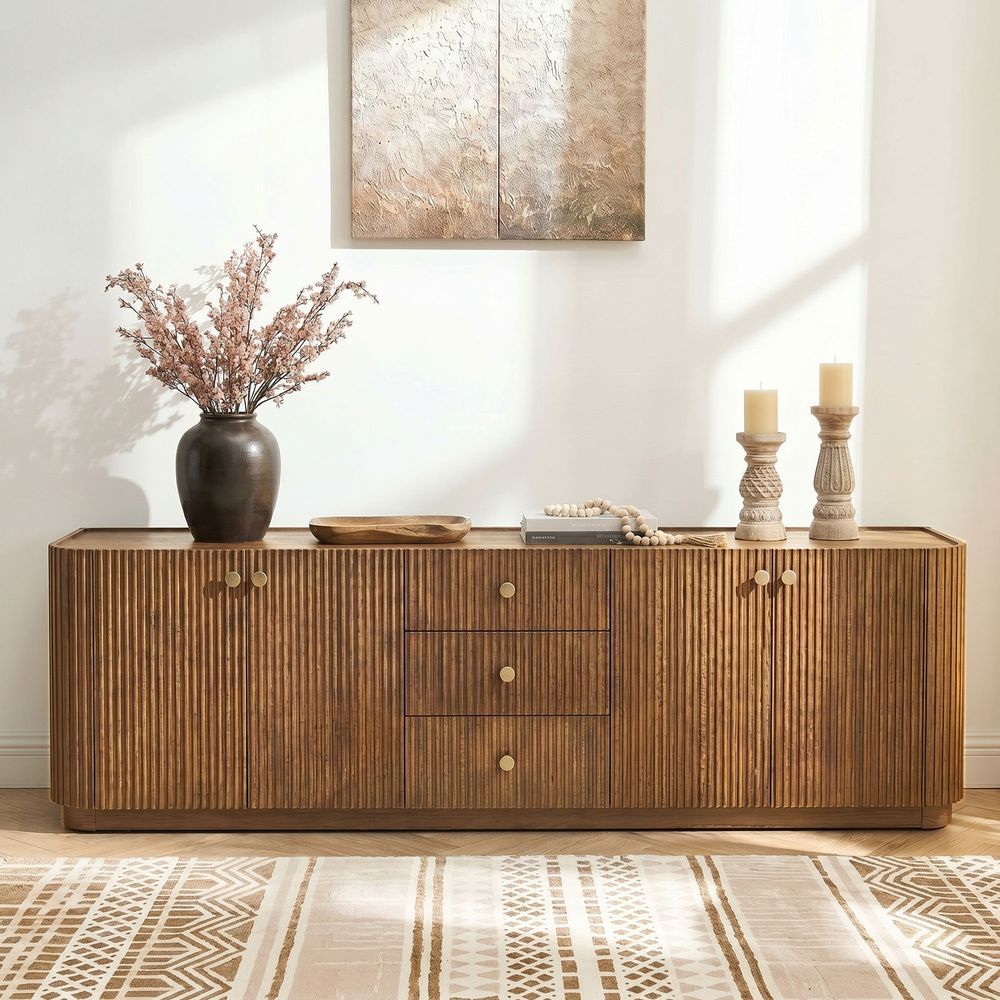
Skimra 84-Inch Oak Media Console
View Product
10. A Quick Pre-Buy Checklist
Before you check out, run through these seven questions:
-
Have you measured your widest and deepest equipment?
-
Is the console wide enough for your TV and wall?
-
Does the console depth leave room for connections and ventilation?
-
Will the final TV height work with your seated eye level?
-
Do you need more drawers, cabinets, open shelves, or a combination?
-
Are there enough cord cutouts and a practical cable route?
-
Does the console's rated weight capacity comfortably exceed the TV and equipment weight?
If you can answer all seven, you're much less likely to discover a storage or sizing problem after the console arrives.
FAQs
How do I know if a media console has enough storage?
List every device and accessory that lives near your TV, then match the storage type to each item. Use drawers for small accessories, cabinets for bulky equipment or clutter, and open or ventilated space for frequently used electronics. Leave some extra capacity if you expect your setup to grow.
Should a media console be wider than the TV?
A console that is slightly wider than the TV is a common starting point because it creates a more balanced visual proportion. However, wall size, speakers, room layout, and your equipment can justify a wider or narrower console. Always check the TV's actual width rather than relying on its diagonal size.
How wide should a media console be for a 65-inch TV?
A typical 65-inch 16:9 TV is about 57 inches wide. A console around 69–75 inches wide provides several inches of space on either side and is a useful starting range. If you have a wide soundbar, speakers, or plans for a larger TV, consider the actual dimensions of those components too.
What's the best height for a media console?
For a TV sitting directly on the console, calculate the combined height of the console and TV so the screen center remains close to your seated eye level. A lower console around 20–25 inches can work well with many low-profile sofas, while wall-mounted TVs allow more flexibility.
Are cabinets or drawers better for a media console?
Neither is universally better. Drawers work well for small items such as remotes, controllers, and cables, while cabinets are better suited to larger equipment and items you want hidden. For mixed entertainment setups, a combination of both can provide more practical storage.
How do I hide cables with a media console?
Choose a console with rear cord cutouts or a removable back panel. Route power and signal cables through those openings, bundle excess cable neatly, and plan the path to the wall outlet before installation. For wall-mounted TVs, follow local electrical requirements and use an appropriate in-wall cable solution when needed.
What material is best for a media console?
There isn't one best material for every room or budget. Solid hardwood is valued for durability and natural character, while engineered wood and veneer can provide stable, consistent surfaces for larger panels. The construction, joinery, finish, and rated capacity are all worth checking alongside the material.
How much weight can a media console hold?
Check the manufacturer's rated weight capacity for the top and shelves, then compare it with the combined weight of your TV and equipment. Don't assume that a console designed for a certain TV size has the same weight capacity as another console of the same width. Use the manufacturer's specifications for the final check.
Can I use a media console as a sideboard in the dining room?
Yes, depending on the console's height, depth, and construction. Cabinets and drawers can hold linens, serving pieces, and other dining-room items. Check the console's dimensions against your dining table and available wall space, and make sure its finish works with the surrounding furniture.