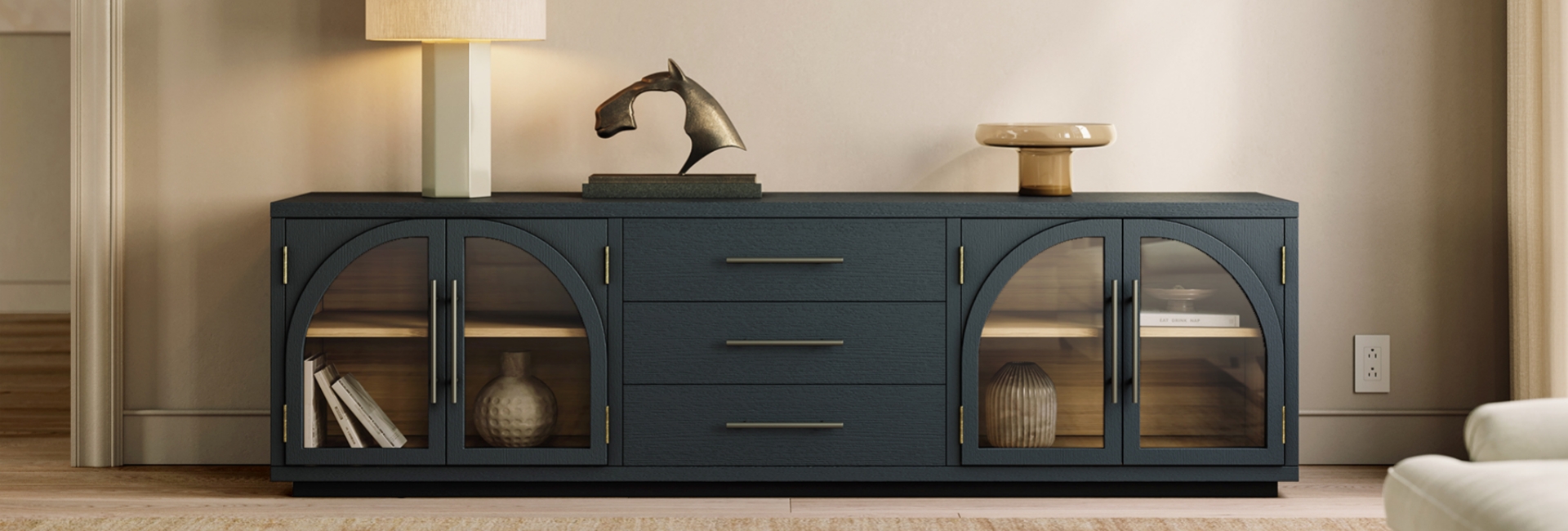
A 65-inch TV does not actually measure 65 inches from side to side. That number is the screen's diagonal measurement, which is why an old console can suddenly look too small when you upgrade your TV.
So, is your TV stand too small for your TV?
Not necessarily. The answer depends on three things: the TV's actual width, the spacing of its feet or pedestal, and the stand's weight capacity. Once you know those measurements, choosing the right console becomes much easier.
For style and proportion, a console that is at least as wide as the TV usually creates a more balanced look. If your room allows it, a few extra inches on each side gives the setup more breathing room and makes the furniture feel intentional rather than undersized.
Table of Contents
- The Short Answer: Does a TV Stand Have to Be Wider Than the TV?
- Why the Number on Your TV Box Can Be Misleading
- How Wide Should a TV Stand Be?
- Your TV's Feet Matter More Than the Diagonal Size
- Don't Forget the Weight Capacity
- How Tall Should a TV Stand Be?
- How Deep Should a TV Stand Be?
- Choosing a TV Stand for a 65-Inch TV
- Choosing a TV Stand for a 75-Inch TV
- What About a Wall-Mounted TV?
- Stuck With a TV Stand That's Too Small?
- Finding a TV Stand That Fits Your Room
- TV Stand Sizing Checklist
- FAQs
- Is it okay if my TV stand is smaller than my TV?
- How big of a TV stand do I need for a 65-inch TV?
- What size TV stand should I use for a 75-inch TV?
- Can a TV overhang its stand?
- Does stand width or weight capacity matter more?
- How tall should a TV stand be?
- Should a TV stand be wider than a wall-mounted TV?
- How deep should a TV stand be for a soundbar and game console?
- How can I hide cables and keep electronics ventilated?
The Short Answer: Does a TV Stand Have to Be Wider Than the TV?
Not always.
A TV can sit safely on a console that is slightly narrower than the screen if its feet or center pedestal are fully supported by the usable surface and the furniture is rated to carry the TV's actual weight.
The important distinction is between physical support and visual proportion.
The TV's diagonal size tells you which screen category you have. The TV's actual width and foot spacing tell you whether it can physically sit on the console. The stand's weight rating tells you whether the furniture can support the complete setup.
For most living rooms, choosing a console at least as wide as the TV is a practical starting point. A few additional inches on each side can create a more balanced composition, especially with larger screens.
If your existing stand is temporarily too small, check the manufacturer's installation requirements and use appropriate anti-tip hardware rather than assuming a narrow console is safe.
Why the Number on Your TV Box Can Be Misleading
What Does 65 Inches Actually Mean?
When a TV is advertised as 65 inches, the measurement refers to the diagonal distance from one corner of the screen to the opposite corner.
It does not mean the TV is 65 inches wide.
For a standard 16:9 screen, the screen width is roughly 87% of the diagonal measurement, before accounting for the bezel and frame:
-
43-inch TV: about 37.5 inches wide
-
55-inch TV: about 48 inches wide
-
65-inch TV: about 57 inches wide
-
75-inch TV: about 65–66 inches wide
-
85-inch TV: about 74 inches wide
The actual exterior dimensions can be slightly larger because of the bezel and frame, so use your TV manufacturer's specifications when precision matters.
Measure Your TV Before Buying a Stand
Two measurements are especially useful.
First, measure the TV's overall width from edge to edge. Second, measure the distance between the outside edges of its feet or the footprint of its center pedestal.
The second measurement can change everything.
A 65-inch TV with a center pedestal may work on a relatively compact console, provided the pedestal is fully supported and the stand meets the TV's weight and installation requirements. Another 65-inch TV with legs positioned close to the outer edges may require a much wider top.
That is why TV size is only the starting point. Foot placement is what you need to check before putting a TV on a stand.
How Wide Should a TV Stand Be?
There is no single stand width that works for every TV. A practical starting point is to choose a console that is at least as wide as the TV and, when space allows, several inches wider on each side.
Use this chart as a general sizing guide rather than a manufacturer's safety requirement:
These ranges are intended to help with proportion and furniture selection. Always check your specific TV's foot spacing, the stand's usable top surface, and its weight capacity before buying.
For a smaller room, you do not necessarily need a huge console just because you have a large TV. The goal is to give the TV enough physical support while keeping the furniture proportionate to the room.
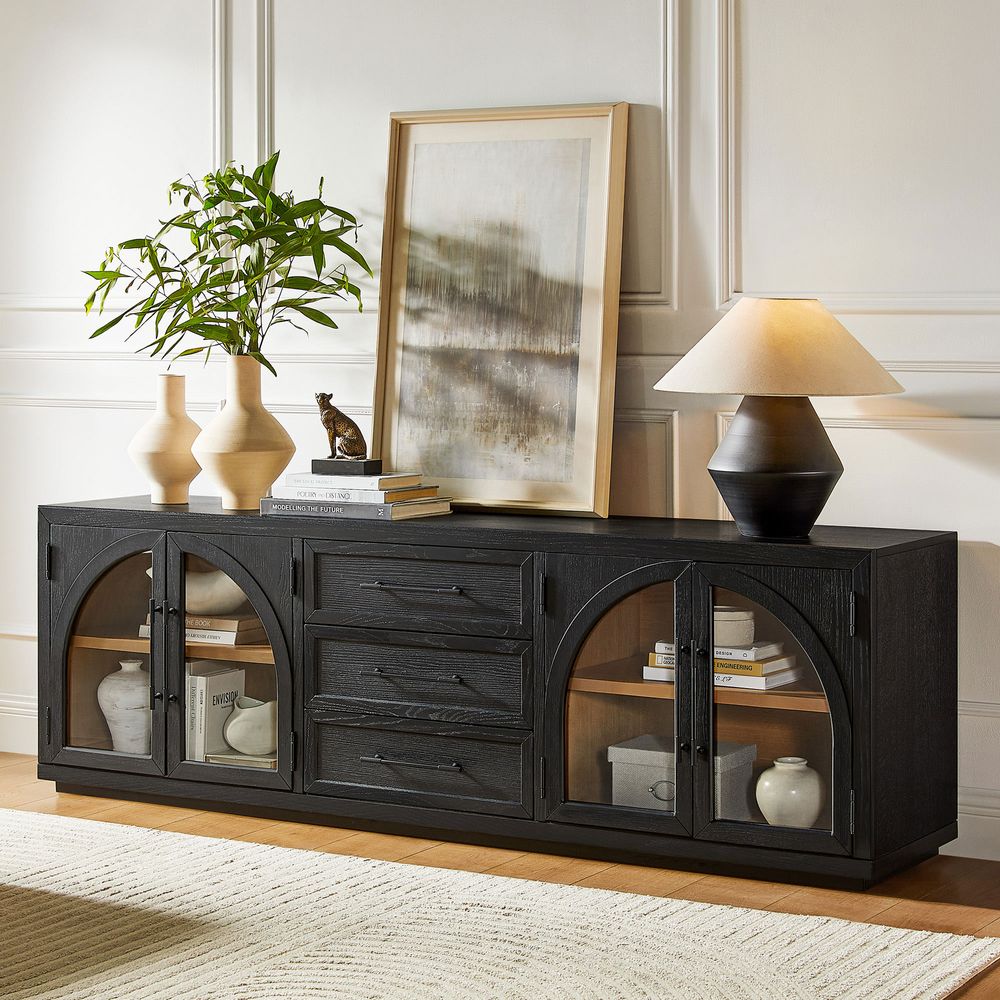
Valborg 80-Inch Oak Media Console
View Product
Your TV's Feet Matter More Than the Diagonal Size
Center Pedestal vs. Wide-Set Legs
The shape of the TV base can make two TVs of the same size behave very differently on a console.
A center pedestal concentrates the support closer to the middle of the furniture. Wide-set legs extend farther toward the TV's edges and may require more usable surface area.
Before buying a stand, check your TV manufacturer's installation instructions. The feet should sit completely on a suitable supporting surface rather than resting partly over an unsupported edge.
How to Measure Foot Spacing
Measure from the outside edge of one TV foot to the outside edge of the other.
Then measure the usable depth and width of the console top. Pay attention to curved corners, recessed sections, raised edges, or other areas where a foot cannot sit flat.
If the measurements are close, size up rather than relying on the TV's diagonal measurement alone.
This simple check can prevent a surprisingly common mistake: buying a stand because it is advertised for a certain TV size without checking how that particular TV actually sits.
Don't Forget the Weight Capacity
Width is only part of the equation.
Every TV stand has a stated weight capacity or load rating. Treat that number as a limit, not a target.
Check your TV's actual weight in the manufacturer's specifications and add the weight of anything that will sit on the console, such as:
-
A soundbar
-
Game consoles
-
Streaming devices
-
A receiver
-
Decorative objects
The total should remain within the furniture manufacturer's stated capacity.
The U.S. Consumer Product Safety Commission recommends placing TVs only on furniture designed to hold them.
For safety decisions, always follow the TV and furniture manufacturer's installation instructions rather than relying on a general sizing chart.
How Tall Should a TV Stand Be?
A stand can be the right width and still be the wrong height.
For comfortable viewing, the center of the screen should generally be close to your seated eye level. For many sofas, that may fall around 42–48 inches from the floor, but your own seated eye height is a better measurement.
A Simple Way to Find the Right Height
Sit on your sofa the way you normally watch TV.
Measure from the floor to your eyes.
Then measure from the top of the console to the center of the TV screen.
The goal is to choose a console height that places the center of the screen close to your natural eye level.
Large TVs often pair well with lower consoles because the screen itself is taller. A 65- or 75-inch TV can quickly become uncomfortable if it sits on a tall cabinet.
For many setups, a console around 18–24 inches tall works well with a large screen, but the height of your sofa and your seated eye level should make the final call.
How Deep Should a TV Stand Be?
Depth is easy to overlook until the equipment starts competing for space.
Instead of choosing a depth based on TV size alone, measure the equipment that will actually sit on or inside the console.
Consider:
-
The TV's base or pedestal
-
Soundbar depth
-
Game consoles
-
Streaming devices
-
Cable connections
-
Rear ventilation space
A console around 16–20 inches deep works for many living-room setups, but your equipment dimensions should determine the final choice.
Give electronics enough room for cables and airflow. If a cabinet houses a game console, receiver, or other heat-producing component, check the manufacturer's ventilation requirements rather than sealing the equipment into a tight compartment.
Rear cord cutouts are also useful because they keep cables organized while giving you a cleaner connection path to the wall.
Choosing a TV Stand for a 65-Inch TV
A 65-inch TV has a screen width of roughly 57 inches, although the complete TV will be slightly larger depending on the frame.
For many setups, a 60–70 inch TV stand gives you a comfortable starting range. If you want more visual breathing room, moving toward the upper end of that range can create a more substantial furniture-to-screen relationship.
The important checks are still the same:
-
Measure the TV's actual width.
-
Check the spacing and shape of its feet.
-
Confirm the stand's weight capacity.
-
Measure the stand's usable top surface.
-
Consider the room's overall scale.
An 80-Inch Oak Media Console for a 65-Inch TV
If you're looking for a wider console for a 65-inch TV, the Valborg 80-Inch Oak Media Console gives the screen more room to breathe. At 80.1 inches wide, it extends well beyond the roughly 57-inch width of a typical 65-inch TV, creating a balanced, substantial look without requiring an oversized setup.
The Valborg features natural oak grain, a clean silhouette, adjustable shelves, and rear cord cutouts for easier media equipment organization. It is also rated for TVs up to 85 inches, giving you some flexibility if you plan to upgrade your screen later.
For a 65-inch TV, the extra width can be especially useful if you want more storage or prefer a console that visually anchors the entertainment area. The oak finish also works naturally with Mid-Century Modern (MCM) interiors while remaining versatile enough to pair with warmer, more contemporary spaces.
This reflects Hernest's approach to accessible design: furniture can have a clear design identity while still being practical for everyday living. Instead of requiring a complete room makeover, a well-proportioned media console can add function, storage, and character to the space you already have.
Choosing a TV Stand for a 75-Inch TV
A 75-inch TV is approximately 65–66 inches wide before accounting for the frame.
A 70–80 inch TV stand is therefore a practical range for many setups, with a 72–78 inch console providing additional breathing room.
Before buying, check the actual dimensions of your TV and its feet. A 70-inch console may work for one 75-inch TV but not another if the second model has wide-set legs or a different base design.
A 78-Inch Burl Media Console for a 75-Inch TV
For a 75-inch TV, a 78-inch console provides a close, balanced fit while still giving the screen a little extra width on each side. The Bodil 78-Inch Burl Media Console is a strong example of how a wider media console can anchor a large screen without overwhelming the room.
Its burl wood surface brings natural variation and visual texture to the entertainment area, while the clean overall silhouette keeps the piece from feeling overly heavy. That combination makes Bodil particularly easy to work into an Organic Modern space, where natural materials and understated forms are often paired with a relaxed, contemporary setting.
The distinctive wood character can also complement MCM-inspired interiors. Rather than matching every piece to the same style, you can use a burl media console to add warmth and texture alongside classic mid-century shapes, contemporary seating, or other natural wood furniture.
For a 75-inch TV, the 78-inch width also keeps the proportions straightforward: the console is slightly wider than the screen, giving the setup a grounded appearance while leaving enough room for media equipment and everyday storage.
This fits Hernest's approach to accessible design—distinctive materials and recognizable design details, without making the rest of the room difficult to coordinate. A media console should add character and function while still working with the furniture you already own.
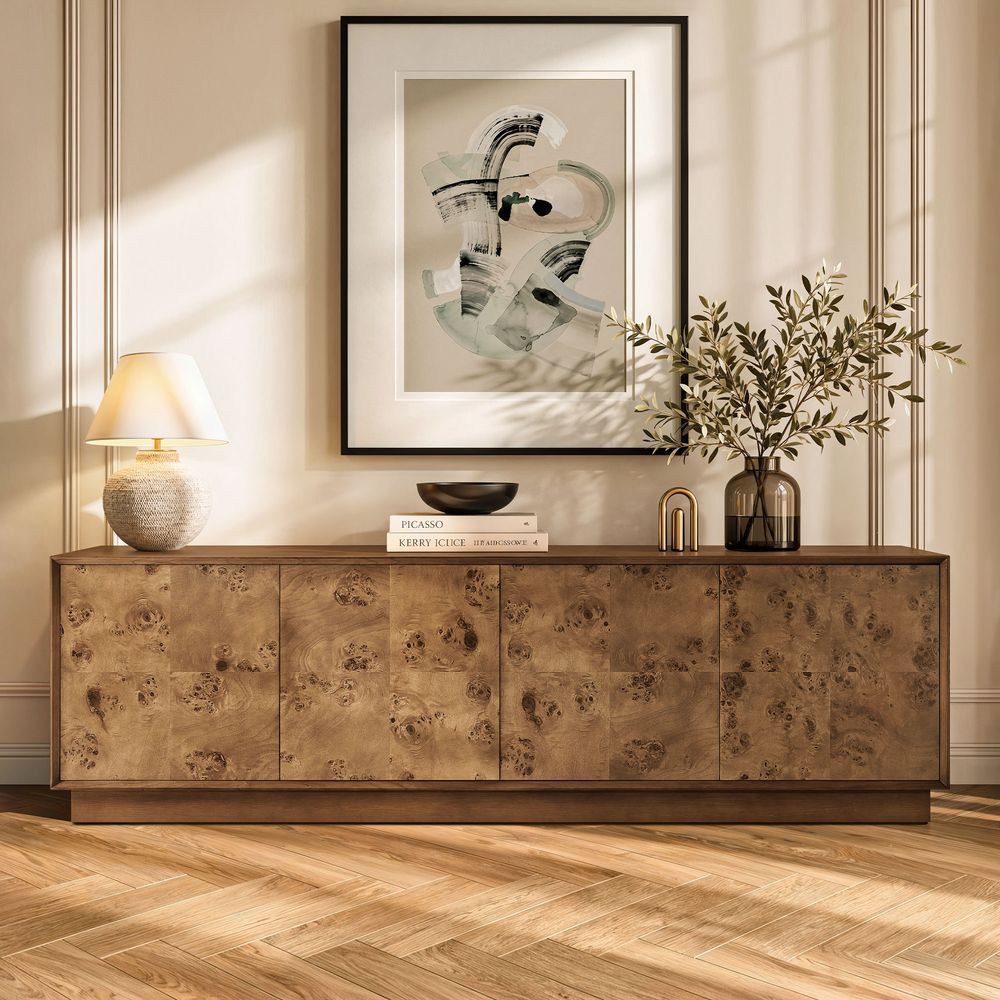
Bodil 78-Inch Burl Media Console
View Product
What About a Wall-Mounted TV?
A wall-mounted TV changes the support question, but it does not eliminate the importance of console width.
When the TV is mounted correctly, the wall mount—not the console—supports the TV. The console underneath is primarily responsible for storage, equipment placement, and visual balance.
A console that is at least as wide as the screen often gives the wall a more grounded appearance. A narrower console can still work when the room layout calls for it, but the proportions should feel intentional.
For example, an MCM console with a long, low profile can visually anchor a wall-mounted screen without competing with it. An Organic Modern console with warm wood tones can do the same in a softer, more natural room.
Leave enough space between the TV and console for your equipment, cables, and the installation requirements of your wall mount. Follow the TV manufacturer's mounting instructions for the actual installation height and clearance.
You can also explore Hernest's media console collection if you want to compare different widths, storage layouts, and design directions.
Stuck With a TV Stand That's Too Small?
If replacing the console is not immediately possible, treat the situation as temporary rather than trying to make an unsuitable setup work indefinitely.
First, check the TV manufacturer's requirements and the furniture's weight rating. Keep the furniture on a stable, level surface and avoid placing heavy or climbable objects where they could create an additional hazard.
A narrow console is not automatically unsafe. But if the TV feet do not sit securely on the usable surface, the furniture is not rated for the TV's weight, or the setup conflicts with the manufacturer's installation requirements, it is time to change the arrangement.
When you replace the stand, choose based on the actual TV dimensions rather than the diagonal number printed on the box.
Finding a TV Stand That Fits Your Room
Once the safety and sizing questions are settled, style becomes much easier.
A good TV stand should fit the television, but it should also fit the room.
Mid-Century Modern
MCM TV stands typically work well when you want a lower profile, clean geometry, tapered or angled details, and practical storage without visual heaviness.
They pair naturally with classic mid-century furniture but can also sit comfortably in more contemporary spaces.
Organic Modern
Organic Modern TV stands bring a softer interpretation of modern furniture through warm wood tones, natural-looking textures, rounded or softened forms, and restrained detailing.
They work particularly well when you want the entertainment area to feel warm rather than overly technical.
A More Accessible Approach to Furniture
Hernest's design direction sits comfortably across these categories without requiring a room to follow one style from top to bottom.
This is also where Hernest's approach to accessible design comes in.
The idea is simple: furniture can have a strong point of view without being difficult to live with. Accessible design, practical storage, and versatile shapes make it easier to work a new piece into the room you already have.
For an entertainment area, that might mean pairing an MCM TV stand with contemporary seating, adding an Organic Modern console to a more traditional room, or simply choosing a warm wood finish that works with furniture you already own.
The TV stand should make the room easier to live in—not create another design problem to solve.
TV Stand Sizing Checklist
Before buying a new console, check these measurements:
-
Measure the TV's actual width, not just its diagonal screen size.
-
Measure the outside-to-outside spacing of the TV's feet or the footprint of its pedestal.
-
Choose a stand that provides a suitable supporting surface for the TV base.
-
Confirm that the furniture's weight capacity covers the TV and your equipment.
-
Check the usable depth for the TV base, soundbar, consoles, and cables.
-
Consider your seated eye level when choosing stand height.
-
Leave adequate ventilation around electronics.
-
Check for rear cord cutouts if you need cleaner cable management.
-
If you plan to upgrade to a larger TV soon, consider the next size before buying.
-
Follow the TV and furniture manufacturer's installation and anchoring instructions.
FAQs
Is it okay if my TV stand is smaller than my TV?
It can be, depending on the TV's base and the furniture. The TV's feet or pedestal need to sit securely on the usable surface, and the stand must support the TV's actual weight. For visual balance, a console at least as wide as the TV is usually easier to work with.
How big of a TV stand do I need for a 65-inch TV?
A 65-inch TV is roughly 57 inches wide. A 60–70 inch stand is a practical starting range for many setups, but check the TV's actual dimensions, foot spacing, and weight requirements before buying.
What size TV stand should I use for a 75-inch TV?
A 75-inch TV is roughly 65–66 inches wide. A 70–80 inch console is a practical starting range, with 72–78 inches providing more visual breathing room for many rooms.
Can a TV overhang its stand?
It depends on the TV's base, the furniture, and the manufacturer's requirements. Do not assume that an overhanging screen is safe simply because the TV's feet are on the console. Check that the entire base is properly supported and that the furniture is rated for the TV's weight.
Does stand width or weight capacity matter more?
Both matter, but they answer different questions. Width and foot spacing determine whether the TV has a suitable supporting surface. Weight capacity determines whether the furniture can carry the load. Check both before buying.
How tall should a TV stand be?
Choose the height based on your seated eye level rather than TV size alone. For many sofas, eye level is around 42–48 inches from the floor. Large TVs often work well with lower consoles, but your own seating position is the better measurement.
Should a TV stand be wider than a wall-mounted TV?
It does not have to be, because the wall mount supports the TV. However, a console at least as wide as the screen often creates stronger visual balance and provides more useful storage and equipment space.
How deep should a TV stand be for a soundbar and game console?
Measure the actual depth of your equipment and leave room for cables and ventilation. Many living-room setups work with a console around 16–20 inches deep, but the equipment dimensions should determine the final choice.
How can I hide cables and keep electronics ventilated?
Look for rear cord cutouts or dedicated cable-management openings. Leave enough clearance around electronics for airflow, and follow the equipment manufacturer's ventilation requirements when using enclosed cabinets.