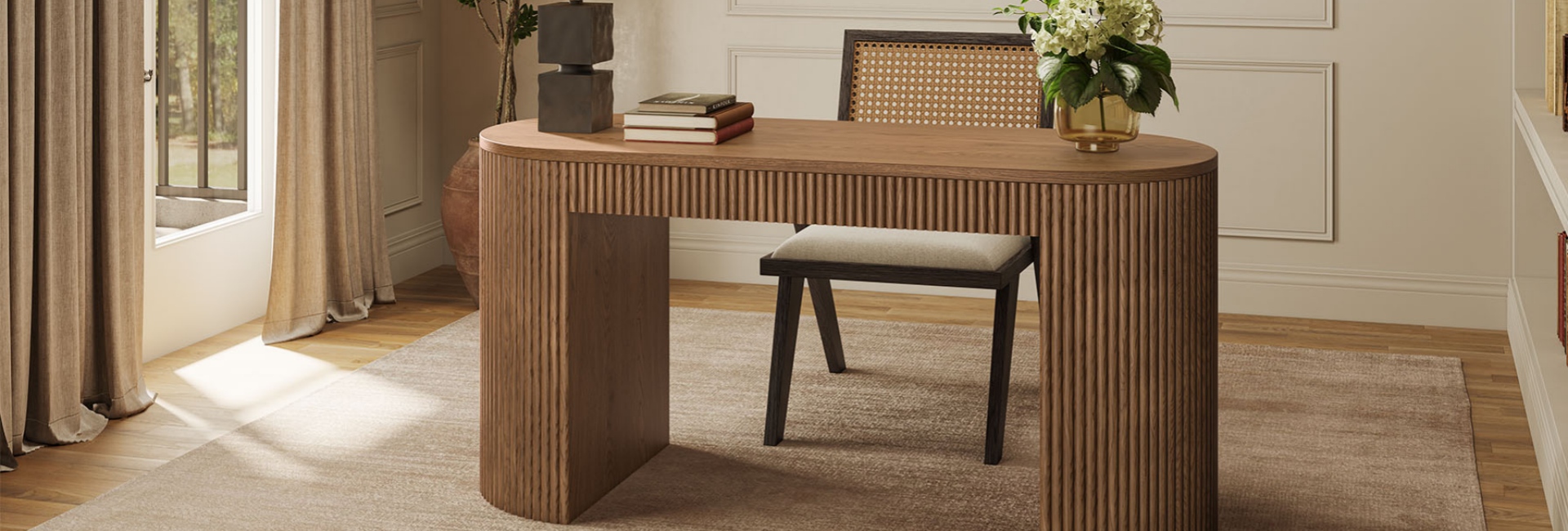
The standard desk height for a fixed desk is usually around 29 to 30 inches (74 to 76 cm), measured from the floor to the top of the desktop. This is a useful starting point when shopping, but it does not guarantee a comfortable fit for every person.
Your chair, arm length, keyboard position, and daily tasks all affect how a desk feels. If you have to raise your shoulders to type, lean forward to reach the work surface, or adjust your legs around drawers, the desk may not suit your setup.
For computer work, start with your seated elbow height and the position of your keyboard. The Occupational Safety and Health Administration (OSHA) recommends keeping the shoulders relaxed, positioning the keyboard around elbow height, and maintaining relatively straight wrists.
The goal is to find a working position that fits your body rather than choosing a desk based on a standard measurement alone.
Table of Contents
- What Is the Standard Desk Height?
- Average Desk Height vs. the Height That Fits You
- Desk Measurements You Should Check Before Buying
- How to Find the Right Desk Height for Your Body
- Signs Your Desk Is Too High or Too Low
- Standard Desk Height for a Home Office
- Fixed vs. Adjustable Desks: Which Should You Buy?
- How to Fix a Desk That's the Wrong Height
- Choosing a Desk That Matches Your Room and Work Style
- The Two-Minute Desk Comfort Check
- FAQs
- Is a 30-inch desk too high?
- How tall should a desk be for a 5'7" person?
- Is 40 inches too tall for a desk?
- What is the standard height for a home office desk?
- What is the standard desk height in inches?
- How do I know if my desk is too high or too low?
- Should my desk surface be at elbow height?
- Can a dining table work as a desk?
- Is an adjustable desk better than a fixed desk?
What Is the Standard Desk Height?
The common fixed-desk height is 29 to 30 inches, or approximately 74 to 76 cm, from the floor to the top of the work surface. This range is found in many writing desks, computer desks, and home office desks.
However, the average desk height and your ideal working height are not necessarily the same. A 30-inch desk may work well for one person but feel too high for another, depending on arm length, chair height, and keyboard placement.
OSHA's workstation guidance focuses on proper positioning and adjustability rather than prescribing one universal desktop height. Its purchasing guidance gives approximate adjustable keyboard-height ranges of 22–30 inches for seated work and 36–46.5 inches for standing work. These figures refer to keyboard positioning, not a requirement that every desktop fall within those ranges.
You can use 29–30 inches to narrow your furniture choices, then check whether the desk allows you to type with relaxed shoulders, elbows near your sides, and relatively straight wrists.
For additional guidance, see OSHA's Computer Workstations eTool.
Average Desk Height vs. the Height That Fits You
A common desk height is convenient for furniture shopping, but it cannot account for every body type or workstation setup.
Two people of the same height may need different working positions because their arm lengths, torso proportions, chairs, and tasks differ. Someone who primarily writes by hand may also position the work surface differently from someone who spends hours typing.
For computer work, your keyboard height is particularly important. A thick desktop, raised laptop, or under-desk keyboard tray can change where your hands sit relative to your elbows.
Rather than assuming that a particular desk height will suit you, measure your seated elbow height and test the position of your keyboard. This gives you a practical reference when comparing fixed desks online.
Desk Measurements You Should Check Before Buying
Desk height matters, but width, depth, and leg clearance also affect how comfortably you can work.
These ranges are general furniture-shopping references, not universal ergonomic requirements. Always check the dimensions of the specific desk, especially if it includes drawers or a thick desktop.
Desk Height: Measure From the Floor to the Desktop
Desk height is measured from the floor to the top of the desktop, not just to the top of the legs or supporting frame.
For computer work, the desktop height alone does not tell you where your hands will sit. If you use a keyboard tray, measure the typing surface as well. If the desk has drawers, check whether the underside leaves enough room for your thighs and knees.
A desk may have a suitable overall height but still feel cramped if the drawer unit or support rails prevent you from sitting close enough to the keyboard.
Desk Depth: Allow Room for Your Monitor
Desk depth determines how much room you have for your monitor, keyboard, mouse, and other work essentials.
A 24-inch-deep desk may work for a compact laptop setup or a smaller monitor. A deeper surface can offer more flexibility for larger displays, multiple monitors, and additional equipment.
OSHA recommends positioning a monitor at least about 20 inches from your eyes. A viewing distance of roughly 20 to 40 inches is common, depending on the display, text size, and individual needs.
Desk depth is not the same as viewing distance. The monitor stand, screen size, keyboard position, and wall clearance all affect how far away the display sits. Measure your complete setup before deciding how much depth you need.
Desk Width and Leg Clearance
A desk around 48 to 60 inches wide may provide enough space for a laptop, one monitor, a lamp, and everyday accessories. A 60- to 72-inch surface may be more suitable for multiple monitors, paperwork, or larger equipment.
Think about leg clearance at the same time. You should be able to sit close enough to the keyboard without your knees or thighs pressing against drawers, support rails, or the underside of the desktop.
If you plan to raise your chair to reach a higher desk comfortably, make sure the space beneath the desktop still accommodates your legs.

Skimra 72-Inch Oak Desk
View Product
How to Find the Right Desk Height for Your Body
You do not need a complicated formula to find a useful starting point. A chair, a tape measure, and a few minutes are enough to assess your working position.
Use the Seated Elbow Test
Sit in the chair you normally use for work. Adjust it so your feet are supported and your shoulders can remain relaxed.
Let your upper arms hang naturally at your sides, then bend your elbows to approximately 90 to 100 degrees. Keep your forearms roughly parallel to the floor and check where your hands fall in relation to your keyboard.
If you have to raise your shoulders to reach the keyboard, the work surface or keyboard may be too high. If you need to lean forward or repeatedly bend your wrists to reach it, the keyboard may be too low or positioned too far away.
For computer work, aim to keep your elbows near your sides and your wrists relatively straight. Your desktop may sit slightly above or below elbow level depending on the task and equipment, so focus on the position of your hands rather than matching one exact measurement.
Measure Your Seated Elbow Height
If you are comparing desks online, measuring your seated elbow height gives you a more useful reference than relying on your overall height alone.
-
Sit in your usual work chair.
-
Adjust the chair so your feet rest securely on the floor or a suitable footrest.
-
Keep your thighs roughly parallel to the floor.
-
Relax your shoulders and let your upper arms hang naturally.
-
Bend your elbows to approximately 90 to 100 degrees.
-
Measure from the floor to the height of your elbow.
Use the result as a starting point for positioning your keyboard. The ideal desktop height may differ slightly because the keyboard, tray, or other equipment can sit above or below the main work surface.
If you use a laptop for extended periods, consider both screen and keyboard placement. A laptop stand can raise the screen, but a separate keyboard and mouse may be needed to maintain a comfortable typing position.
Adjust the Chair and Desk Together
A desk does not work in isolation. Your chair, keyboard, monitor, and desktop need to fit together.
If the desk is too high, raising the chair may help you reach the keyboard without lifting your shoulders. However, if your feet no longer reach the floor, use a suitable footrest or consider a different workstation arrangement.
If the desk is too low, raising the chair alone may not solve the problem. A properly designed keyboard tray or a desk with a more suitable height may be a better option.
Adjust one component at a time so you can identify what improves your working position. OSHA's keyboard guidance provides additional information about keyboard placement and wrist posture.
Signs Your Desk Is Too High or Too Low
An uncomfortable working position can indicate that your desk, chair, or keyboard needs adjustment. No single symptom proves that the desktop itself is the problem, so check the whole setup before making changes.
When the Desk or Keyboard Is Too High
Your desk or keyboard may be too high if:
-
Your shoulders rise while you type.
-
You have to lift or tense your arms to reach the keyboard.
-
Your elbows cannot remain comfortably near your sides.
-
You experience repeated tension in your shoulders or upper back during computer work.
-
You cannot position your keyboard near elbow height without raising your shoulders.
Check whether the chair is too low or whether the keyboard sits above a comfortable elbow position. OSHA identifies raised shoulders as a sign that the keyboard or work surface may be too high.
If raising the chair improves your arm position but leaves your feet unsupported, consider a footrest or another workstation adjustment.
When the Desk or Keyboard Is Too Low
A desk or keyboard may be too low for your working position if:
-
You repeatedly lean forward to reach the work surface.
-
You have to bend your upper body to write or type comfortably.
-
Your arms and shoulders cannot remain relaxed during your usual tasks.
-
You keep changing your position because the keyboard or desktop feels too low.
Wrist position alone is not enough to determine whether a desk is too low. Upward wrist bending can occur when the keyboard is positioned too low relative to your hands, while raised shoulders may indicate that the keyboard is too high.
Check the relationship between your elbows, hands, chair, and keyboard before deciding what to adjust.
Standard Desk Height for a Home Office
The standard height for a home office desk is usually around 29 to 30 inches for a fixed-height model. However, the best choice depends on your body, equipment, and available space.
A home office desk may sit in a spare bedroom, a living room corner, or a multifunctional room. Width, depth, storage, and the space needed for your chair can matter as much as height.
If you prefer a fixed desk, choose one that provides enough room for your everyday work while allowing you to sit comfortably underneath it. Check the listed dimensions before buying, particularly if you already have a chair you want to keep using.
For example, the Himmel 60-Inch Desk offers a dedicated work surface for a home office or study area. Before choosing it, compare its listed dimensions with your seated elbow height, chair adjustment range, and available legroom. A desk's overall height alone does not determine whether it will be comfortable for extended computer work.
If you need to raise your chair to reach the keyboard comfortably, make sure your feet can still rest on the floor or a suitable footrest. Check the product specifications to confirm the desk's height, width, depth, and storage configuration before buying.
The listed dimensions are a starting point. Your actual working position determines whether the desk will fit your setup.

Himmel 60-Inch Desk
View Product
Fixed vs. Adjustable Desks: Which Should You Buy?
The choice depends on how much flexibility you need and whether a fixed-height desk already fits your working position.
Fixed-Height Desks
Fixed desks are straightforward and do not require motors or power. They can be a good choice if you already know what height works for you and mainly work while seated.
A fixed desk may suit you if:
-
You are the main person using it.
-
The desk works with your seated elbow height and chair.
-
You mainly sit while working.
-
You prefer a conventional furniture setup.
-
You do not need to alternate between sitting and standing.
The main limitation is that the height does not change. If the desktop is too high or too low, you may need to adjust the chair, use a keyboard tray, or consider a different desk.
Height-Adjustable Desks
Height-adjustable desks let you change the work surface to accommodate sitting and standing. They can also help when several people share a workspace or when a standard fixed height does not fit comfortably.
An adjustable desk may be useful if:
-
Several people use the same workspace.
-
You want to alternate between sitting and standing.
-
Your preferred working position falls outside the range of a fixed desk.
-
You have struggled to find a comfortable setup with your current chair and desk.
Adjustability can make it easier to position the keyboard at a suitable height for different tasks. However, an adjustable desk is not automatically better for everyone. If a fixed desk already suits your needs, there is no reason to replace it solely for the sake of having more adjustment options.
How to Fix a Desk That's the Wrong Height
If your desk feels slightly too high or too low, you may be able to improve the fit without replacing the furniture.
Adjust the Chair
Start by adjusting your chair so your feet are supported and your shoulders remain relaxed when you reach the keyboard.
If raising the chair helps your arms reach the work surface but leaves your feet hanging, use a stable footrest. Do not sacrifice foot support simply to bring your elbows closer to the desktop.
Add a Footrest or Keyboard Tray
A keyboard tray can lower the typing surface when the desktop itself is too high. This may be useful if the desk is otherwise suitable for writing, paperwork, or other tasks.
A footrest can help when your chair needs to be raised to improve arm position. Make sure it supports your feet securely and allows you to sit without uncomfortable pressure behind your knees.
Raise the Desk If It Is Too Low
If the desktop is too low, sturdy furniture risers or appropriately designed replacement legs may help, provided the desk can support the change safely.
Avoid unstable stacks of books or loose objects under the legs. Any modification should keep the desk level and stable, particularly if you place monitors or other heavy equipment on the surface.
Reposition the Monitor
Desk height and monitor height are related, but they are not the same measurement.
OSHA recommends placing the monitor directly in front of you and at least about 20 inches from your eyes. The top of the screen should generally be at or slightly below eye level, although the best position depends on your display and how you sit.
If the screen is too low, a suitable monitor stand or arm may help. If it is too high, lower it rather than raising your chair solely to compensate. For laptop users, a separate keyboard and mouse can make it easier to position the screen independently of the typing surface.
Choosing a Desk That Matches Your Room and Work Style
Once the height works for you, consider how the desk will fit into your daily routine and room.
A laptop user may need little more than a compact work surface. Someone using two monitors, notebooks, speakers, and office accessories may benefit from a wider desktop.
Storage also matters. Drawers can keep chargers, paperwork, and everyday supplies off the work surface, leaving more room for the tasks you perform most often.
For a larger home office, the Lundbord 64-Inch Desk measures 63.8 inches wide, 29.3 inches deep, and 30.9 inches high. It combines a generous work surface with seven drawers, providing room for both equipment and office essentials.
Its 30.9-inch height is slightly above the common 29- to 30-inch range for fixed desks. Before buying, compare the desktop height with your chair and preferred keyboard position. Its width and storage may suit a larger workspace, but make sure the desk and chair leave enough room for comfortable movement.
Measure the available floor space and clearance behind your chair before selecting a larger desk. A spacious work surface is useful only if you can move around it comfortably.
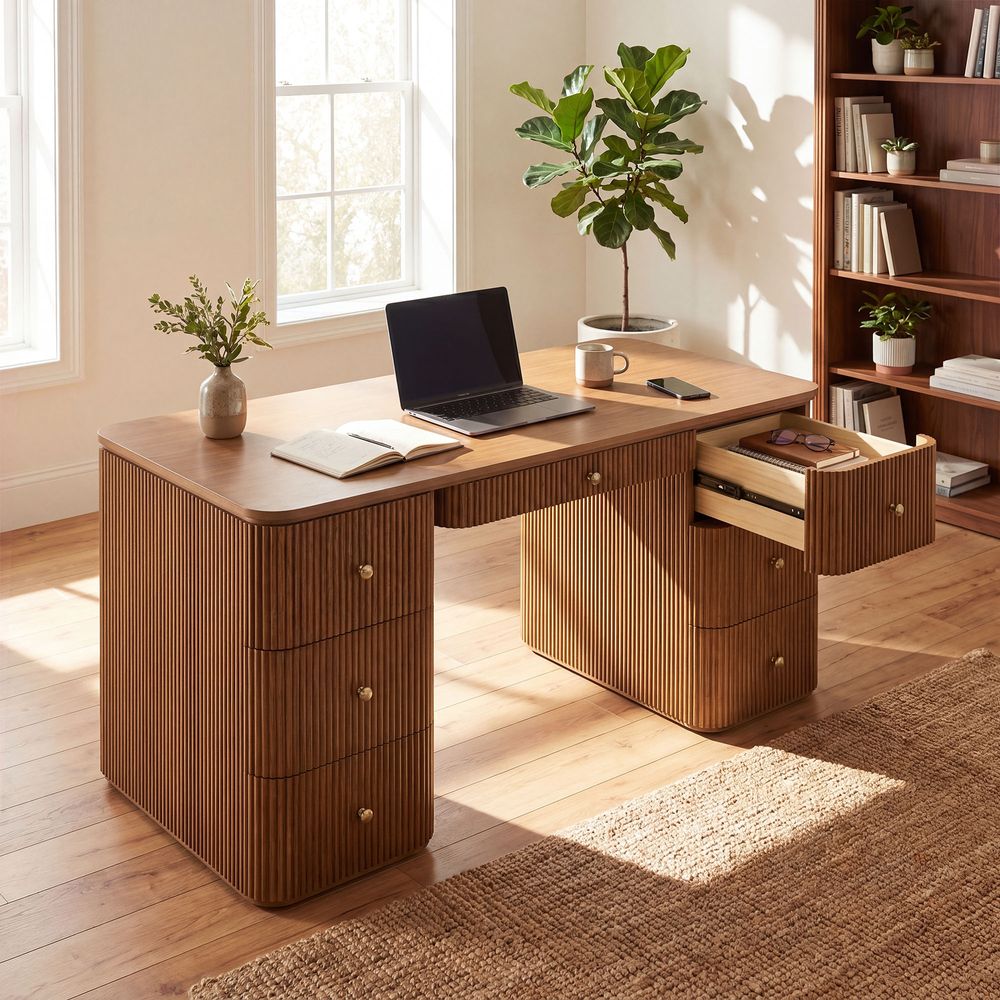
Lundbord 64-Inch Oak Desk
View Product
The Two-Minute Desk Comfort Check
Before deciding that a desk is the right fit, test the whole workstation.
Sit in your normal working position, keep your feet supported, relax your shoulders, and bend your elbows to approximately 90 to 100 degrees.
Check your keyboard:
-
Are your elbows close to your body?
-
Are your shoulders relaxed?
-
Are your forearms roughly parallel to the floor?
-
Are your wrists relatively straight?
-
Can you type without reaching upward or leaning forward?
Then check your monitor:
-
Is it directly in front of you?
-
Is it at least about 20 inches from your eyes?
-
Is the top of the screen at or slightly below eye level?
-
Can you read the text without leaning forward?
If something feels uncomfortable, adjust one component at a time. You may find that the desk height is suitable and that the chair, keyboard, or monitor simply needs to be repositioned.
The right desk height is the one that lets you work comfortably with your chair, keyboard, and monitor positioned to suit your body.
FAQs
Is a 30-inch desk too high?
Not necessarily. Thirty inches is within the common fixed-desk range and works for many adults. However, it may feel too high if you have to raise your shoulders to reach the keyboard. Check that your elbows remain comfortably near your sides, your shoulders stay relaxed, and your wrists remain relatively straight while typing.
How tall should a desk be for a 5'7" person?
A person who is 5'7" may use a desk around 28 to 29 inches as a starting point when comparing fixed desks, but overall height alone cannot determine the best fit. Measure your seated elbow height with your usual chair and check the keyboard position before choosing a desk. Arm length, chair height, and equipment also affect comfort.
Is 40 inches too tall for a desk?
A 40-inch desk is generally too high for seated computer work, but it may be a reasonable starting point for standing work, depending on your height. For seated typing, position your keyboard around elbow height with your shoulders relaxed and wrists straight. For standing work, adjust the keyboard to a comfortable elbow-level position rather than relying on a standard measurement alone.
What is the standard height for a home office desk?
Most fixed home office desks are around 29 to 30 inches high, measured from the floor to the top of the desktop. This is a useful shopping reference, but your chair and seated elbow height determine whether the desk actually fits you. For extended computer work, position your keyboard around elbow height and keep your shoulders relaxed and wrists relatively straight.
What is the standard desk height in inches?
The common fixed-desk height is 29 to 30 inches. This measurement refers to the distance from the floor to the top of the work surface. Some desks fall outside this range, so check the product specifications and compare the height with your working position before buying.
How do I know if my desk is too high or too low?
Sit in your usual working position and check your keyboard. Your shoulders should remain relaxed, your elbows should stay close to your body, and your wrists should be relatively straight. Raised shoulders can indicate that the keyboard or work surface is too high. Leaning forward or repeatedly bending your body to reach the surface may indicate that it is too low. Check the chair and keyboard position before deciding that the desk itself is the problem.
Should my desk surface be at elbow height?
For computer work, the keyboard should generally be positioned around elbow height, with your shoulders relaxed and wrists aligned with your forearms. The desktop itself may sit slightly above or below your elbow depending on your equipment and task. If you use a keyboard tray, measure the typing surface rather than relying on the desktop height alone.
Can a dining table work as a desk?
Yes. A dining table can work as a desk if its height allows you to type comfortably and sit with your feet supported. Many dining tables have a similar overall height to fixed desks, but the fit depends on the individual table and chair. Check the keyboard position, leg clearance, depth, and available space for your monitor before using a dining table for extended computer work.
Is an adjustable desk better than a fixed desk?
Not automatically. A fixed desk can work well when its height suits your body and daily routine. An adjustable desk is more useful when you want to alternate between sitting and standing, share the workspace with people of different heights, or need a wider range of height adjustment. Choose based on the flexibility you actually need.