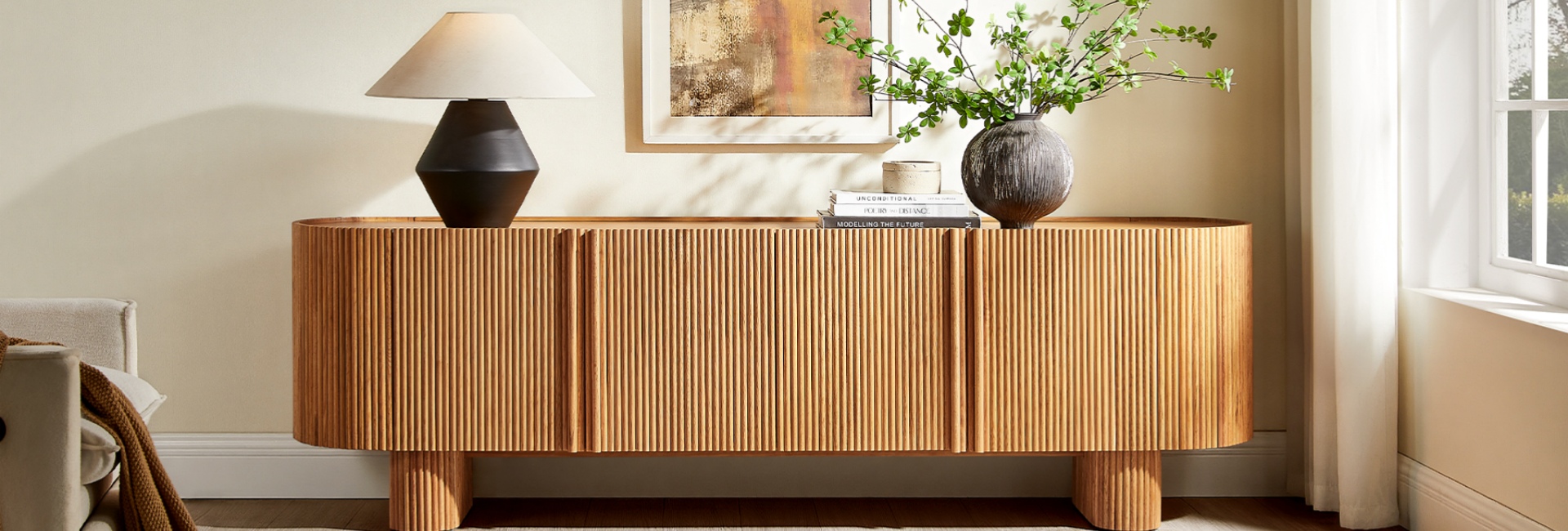
A TV wall can get messy surprisingly fast. There are remotes on the coffee table, game controllers tucked under cushions, HDMI cables hanging behind the screen, and speakers or streaming devices competing for space.
A modern media console gives all of that equipment a place to live while making the TV wall look intentional. The right one is not simply a long cabinet beneath your screen. Its width, height, storage layout, finish, and cable access all affect how well it works in the room.
Whether you are furnishing a new living room or replacing an undersized TV stand, here is what to consider before choosing one.
Table of Contents
- Why a Modern Media Console Beats a Basic TV Stand
- How to Size Your Console to the Room and the TV
- Pick a Style That Stays Calm
- Storage That Earns Its Footprint
- The Arched Oak Console That Anchors the Room
- Plan Cable Management Before You Mount the TV
- Style the Top Without Crowding It
- A Slatted Warm-Oak Media Console for a Textured TV Wall
- Small Living Room? Go Low, Go Long, Go Slim
- Materials and Build Quality Worth Paying For
- A 5-Minute Clutter Reset You Can Do Monthly
- FAQs
- What makes a media console different from a TV stand?
- How wide should a modern media console be?
- How deep should a media console be?
- Should a media console have doors or drawers?
- Can a media console work with a wall-mounted TV?
- Should a media console be wider than the TV?
- What should I put on a modern media console?
- How do I hide cables behind a media console?
- Is a modern media console worth buying instead of a basic TV stand?
Why a Modern Media Console Beats a Basic TV Stand
The terms TV stand and media console are often used interchangeably, but there is a practical difference.
A basic TV stand is primarily designed to support the television and provide some storage. A media console generally puts more emphasis on organizing the equipment that comes with a TV, including streaming boxes, gaming consoles, speakers, remotes, and cables.
That does not mean every media console needs to be large. In a smaller living room, a low-profile console with a few well-designed cabinets can be more useful than a bulky entertainment center.
The key is matching the furniture to the way you actually use your TV area.
If you want more options for different room sizes, storage layouts, and finishes, you can browse Hernest's modern media console collection.
How to Size Your Console to the Room and the TV
Width is usually the first measurement to check.
A console that is noticeably narrower than the television can make the screen look visually top-heavy. A console that extends beyond the TV on both sides usually creates a more balanced arrangement and gives you useful surface space for speakers, lighting, or decor.
As a practical starting point, aim for a console that is several inches wider than the TV on each side.
These are starting points rather than strict rules. Wall width, viewing distance, speaker placement, and the overall proportions of the room can all change what looks right.
Check the Console Height
A low console usually works well with a wall-mounted TV because it keeps the visual line clean.
For many living rooms, a console around 18–24 inches tall is a useful range, but your seating height matters more than the number itself. When you are sitting on the sofa, the center of the screen should generally be around eye level rather than forcing you to look noticeably upward.
If the TV is mounted higher because of a fireplace or another architectural constraint, a lower console can help balance the wall visually.
Do Not Ignore Depth
A media console does not need to be extremely deep.
Around 16–18 inches can work well for many living rooms, especially when the TV is wall-mounted. Before buying, check the depth of your gaming console, receiver, soundbar, or other equipment. Also leave enough room behind the furniture for plugs and cable connections.
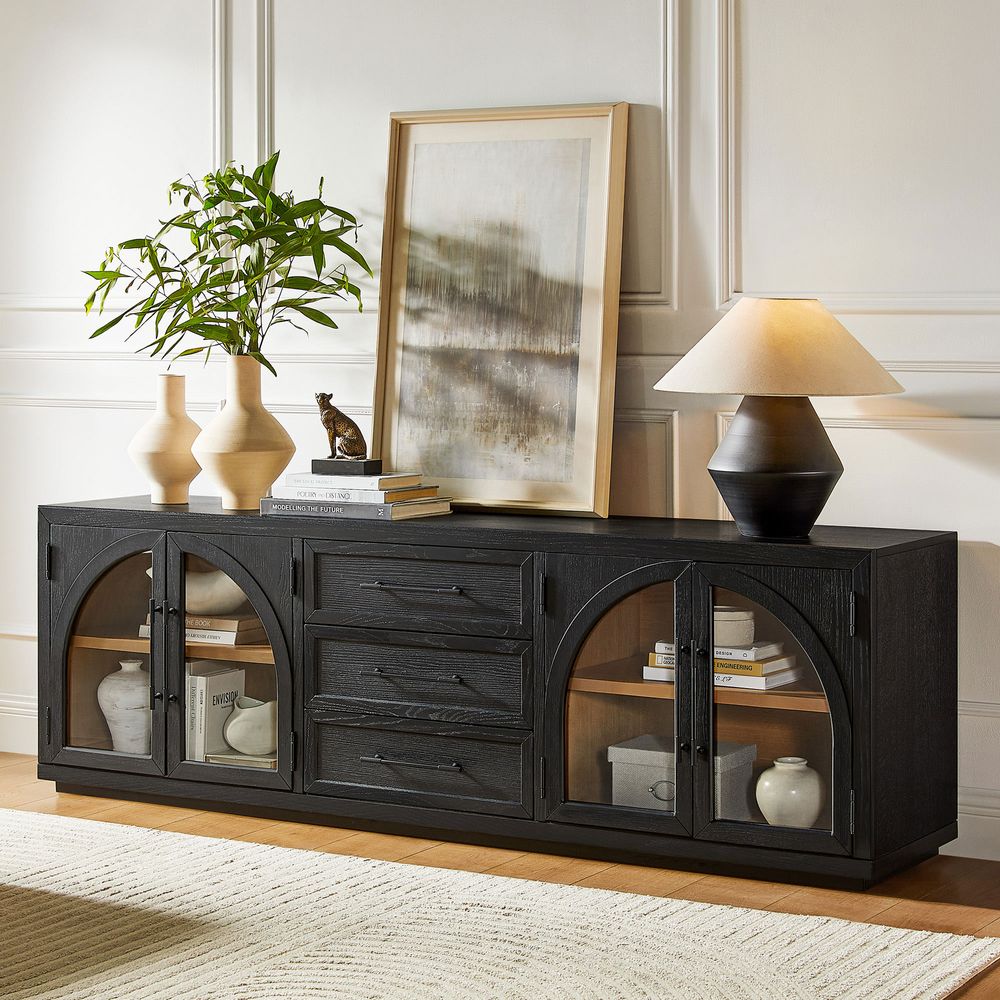
Valborg 80-Inch Oak Media Console
View Product
Pick a Style That Stays Calm
The best modern media console is usually one that supports the room rather than competing with everything else in it.
Mid-Century Modern
Mid-century modern designs work particularly well when you want warmth without visual heaviness. Look for tapered or angled legs, natural wood finishes, clean silhouettes, and restrained hardware.
If this is the direction you want to take your TV wall, explore Hernest's mid-century modern TV stands for more designs with this visual language.
Contemporary
Contemporary media consoles tend to rely on simple geometry, smooth surfaces, and minimal hardware. A darker finish can create contrast against a light wall, while natural wood can soften a room with white or gray furniture.
Japandi and Minimalist
For a quieter look, focus on fewer visual elements. A low wood console with concealed storage can keep electronics out of sight while allowing the furniture itself to become part of the room's design.
Choose the Finish Around the Room
Think about the furniture you already own before choosing a finish.
Warm oak can add softness to a room dominated by neutral upholstery. Dark wood can anchor a lighter space. Black can create a stronger contrast, particularly against a pale wall.
You do not need every wood tone in the room to match perfectly. Repeating similar undertones is often enough to make the furniture feel connected.
Storage That Earns Its Footprint
Storage is where a media console becomes genuinely useful.
Before choosing doors or drawers, make a quick list of what you need to store. If the answer includes controllers, remotes, gaming equipment, books, DVDs, speakers, and miscellaneous living-room clutter, you may need more than one type of storage.
Drawers or Doors?
Drawers are convenient for smaller objects that tend to disappear into deep cabinets. They work particularly well for remotes, controllers, charging cables, and other accessories.
Cabinet doors are more useful when you want to hide larger objects and create a cleaner visual surface.
If you have several types of equipment, a combination of both can be more practical than choosing one storage format exclusively.
What About Open Shelving?
Open shelves make equipment easy to reach and can provide a place for books or decorative objects. They also make cables and clutter more visible.
For a clean-looking TV wall, closed storage is usually easier to keep visually organized.
The Arched Oak Console That Anchors the Room
If you want storage without making the TV wall feel overly heavy, an arched-detail oak console can provide a useful middle ground.
The Valborg 80-Inch Oak Media Console, for example, measures approximately 80.1 inches wide, 17.9 inches deep, and 25.9 inches high. It is designed to accommodate TVs up to 85 inches and includes adjustable shelving and rear cord cutouts.
The adjustable shelves matter if your equipment changes over time. Instead of being limited to one fixed shelf position, you can create more usable vertical space for different devices.
The rear cord cutouts are equally practical. A beautiful console can still look messy if every cable has to run around the side of the cabinet.
Plan Cable Management Before You Mount the TV
Cable management is easier when you plan it before everything is installed.
Think about the complete path from the television to the outlet and connected equipment.
A simple setup might include:
-
TV power cable
-
HDMI cables
-
Streaming device
-
Gaming console
-
Soundbar
-
Ethernet cable
-
Power strip
If the TV is wall-mounted, decide where the cables will enter and leave the wall before choosing the console.
For a console, look for rear cord cutouts or openings that let cables pass through without forcing the furniture away from the wall.
You also need enough space for ventilation. Electronics generate heat, so avoid cramming devices into a completely enclosed compartment without checking the manufacturer's ventilation requirements.
Style the Top Without Crowding It
The top of a media console is valuable real estate, but covering every inch of it can make the TV wall feel busy.
A simple arrangement is usually easier to live with.
Try combining:
-
A table lamp
-
One or two books
-
A small plant
-
A decorative object
-
A framed piece of art
If you have a soundbar, leave enough uninterrupted space for it to function properly. The same applies to speakers and other devices that need clear sound paths.
The goal is not to make the console look like a display shelf. It should still feel like useful living-room furniture.
A Slatted Warm-Oak Media Console for a Textured TV Wall
If a room feels too flat, texture can add interest without introducing a lot of color.
A slatted wood-front console is one way to do this. The repeated vertical lines create a subtle pattern while keeping the overall silhouette simple.
Hernest's Astrid 84-Inch MCM Slatted Media Console uses a warm brown oak finish and a slatted front to add texture around the TV area. It is designed for TVs up to 85 inches and includes four cord cutouts for cable routing.
This type of design can work particularly well against a plain wall because the furniture provides visual detail without requiring a busy gallery wall or multiple decorative pieces.
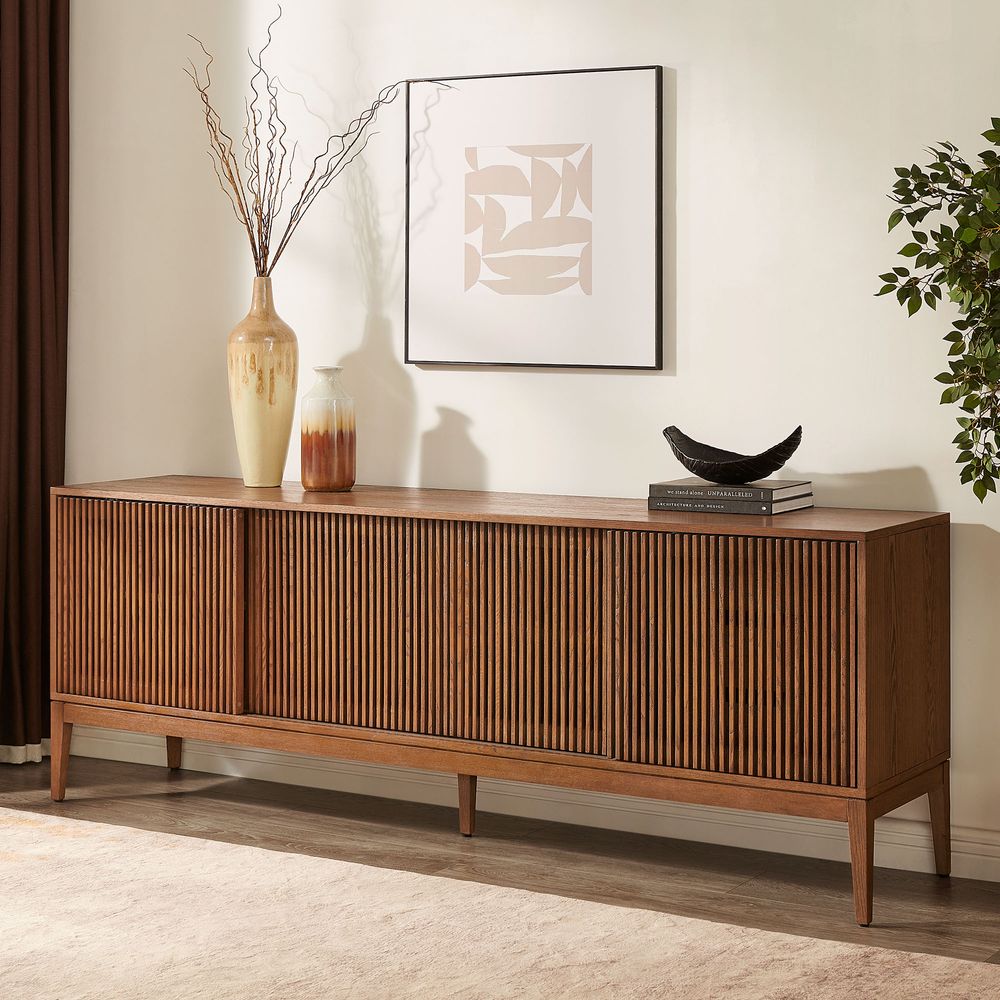
Astrid 84-Inch MCM Slatted Media Console
View Product
Small Living Room? Go Low, Go Long, Go Slim
A small room does not automatically require a tiny TV console.
In fact, a slightly longer, low-profile console can sometimes make a small living room feel more organized because it gives the TV wall one continuous visual line.
The important thing is to avoid excessive depth.
A slim console can preserve walking space while still providing enough storage for everyday electronics. If your TV is wall-mounted, you can also use the wall above the console for the screen rather than taking up additional floor space with a large entertainment unit.
Before buying, measure:
-
The wall width
-
The available floor depth
-
The distance between the console and your seating area
-
The TV width
-
The location of electrical outlets
Five minutes with a tape measure can prevent a surprisingly expensive furniture mistake.
Materials and Build Quality Worth Paying For
The finish gets most of the attention, but construction determines how well a console holds up.
When comparing options, look at:
-
Frame construction: A stable cabinet should feel solid rather than flimsy when doors or drawers are opened.
-
Hardware: Hinges and drawer slides are used constantly, so smooth operation matters more than decorative hardware.
-
Adjustable shelving: This is especially useful if you expect your electronics setup to change.
-
Cord management: Rear openings make it easier to keep cables organized and prevent wires from becoming trapped behind the cabinet.
-
Surface finish: Consider how the material will handle dust, fingerprints, everyday use, and cleaning.
A media console is one of those pieces of furniture that gets used almost every day. Small functional details can matter more over time than a decorative feature that initially catches your eye.
A 5-Minute Clutter Reset You Can Do Monthly
Even the best storage system eventually gets messy.
Once a month, take five minutes to reset the TV area.
1. Remove everything from the console top.
Put back only the items you actually want there.
2. Gather all remotes.
Keep the ones you use and move the rest to a drawer or cabinet.
3. Check the cables.
Look for loose HDMI cables, chargers, or wires that have fallen behind the furniture.
4. Clear unused electronics.
If you no longer use a device, remove it instead of letting it permanently occupy valuable storage space.
5. Wipe the surface.
Dust is especially noticeable on dark finishes and around electronics.
This takes only a few minutes but can make the entire living room feel more organized.
FAQs
What makes a media console different from a TV stand?
A TV stand primarily supports the television and may provide basic storage. A media console generally places more emphasis on storing and organizing entertainment equipment, cables, and accessories.
How wide should a modern media console be?
As a starting point, choose a console that is wider than your TV, leaving several inches of extra surface on both sides. The ideal width also depends on the wall and the overall furniture arrangement.
How deep should a media console be?
Around 16–18 inches is a useful range for many modern setups, but always check the depth of your electronics and allow room for cable connections.
Should a media console have doors or drawers?
It depends on what you need to store. Drawers are convenient for remotes, controllers, and smaller accessories, while cabinets are better for larger equipment and visual clutter.
Can a media console work with a wall-mounted TV?
Yes. A low media console can complement a wall-mounted TV while providing storage underneath. Make sure the console leaves enough space for cables, ventilation, and any sound equipment.
Should a media console be wider than the TV?
Usually, yes. A console that extends beyond the TV on both sides tends to create a more balanced arrangement and provides useful space for speakers or decor.
What should I put on a modern media console?
Keep the arrangement simple. A lamp, plant, books, or a few decorative objects can add personality without competing with the television.
How do I hide cables behind a media console?
Use the console's rear cord cutouts to route cables toward the wall outlet or other equipment. For wall-mounted TVs, plan the cable path before installation so wires do not hang visibly between the TV and console.
Is a modern media console worth buying instead of a basic TV stand?
If you have several electronics, accessories, or cables to organize, the additional storage and cable-management features of a media console can make the TV area easier to maintain. If you only need a surface for the TV, a simpler stand may be enough.