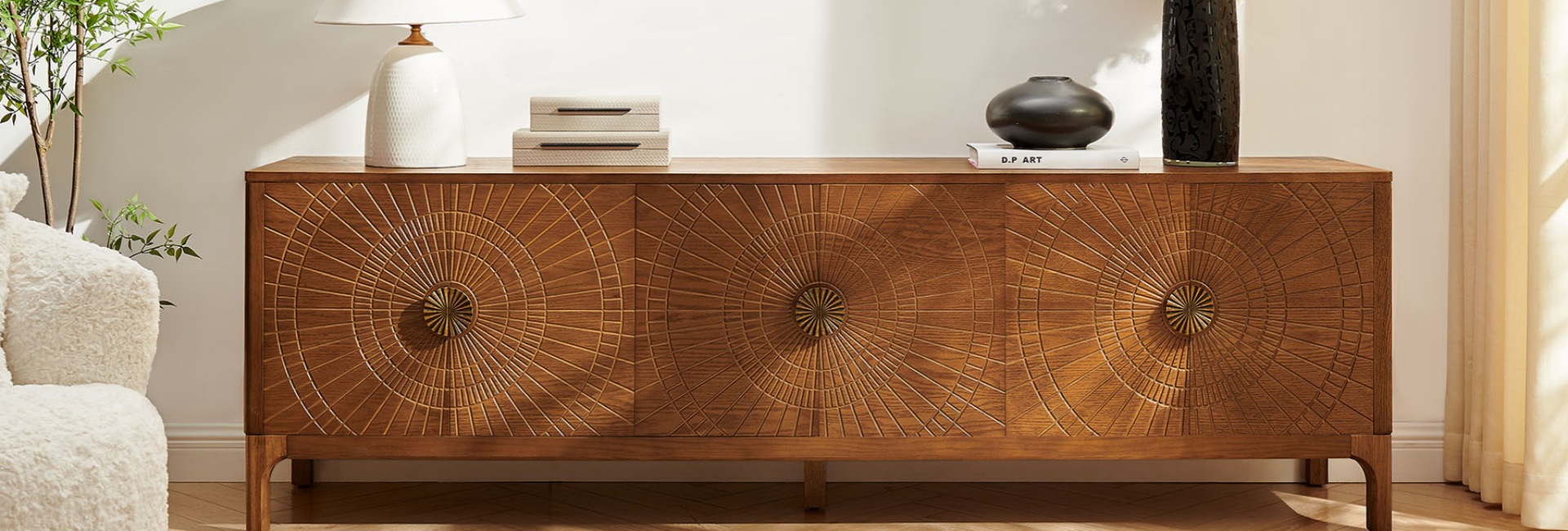
A media console with doors is one of the easiest ways to make a living room look finished instead of like an electronics showroom that never got cleaned up. Behind those fronts, you can store cables, streaming boxes, game consoles, remotes, power adapters, and the other pieces of TV gear that open shelving leaves on display.
The short answer is simple: use the closed storage for bulky, unattractive, or occasionally used items, while keeping anything that needs airflow, a clear remote signal, or frequent access in a more suitable spot. Doors hide the mess, but they also change how heat, Wi-Fi, and infrared signals move through the cabinet.
The mistake is treating a closed console like a giant junk drawer. Shoving a router beside a game console and closing the doors may look tidy, but it can create signal and heat problems. The better approach is to divide the space by function: equipment that needs room to breathe, accessories you reach for often, and the visual clutter you simply want out of sight.
Table of Contents
- What a Media Console With Doors Hides Best
- What Belongs Behind the Doors?
- What Should Not Go Behind a Solid Door?
- Cable Management: The Reason Doors Pay Off
- Drawers vs. Doors: Where Should Each Thing Live?
- Adjustable Shelves Make Storage Easier to Change
- How Wide Should a Media Console Be for Your TV?
- Style Notes: Black, Travertine, and Oak Behind Closed Doors
- Hidden Storage Tricks That Make a Difference
- FAQs
- What should I store in a media console with doors?
- Can electronics go behind closed cabinet doors?
- Do media consoles come with cable management?
- Will closed doors block my remote control signal?
- Should I keep my router or Wi-Fi inside a media console?
- What's the difference between open shelving and closed storage for a TV stand?
- Can a media console work as a sideboard or buffet in the dining room?
- How do I keep a media console from overheating?
- What's the difference between drawers and doors for media storage?
What a Media Console With Doors Hides Best
Closed fronts are not just open shelves with a lid. A media cabinet with doors changes the trade-off from easy access to easy concealment. Open shelving keeps equipment accessible and well ventilated, but it also puts every cable and blinking light on display. Doors solve the visual problem while creating a few new considerations around airflow and remote signals.
Here is the basic split:
A media console with storage that combines doors, drawers, and adjustable shelves is often the most flexible setup. Items you reach for every day can stay in a drawer or open area, while larger equipment and visual clutter disappear behind the doors.
The goal is not to make every piece of equipment invisible. It is to give each item a logical home so the TV area stays organized without making everyday use frustrating.
What Belongs Behind the Doors?
Start with the things that are unattractive, bulky, or only occasionally needed. That is where closed storage earns its keep.
Cables, Power Strips, and the Brick Problem
This is the obvious one. Power strips, HDMI cables, charging cords, and wall adapters can quickly turn a TV setup into a pile of wires.
Coil excess cable, use reusable hook-and-loop ties, and keep the power strip secured to the cabinet floor or back panel when possible. Do not bundle cables so tightly that they become difficult to remove later.
Measure equipment with its cables connected before deciding where it will go. A streaming box may only be a few inches deep, but the HDMI and power connections add extra space behind it. Leave enough room for a service loop so you can pull a device forward without unplugging the entire setup.
Streaming Boxes, Receivers, and Game Consoles
Streaming boxes, AV receivers, game consoles, and similar equipment are natural candidates for closed storage because they are functional rather than decorative.
The important exception is heat. Receivers and game consoles can generate substantial heat, so their vents should never be blocked. Give the hottest device the most open and best-ventilated section of the cabinet, and avoid stacking heat-producing components directly on top of each other.
A cabinet with adjustable shelves is especially useful here. You can create a taller bay for a receiver or console instead of trying to force every device into the same fixed-size compartment.
Games, Controllers, Manuals, and Accessories
Discs, game cartridges, controllers, spare remotes, manuals, batteries, and charging cables can all disappear behind closed doors.
These are also the items that tend to make open shelving look messy. Put them in small bins or containers rather than creating loose piles inside the cabinet. If you use the same accessories every day, keep them near the front or in a drawer rather than burying them behind larger equipment.
The basic rule is simple: doors are best for bulk and concealment, while drawers are better for small items you reach for often.
What Should Not Go Behind a Solid Door?
A closed cabinet can hide a lot, but not everything belongs in a sealed compartment.
Two things deserve particular attention: heat-producing electronics and networking equipment.
Heat-Generating Gear Needs Air
The short answer: electronics can go behind cabinet doors if the cabinet provides enough ventilation and clearance.
Receivers, game consoles, and other heat-producing devices need unobstructed intake and exhaust areas. Look for back-panel ventilation cutouts, slatted or woven door fronts, or an interior layout that leaves the manufacturer's recommended clearance around the equipment.
Do not rely on a generic clearance rule when the equipment manufacturer provides specific requirements. Those instructions should take priority.
For equipment that runs particularly hot, keep the doors open during long gaming sessions or extended periods of use if necessary. A clean-looking cabinet is useful, but airflow matters more than keeping the doors closed every minute.
Your Router Is Better in the Open
The safest setup is to keep a router or mesh node outside a closed cabinet whenever possible.
A solid cabinet can weaken wireless signals depending on its materials, construction, router position, and surrounding environment. Placing networking equipment inside a closed cabinet can therefore reduce coverage in some setups.
If the router must be stored inside, choose a cabinet with slatted or woven panels and place the equipment near the top with plenty of open space around it. An open cubby or shelf above the console is usually a better location.
This is one area where hiding the equipment is often less important than giving it a clear path for the wireless signal.
Cable Management: The Reason Doors Pay Off
Good media console storage starts with cable control. A media console with doors only looks clean from the outside if the wiring behind those doors is organized.
Look for:
-
Cord pass-through holes or grommets
-
Adjustable shelves
-
Rear access or ventilation cutouts
-
Enough depth for cables and connectors
-
Interior space for a power strip
Run power cables separately from signal cables where practical, and label both ends of important cables by device and port. A simple tag such as "TV eARC" or "Game Console" can save a lot of troubleshooting later.
It is also worth taking a photo of the rear cable layout before closing everything up. That one picture can be surprisingly useful when you need to reconnect a device after moving furniture or replacing equipment.
The Renata 84-Inch Travertine-Textured Media Console is one example of a setup designed around cable management. It has four cord cutouts in the back panel and adjustable shelves, giving you room to route cables and position equipment without leaving the wiring visible from the front.
If you are comparing different widths, storage layouts, and configurations, the Hernest media console collection provides a broader selection to compare before choosing a piece for your TV setup.
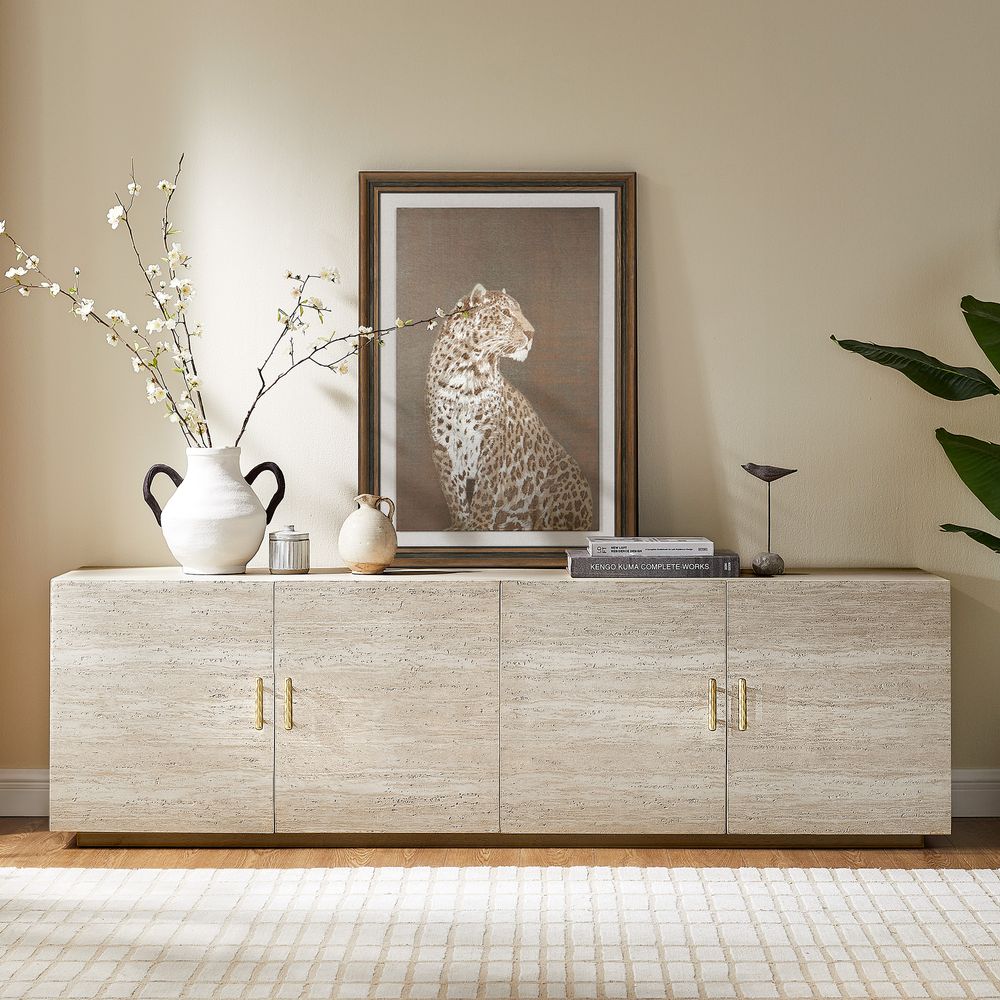
Renata 84-Inch Travertine-Textured Media Console
View Product
Drawers vs. Doors: Where Should Each Thing Live?
Not all closed storage works the same way. For everyday media console storage, the difference between drawers and doors comes down largely to access.
When Drawers Win
Drawers work well for small items you use regularly:
-
Remotes
-
Controllers
-
Batteries
-
Charging cables
-
Manuals
-
Headphones
-
Small accessories
A shallow organizer inside the drawer can keep remotes and controllers from sliding around. It also prevents small items from disappearing into the back of a deep cabinet.
When Doors Win
Hinged doors are better for larger or less frequently accessed items:
-
Game consoles
-
Speakers
-
AV equipment
-
Storage bins
-
Board games
-
Power strips
-
Bulkier accessories
Doors also provide the biggest visual benefit because they hide the entire compartment. The trade-off is that solid doors can restrict airflow and interfere with infrared remote signals.
For many living rooms, a combination of both is the practical middle ground: drawers for the small things you use every day and doors for larger equipment and visual clutter.
The Valborg 80-Inch Black Oak TV Stand is a good example of this combination, with two spacious cabinets and three drawers. Its arched front adds a mid-century character while the mix of enclosed storage and drawers gives different types of media accessories their own space.
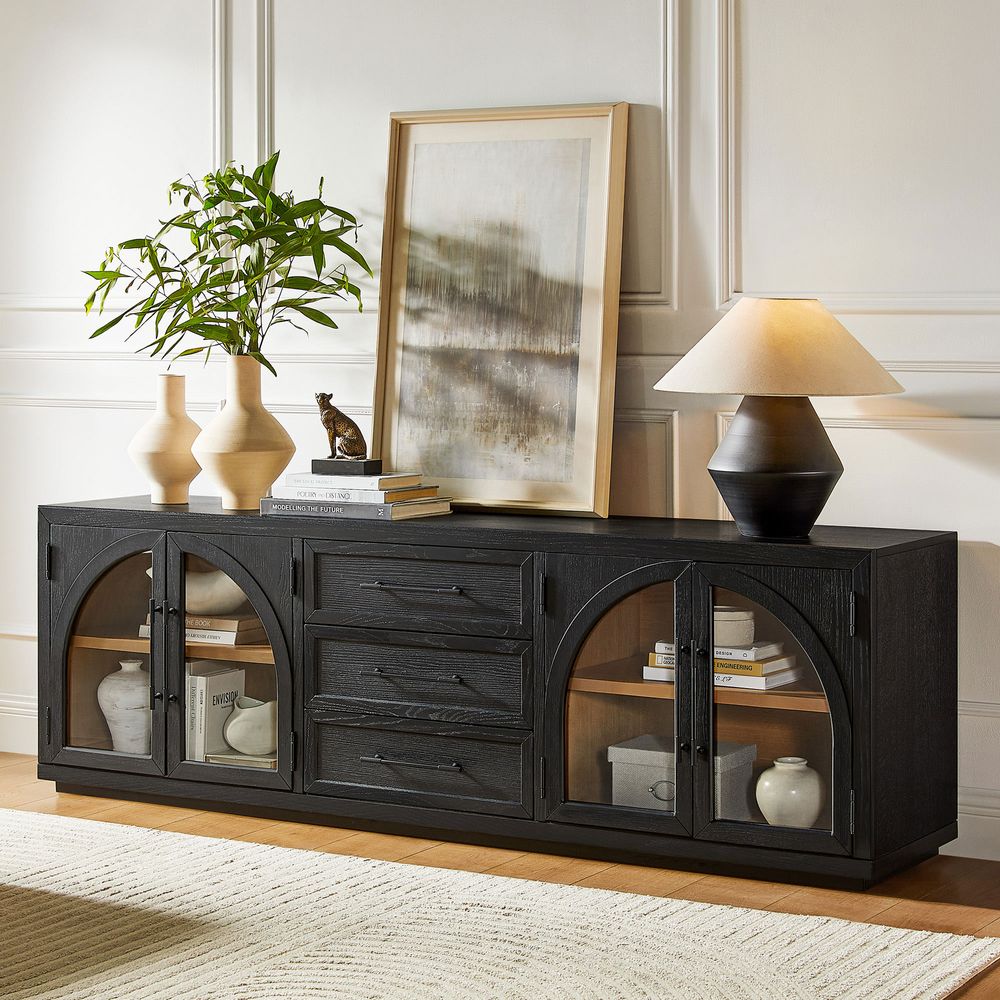
Valborg 80-Inch Oak Media Console
View Product
Adjustable Shelves Make Storage Easier to Change
The most useful feature inside a closed console may be something you barely notice: adjustable shelves.
Your equipment setup rarely stays the same for years. You might start with a streaming box and game console, then add a receiver, speakers, a record player, or larger storage bins. Fixed shelves can become awkward as soon as the equipment changes.
Adjustable or removable shelves let you create one taller compartment for a receiver or console while keeping the remaining sections smaller for accessories.
Plan the layout from the equipment outward. Measure each device by width, height, and depth with its cables attached. Then note where each device takes in and exhausts air.
The Skimra 84-Inch Oak Media Console uses adjustable shelves along with three drawers and four rear cord cutouts. That combination makes it easier to separate equipment from smaller accessories while keeping the cable routing out of sight.
If your equipment list is likely to change, adjustable storage can be more useful than one additional fixed compartment.
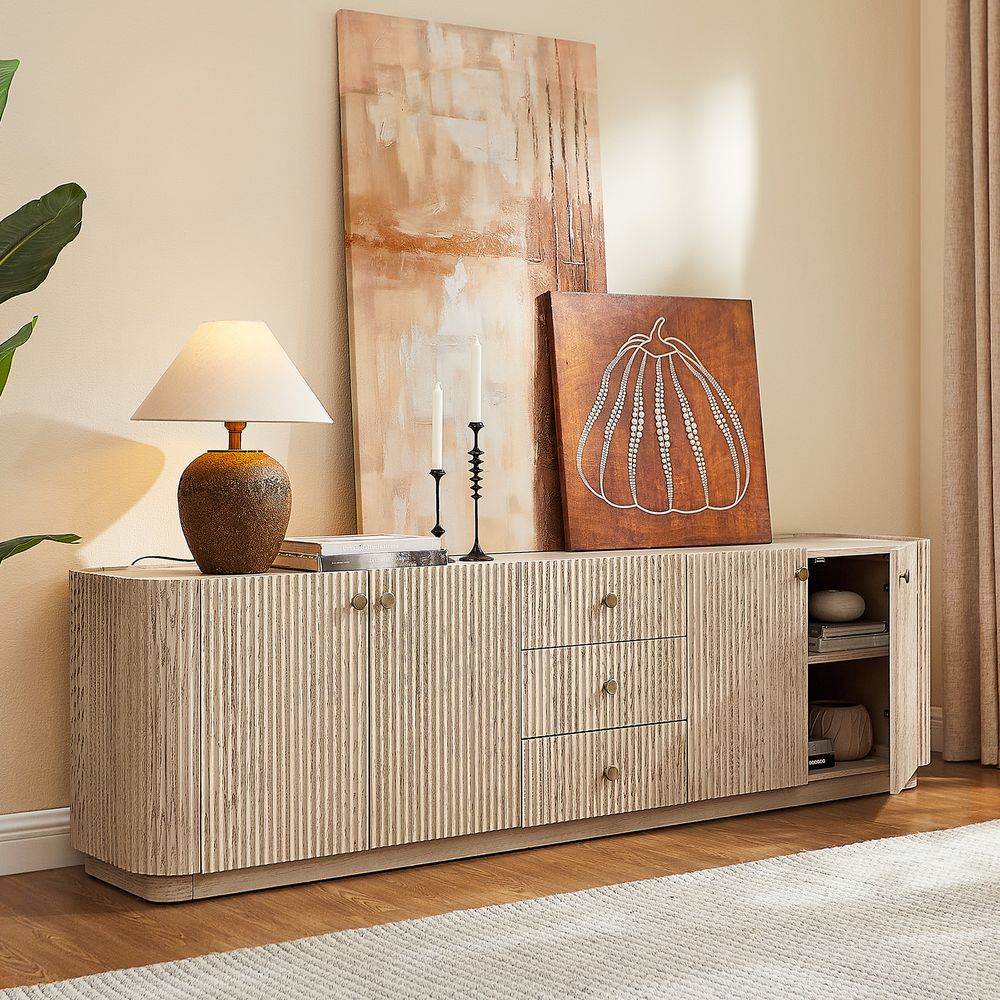
Skimra 84-Inch Oak Media Console
View Product
How Wide Should a Media Console Be for Your TV?
The safest approach is to compare the actual TV width and stand footprint with the console rather than relying only on the TV's diagonal measurement.
As a starting point:
These are starting points rather than hard rules. Always check the TV's actual width, stand footprint, and weight before choosing a console.
For a typical seated viewing position, many setups place the center of the screen around eye level, often roughly 42 inches from the floor depending on seating height and room layout.
Depth matters too. A shallower console can work well in a tight room, while a deeper piece gives you more room for equipment, storage bins, or sideboard-style use.
Style Notes: Black, Travertine, and Oak Behind Closed Doors
The door front is one of the largest pieces of furniture visible from the seating area, so its finish has a major effect on the room.
Black finishes tend to create a stronger visual anchor, especially against lighter walls. Travertine-textured fronts bring a warmer, more tactile look. Natural and whitewashed oak keep the TV area lighter and let the grain become part of the decoration.
If you prefer warm wood tones, low profiles, shaped details, and the furniture language associated with mid-century design, explore Hernest's mid-century modern TV stands. This category connects the practical storage function of a TV stand with the clean silhouettes and warm wood details often associated with mid-century furniture.
The finish should also relate to what is already in the room. Warm wood floors and cream walls can work naturally with oak. Black metal accents can pair well with a darker console. The right closed storage should look like part of the furniture plan rather than a separate piece of electronics equipment.
Hidden Storage Tricks That Make a Difference
A few simple habits can make a media console with doors much easier to live with:
-
Label important cables. Mark both ends by device and port.
-
Use small baskets or bins. Keep controllers, games, and loose accessories from becoming one large pile.
-
Photograph the rear panel. Keep a quick reference of how everything is connected.
-
Keep spare shelf hardware together. If you remove a shelf for a tall receiver, put the shelf pins and hardware in a labeled bag.
-
Leave networking equipment out when possible. An open cubby is usually better for a router than a sealed cabinet.
-
Keep ventilation paths clear. Do not push equipment against vents or block rear cutouts with cables.
-
Use reusable cable ties. They make future equipment changes much easier than permanent ties.
None of these steps is complicated. Together, they keep the cabinet from becoming another place where clutter simply disappears until the next time you need something.
The goal is not perfect organization. It is storage that works quietly in the background.
FAQs
What should I store in a media console with doors?
Use the closed cabinets for cables, power strips, game consoles, streaming boxes, AV equipment, games, controllers, remotes, and other bulky or unattractive items. Drawers are better for small accessories you use frequently. Keep heat-producing equipment properly ventilated and avoid putting a router inside a sealed cabinet.
Can electronics go behind closed cabinet doors?
Yes, provided the cabinet allows adequate airflow and the equipment has the clearance recommended by its manufacturer. Look for ventilation cutouts, slatted or woven door fronts, and enough interior space around the equipment. Avoid blocking intake or exhaust vents and avoid stacking heat-producing components directly on top of each other.
Do media consoles come with cable management?
Many media consoles include basic cable pass-through holes or cutouts, but the exact setup varies by model. Adjustable shelves, rear access, and multiple cord cutouts can make cable management easier. The Renata 84-Inch Travertine-Textured Media Console, for example, has four cord cutouts and adjustable shelves.
Will closed doors block my remote control signal?
Solid doors can block infrared (IR) remotes because they require a line of sight to the receiver. A slatted, woven, or glass door can allow the signal through, or you can use an IR repeater with a sensor outside the cabinet. Bluetooth remotes generally do not have the same line-of-sight limitation as traditional IR remotes.
Should I keep my router or Wi-Fi inside a media console?
Prefer the open when possible. A solid cabinet can interfere with wireless signals depending on its construction and the router's position. If the router has to go inside, use a vented or woven cabinet and place it near the top with open space around it. An open shelf or cubby is usually the better location.
What's the difference between open shelving and closed storage for a TV stand?
Open shelving provides easier access and generally better airflow, but it leaves cables, equipment, and dust visible. Closed storage hides clutter and protects the visual appearance of the TV area, but solid doors can restrict airflow and interfere with IR remotes. A combination of open, drawer, and closed storage can provide more flexibility.
Can a media console work as a sideboard or buffet in the dining room?
Yes, especially when the console is wide enough and its storage configuration suits the room. Both pieces use a low, wide form, but media consoles may include features such as cable cutouts or ventilation for electronics. For dining-specific storage, the Hernest sideboard collection offers pieces designed for serving and dining areas.
How do I keep a media console from overheating?
Follow the equipment manufacturer's clearance requirements, keep intake and exhaust vents unobstructed, and avoid stacking hot components. Choose a console with ventilation cutouts or ventilated doors when storing heat-producing equipment. During long gaming or heavy-use sessions, leaving the doors open can also improve airflow.
What's the difference between drawers and doors for media storage?
Drawers are useful for small items you reach for often, such as remotes, controllers, batteries, and charging cables. Doors are better for larger equipment, storage bins, games, and items you want completely hidden. A console that combines drawers and doors can handle both types of storage without making the TV area look cluttered.