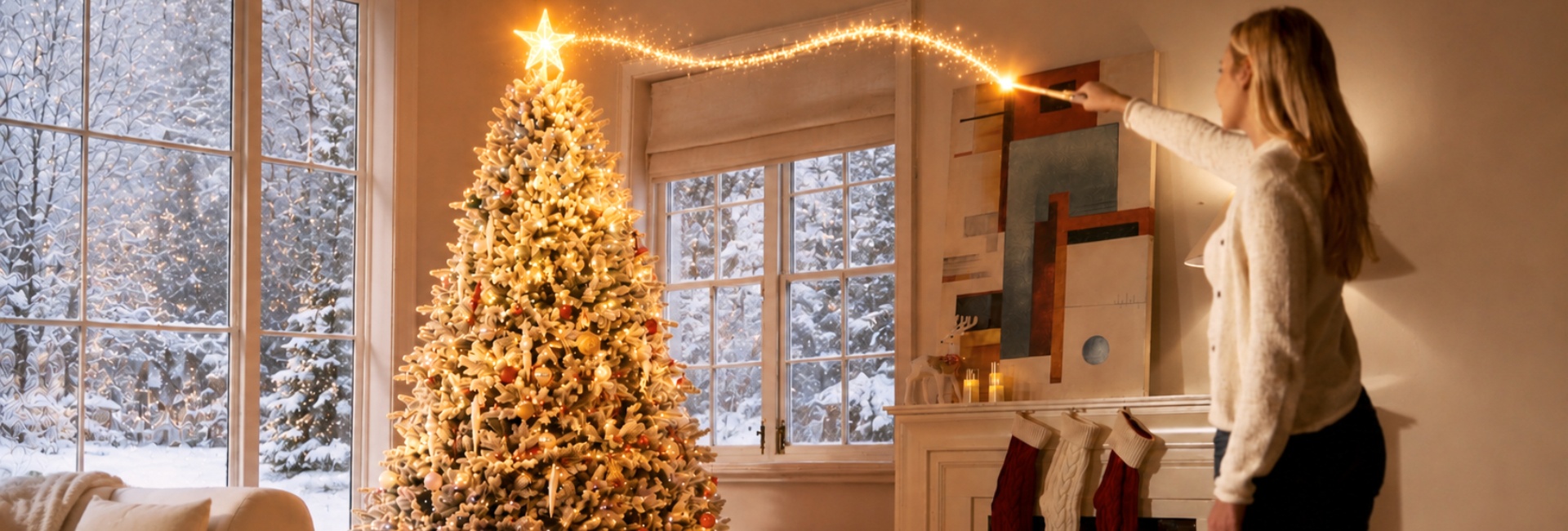
The Hernest Magic Wand gives you an easy way to control your Christmas tree lights with simple hand gestures. If you're setting up your tree for the first time, or the wand isn't responding the way you expect, a few setup details can make a big difference.
This guide walks you through installing the batteries, positioning the LED controller, using the 8 Magic Wand gestures, exploring all 18 lighting effects, and troubleshooting common connection and recognition issues.
Step 1: Battery Installation & Initial Setup
Before using the Magic Wand, make sure the tree's light connections are set up correctly and the wand has fresh batteries. Battery installation must be completed by an adult.
First, Check the Tree Connections
Before moving on to the Magic Wand, check these two connections:
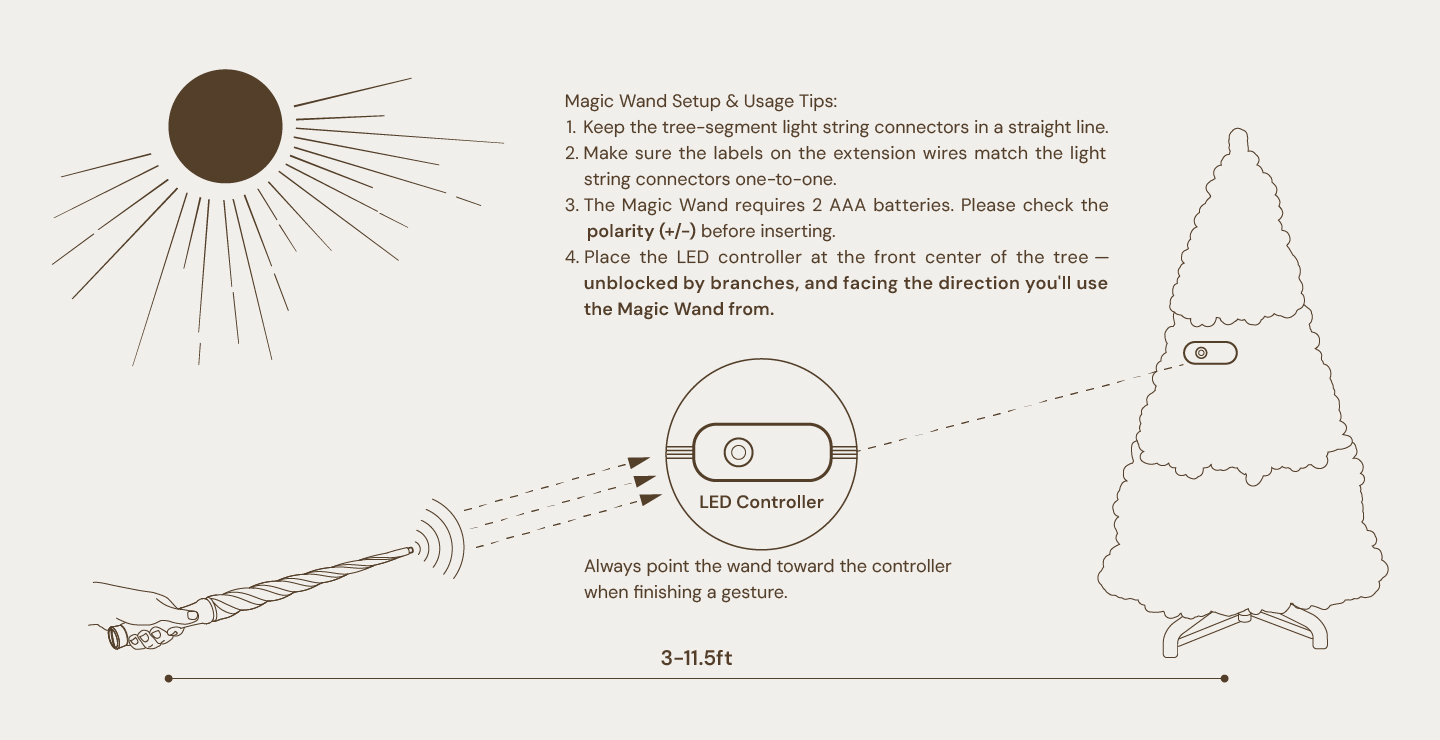
Keep the connectors between the tree sections straight.
Make sure the labels on the extension cord match the corresponding light-string connectors.
Tools Required:
2 AAA alkaline batteries (LR03 / ANSI C18.1M)
1 coin for securing the back cover
Battery Setup Steps:
Remove the Back Cover: Locate the back cover at the base of the Magic Wand handle.
Insert Batteries: Place two new AAA alkaline batteries into the compartment, matching the + / − polarity markings.
Secure the Cover: Replace the back cover. Insert a coin into the groove and turn it clockwise to tighten it securely.
Check the Vibration: When the batteries are installed correctly, the wand will vibrate once to let you know it is powered on and ready to use.
Battery Indicator: If the wand vibrates 3 times, the batteries are low and should be replaced with a fresh pair of AAA batteries.
Step 2: Positioning the LED Controller & Magic Wand
Before trying your first gesture, take a moment to check the controller position, distance, and space where you'll be waving the wand. These details can affect gesture recognition.
Position the LED Controller
Place the LED controller at the front center of the tree, where it is easy to see and not blocked by branches.
The controller should face you—the direction you'll be using the Magic Wand from. Avoid placing it deep inside the tree or behind branches.
Keep Within Range
Use the Magic Wand 3–13 feet from the LED controller.
In a bright environment, stay 3–11.5 feet away.
If the wand isn't responding, make sure you're within the recommended range and that there is a clear line of sight to the controller.
Keep Your Gestures in a 10–20-Inch Area
Imagine an invisible 10–20-inch box directly in front of you. Keep your gestures inside this area.
There's no need to make large swings. Clear, controlled movements work best.
Point the Wand Toward the Controller
When you finish a gesture, make sure the wand is pointing toward the LED controller.
For better recognition, also hold the wand still for about 0.5 seconds before starting a gesture.
Haptic Feedback
When a gesture is recognized correctly, the wand will briefly vibrate.
Step 3: Master the 8 Magic Wand Spells & 18 Lighting Effects
Once the tree and Magic Wand are set up, you're ready to try the gestures. Point the wand toward the LED controller as you finish each gesture.
Basic Spells
Swipe Down (↓): Snow — Flick downward to trigger the cascading Snow lighting mode.
Swipe Up (↑): Fireworks — Sweep upward to activate the vibrant Fireworks light effect.
Swipe Left (←): Previous Light Effect — Cycle backward through the 18 lighting shows.
Swipe Right (→): Next Light Effect — Cycle forward through the 18 lighting shows.
Advanced Spells
Draw a downward V shape"∨": 3D Flag — Trace a clear "∨" shape in the air to switch to the 3D Flag pattern.
Draw "<": 3D Rainbow — Draw an angle pointing left ("<") to activate the 3D Rainbow display.
Draw ">": Color Sweep — Draw an angle pointing right (">") to launch the Color Sweep mode.
Draw an upward V shape "∧" : Power Off — Draw an inverted "∧" shape to turn off the tree lights.
Complete List of 18 Lighting Shows
By using the Swipe Left or Swipe Right spells, you can seamlessly navigate through all 18 lighting shows built into the system:
3D Flag
Carnival Glow
Santa Hat
Soft Blend
Color Stream
Santa Glow
Prism Flow
Halo Rise
Vintage
Holiday Spark
Snowdrift
Rainbow Waves
Snow
Fireworks
Rainbow Drift
Color Sweep
Rainbow
3D Rainbow
Step 4: Safety, Care & Maintenance
To keep the Magic Wand safe to use and in good condition, follow these basic guidelines.
Age Supervision: Children aged 3–6 years must practice under adult supervision. Small parts present a potential choking hazard for children. The product is not suitable for children under 3 years old.
Safe Casting Environment: Ensure plenty of clear space around yourself to avoid striking people, pets, or furniture.
Proper Handling: For handheld casting only. Do not throw, flex, or use the wand to poke objects or eyes. The wand is not a toy for chewing—keep it away from pets and young children’s mouths.
Cleaning: Always remove the batteries before cleaning. Wipe gently with a clean, dry cloth. Do not submerge or expose the wand to water or liquids.
Storage: Store in a cool, dry place away from direct sunlight, radiators, or fireplaces. Remove batteries during long-term storage to prevent leakage or oxidation.
If the Magic Wand Isn't Responding
If a gesture doesn't work, check these basics before trying again:
Are the tree-section connectors straight?
Do the extension cord labels match the light-string connectors?
Are two AAA batteries installed with the correct + / − polarity?
Is the LED controller at the front center of the tree and clear of branches?
Are you 3–13 feet from the controller—or 3–11.5 feet away in a bright environment?
Are you keeping the gesture inside the 10–20-inch area in front of you?
Are you finishing the gesture with the wand pointing toward the LED controller?
If everything looks right, hold the wand still for about 0.5 seconds and try the gesture again.
Frequently Asked Questions
Why is my Magic Wand not controlling my Christmas tree lights?
Start with the basic setup. Check that the tree-section connectors are straight, the extension cord labels match the light-string connectors, and the wand has two AAA batteries installed correctly.
Then make sure the LED controller is at the front center of the tree, facing you and free from branches. Stay 3–13 feet from the controller, or 3–11.5 feet away in bright environments. Keep your gesture inside the 10–20-inch area and finish with the wand pointing toward the controller.
How do I access all 18 lighting shows using the Magic Wand?
Answer: While direct gestures trigger specific modes like Snow (↓), Fireworks (↑), 3D Flag ("∨"), 3D Rainbow ("<"), and Color Sweep (">"), you can browse all 18 lighting shows—including Carnival Glow, Santa Hat, Soft Blend, Color Stream, Santa Glow, Prism Flow, Halo Rise, Vintage, Holiday Spark, Snowdrift, Rainbow Waves, Rainbow Drift, and Rainbow—by using the Swipe Left (←) and Swipe Right (→) gestures.
How do I know if the Magic Wand batteries are installed correctly or running low?
The Magic Wand uses two AAA alkaline batteries. Check the + / − polarity markings before inserting them.
When the batteries are installed correctly, the wand vibrates once when it powers on. If it vibrates 3 times, the batteries are low and should be replaced.
What distance and space should I maintain when using the Magic Wand?
Stay 3–13 feet from the LED controller. In bright environments, stay 3–11.5 feet away.
Keep your gestures inside an imaginary 10–20-inch area directly in front of you, and make sure there is a clear line of sight to the controller.
What safety precautions should be followed when children use the Magic Wand?
Children aged 3 to 6 require adult supervision during use. Battery installation must be strictly handled by adults. Keep the Magic Wand away from small children and pets to prevent accidental damage or misuse. The product is not suitable for children under 3 years old due to small parts.