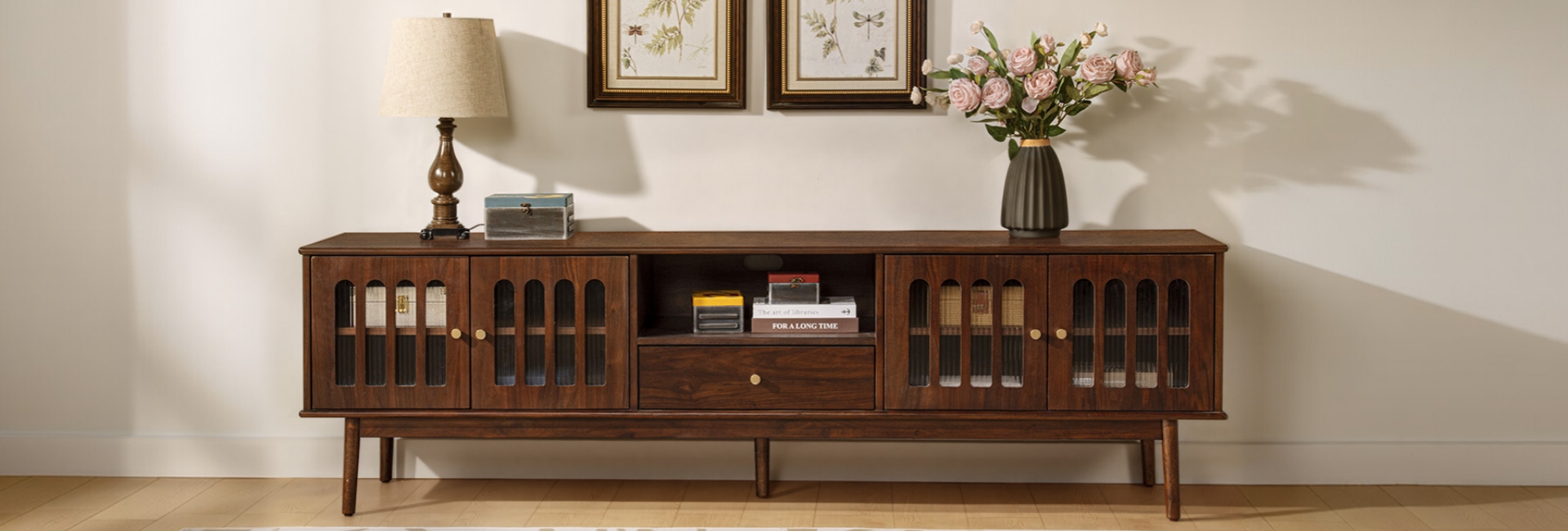
A good MCM entertainment center does two jobs at once. It holds your TV and all the boxes that come with it, while setting the tone for the room with clean lines and warm wood. Get the size and proportions right, and the console settles naturally into the space. Get them wrong, and you may end up with a bulky piece, a sagging top, or cables spilling out behind it.
MCM is simply shorthand for mid-century modern, so you'll see both terms used when shopping for media consoles, TV stands, and credenzas. This guide covers the practical details that matter before you buy: wall width, TV size, storage, materials, cable management, and styling. If you want to browse actual pieces, our entertainment center collection brings together the styles discussed below.
Table of Contents
- What Defines an MCM Entertainment Center?
- Start With the Wall, Not the Screen
- Match the Console Width to Your TV
- Open Shelving vs. Closed Storage: Which Works Better?
- Materials: Solid Wood, Veneer, and Particle Board
- Cable Management Is Part of the Design
- What Makes an Entertainment Center Look Mid-Century Modern?
- MCM Media Console vs. Building Your Own
- How to Style the Top of Your Console
- Choosing the Right Finish and Wood Tone
- Three MCM Media Consoles to Consider
- FAQs
- Is mid-century modern still in style in 2026?
- How wide should an entertainment center be for my TV?
- What size entertainment center do I need for a 75-inch TV?
- What's the best material for an MCM media console?
- How tall should a media console be?
- How deep should an MCM entertainment center be?
- How do I hide cables with a media console?
- Open shelving or closed storage: which is better?
- How much weight can a media console hold?
- What wood tone works best for an MCM room?
- What is the difference between an MCM entertainment center and a media console?
What Defines an MCM Entertainment Center?
Mid-century modern furniture grew out of the 1940s through the 1960s. Its most recognizable traits are straightforward: clean lines, simple shapes, tapered or splayed legs, natural wood, and little unnecessary ornament. The proportions tend to do most of the visual work.
That makes the style a natural fit for a media console. Modern entertainment setups can involve a TV, soundbar, game consoles, streaming devices, routers, and a handful of cables. An MCM console gives those things a place to live without making the electronics the main feature of the room.
Is MCM Still in Style in 2026?
Yes. MCM remains a popular furniture style, but current rooms don't have to look like a recreation of a 1950s living room. A more relaxed approach mixes mid-century pieces with contemporary upholstery, natural textures, and quieter colors.
Warm oak, walnut, cane, stone, boucle, and woven materials can all work with MCM furniture without turning the room into a matching set. One or two strong mid-century pieces are often enough to establish the style.
Start With the Wall, Not the Screen
The easiest way to make an entertainment center look awkward is to choose the furniture first and measure afterward. Start with the wall, then work toward the TV and console size.
Wall Width vs. Console Width: Leave Some Breathing Room
Measure the full width of the wall where the TV will sit. Then look at the space around it. A console doesn't have to fill the entire wall; leaving roughly 3 to 6 inches of visible wall on each side can keep the arrangement from feeling squeezed.
Also check what sits around the proposed location. Floor vents, door swings, radiators, outlets, and wall-mounted TV connections can all affect where the console can go.
If the TV will be wall-mounted, measure the location of the power outlet and cable connection before the furniture arrives. It is much easier to plan the route beforehand than to move a fully assembled console later.
Depth and the Walkway Rule
Depth is easy to overlook because product photos rarely show how much floor space a console actually takes.
For many living rooms, 16 to 20 inches deep is a practical range. Go deeper when you genuinely need the extra storage or equipment space. If the console sits along a busy path between the kitchen, entry, and sofa, staying closer to 16 inches can make the room easier to move through.
Don't forget to measure the clearance between the front of the console and nearby furniture. A console that technically fits against the wall can still make the room feel crowded if the sofa or coffee table is already close.
Height and the Viewing Angle
For a TV sitting directly on the console, 22 to 28 inches is a useful starting range for many living rooms. The goal is to keep the center of the screen at a comfortable seated viewing height rather than forcing you to look noticeably upward.
If the TV is wall-mounted, the console can be lower because it no longer needs to support the screen. A low-profile unit under 20 inches can work well when most of its job is storage and display.
Match the Console Width to Your TV
A simple rule works for most setups: the console should generally be wider than the TV. This gives the screen some visual breathing room and leaves useful surface area for a soundbar, lamp, plant, or a few decorative pieces.
The exact width depends on the TV's actual physical width rather than the diagonal screen measurement. As a quick starting point, aim for about 6 to 10 inches of console extending beyond each side of the TV.
These are starting points rather than hard requirements. A 65-inch TV, for example, is roughly 57 inches wide, so a 70- to 78-inch console gives you useful space on both sides without making the furniture disproportionately large.
For a 75-inch TV, look at consoles around 78 to 84 inches or wider. With an 85-inch screen, a 90-inch-plus credenza or media console usually makes more sense than a standard TV stand.
Open Shelving vs. Closed Storage: Which Works Better?
Storage determines how much of your entertainment setup stays visible. The right mix depends on what you actually keep in the console.
For most living rooms, a combination works well. An open center shelf gives a streaming device or soundbar easy access, while cabinets or drawers can hide the things you don't want on display.
Sliding doors are particularly useful on MCM consoles because they keep the front visually clean without making the storage difficult to reach.
If you put heat-generating equipment such as a gaming console or AV receiver inside a closed compartment, check for ventilation. Rear slots, ventilation openings, or a little clearance around the equipment can help prevent heat from building up.
Materials: Solid Wood, Veneer, and Particle Board
The material affects how a console looks, how much it weighs, and how well it handles years of use. But the material name alone doesn't tell you whether a piece is well made. Construction matters just as much.
Solid wood such as oak, ash, or walnut is a durable choice when the piece is properly constructed and supported. It has real grain and can often be repaired or refinished over time.
Quality engineered wood with real wood veneer is another practical option. A stable core, such as plywood, is covered with a thin layer of genuine wood. You get the appearance and texture of real wood without requiring every part of the console to be made from solid lumber.
Particle board can be perfectly serviceable for lightweight furniture, but long media consoles with large unsupported spans place more demands on the material. Lower-quality particle board is more vulnerable to sagging under sustained loads, swelling around moisture, and stripped screw holes.
If you're comparing construction quality, look beyond the material label. Solid joinery, appropriate support underneath long tops, quality drawer hardware, and a stable finish all matter.
Kiln-dried wood can help control moisture-related movement, while dovetail drawer joints are a traditional construction detail that can provide strong mechanical connections. Neither feature by itself guarantees a better piece, but together with good overall construction they are useful signs to look for.
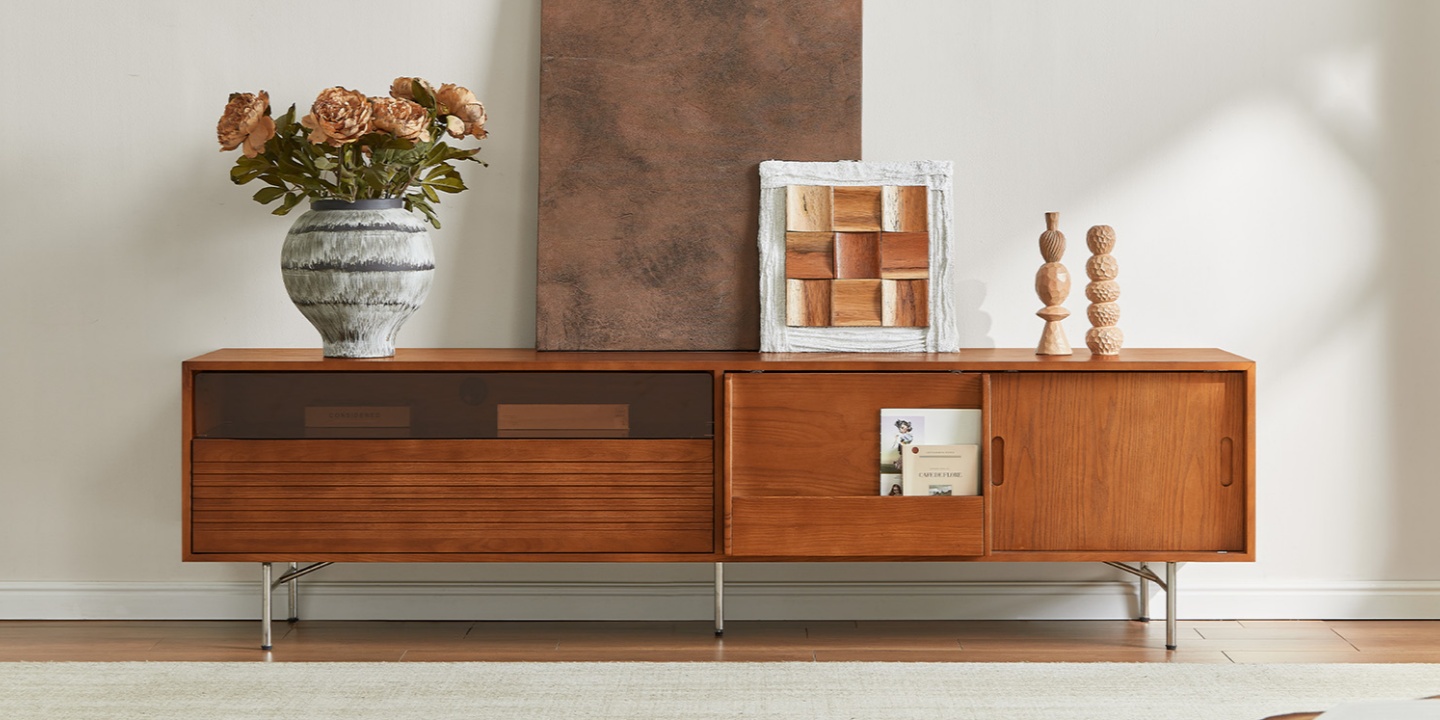
For a real-world example, the Frode 84" MCM Media Console uses an ash veneer over a rubber-wood and plywood core with slim metal legs. Its 84-inch width makes it suitable for larger TVs while keeping the overall profile relatively light.
For hardness reference on different wood species, The Wood Database provides Janka hardness ratings and other information on species such as oak and ash.
Cable Management Is Part of the Design
A beautiful MCM console can still look messy if every cable hangs visibly behind it.
When shopping, look for:
Back-panel cutouts: These let power and HDMI cables pass through without having to run around the side of the furniture.
Grommets: Rubber-edged openings can provide a cleaner route for cables between shelves or compartments.
Accessible rear panels: An open or easily accessible back makes it easier to connect and replace equipment.
Ventilation: Electronics need airflow, particularly when stored inside closed cabinets.
Before setting the TV in place, decide where the power cable, HDMI cables, Ethernet cable, and other connections will run. A few small cable clips can keep cords against the rear panel instead of allowing them to hang underneath the console.
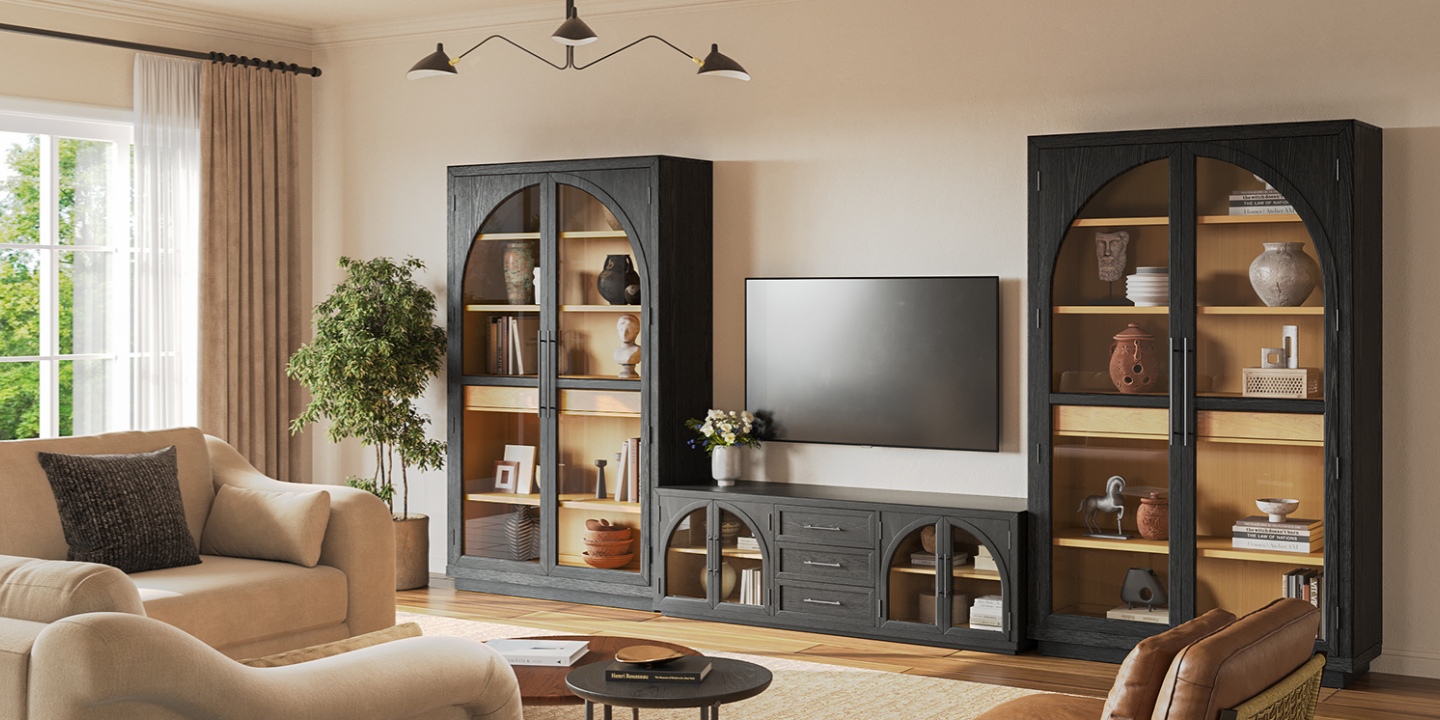
For a larger setup, the Valborg 174" Oak Storage Media Console Set is designed more like a wall system than a traditional TV stand. Its wide footprint provides substantial storage, while rear cord cutouts help keep the equipment connections out of sight.
If a console includes an anti-tip kit, install it according to the manufacturer's instructions. This is especially important for large or tall furniture in homes with children or pets.
What Makes an Entertainment Center Look Mid-Century Modern?
You don't need every classic MCM detail for a console to read as mid-century modern. A few recognizable elements are usually enough.
Tapered or splayed legs: Thin legs lift the cabinet off the floor and give a substantial piece a lighter appearance.
Slatted fronts: Wood slats add texture and shadow without relying on decorative hardware.
Natural wood grain: Visible grain helps the material become part of the design rather than looking like a printed surface.
Cane or rattan panels: These can add texture and soften an otherwise solid wood cabinet.
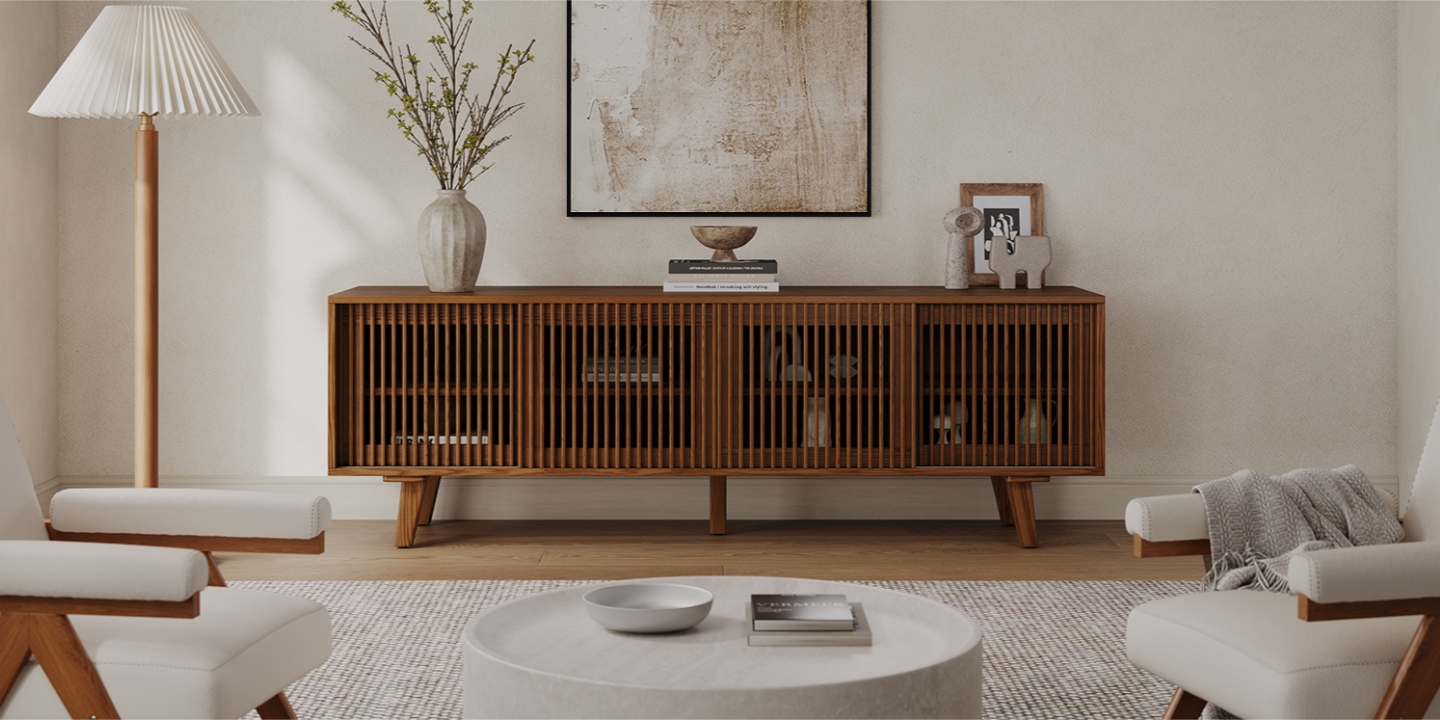
The Astrid 84" MCM Slatted Media Console uses vertical slatted doors to add texture while keeping the overall silhouette simple. Its wood construction and tapered legs give it a more traditional MCM appearance without making the front overly decorative.
If you prefer a quieter version of the style, look for a simple wood cabinet with tapered legs and minimal hardware. You don't need all four elements at once.
MCM Media Console vs. Building Your Own
Building your own entertainment center can make sense if you have a specific wall size or wood species in mind. A simple mid-century lowboy isn't an especially complicated piece of furniture, but getting the proportions and joinery right takes time.
A typical DIY build might use cabinet-grade plywood for the case and solid wood for the legs. Tools can include a circular or track saw, pocket-hole jig, shelf-pin jig, clamps, and the appropriate hardware for the doors and drawers.
The part that tends to take longer than expected is finishing. Cutting and assembling the case is only part of the job; sanding, staining or oiling, and applying the final finish can take another substantial block of time.
DIY makes the most sense if you enjoy woodworking and want control over the exact dimensions and materials. Buying makes more sense when you need the piece soon, don't already have the tools, or want a finished product with a warranty.
If your goal is simply to get an MCM entertainment center into the living room, buying a well-built piece is usually the easier route.
How to Style the Top of Your Console
The surface of an entertainment center can become cluttered quickly, especially when it also serves as a place to drop keys, mail, remotes, and other small things.
Start by leaving some of the surface visible. A tall lamp, vase, or plant on one side can balance the height of the TV. On the other side, a small stack of books or a ceramic object adds some visual weight without filling the entire top.
Odd-numbered groupings can work well, but don't treat the rule as mandatory. The more important thing is to vary the height and scale of the objects rather than placing several similarly sized pieces in a straight row.
For a warmer MCM room, combine the wood of the console with materials such as stone, woven fabric, ceramic, or greenery. A small amount of color can work well too. You don't need a whole room of retro-colored accessories to make the furniture feel intentional.
Choosing the Right Finish and Wood Tone
Wood tone has a noticeable effect on how an MCM entertainment center feels in the room.
Oak: A versatile option with visible grain. Natural oak keeps the room light, while darker finishes create more contrast.
Ash: Generally lighter in appearance, with a relatively subtle grain that works well in bright or smaller rooms.
Walnut: Deeper and richer, with a classic mid-century appearance that works particularly well when you want the console to become a focal point.
You don't have to match every wood surface in the room. A warm oak console can sit comfortably alongside a darker side table or a lighter wood floor. The key is to repeat a tone or material somewhere else in the room so the different pieces still feel connected.
Three MCM Media Consoles to Consider
If you've already worked through the sizing and storage questions, these three MCM entertainment center options illustrate different approaches to the same job.
Choose the Valborg if you have a particularly long wall and need substantial concealed storage. Its 174-inch width makes it better suited to a large media wall than a compact living room.
Choose the Frode if you want an 84-inch console with a lighter visual profile and a mix of drawers, cabinets, and sliding doors.
Choose the Astrid if the texture of the cabinet matters as much as the storage. Its slatted doors add visual interest while keeping the overall MCM silhouette simple.
Before ordering any of them, compare the product's actual dimensions with your wall, TV, viewing height, and walking clearance. A console can look perfect online and still be too deep or too long for the room.
FAQs
Is mid-century modern still in style in 2026?
Yes. MCM remains a popular furniture style, but current interiors tend to mix mid-century pieces with contemporary furniture, natural textures, and less coordinated color palettes. You don't need to recreate an entire 1960s room for an MCM entertainment center to work.
How wide should an entertainment center be for my TV?
As a general starting point, choose a console that extends about 6 to 10 inches beyond each side of the TV. For example, a 55-inch TV generally pairs well with a 60- to 68-inch console, while a 65-inch TV works well with roughly 70 to 78 inches.
What size entertainment center do I need for a 75-inch TV?
A 78- to 84-inch console is a practical starting point for a 75-inch TV. If the wall is large and you want the furniture to feel more substantial, going wider can work too.
What's the best material for an MCM media console?
Solid wood is a durable option, while quality plywood or engineered wood with a real wood veneer can provide a good balance of stability, appearance, and weight. Don't judge the piece by material alone; construction, support, joinery, hardware, and finish all affect how well it will hold up.
How tall should a media console be?
For a TV sitting directly on the console, 22–28 inches is a useful starting range for many living rooms. If the TV is wall-mounted, a lower console can work because the furniture no longer has to support the screen.
How deep should an MCM entertainment center be?
For many living rooms, 16–20 inches deep is enough for common media equipment without taking too much floor space. If the console sits along a busy walkway, a shallower design can make movement around the room easier.
How do I hide cables with a media console?
Look for rear cutouts, cable grommets, and an accessible back panel. Route power and HDMI cables before placing the TV, then use small cable clips to keep them against the back of the console. If electronics are inside a closed compartment, make sure there is adequate ventilation.
Open shelving or closed storage: which is better?
Most living rooms benefit from a combination. Open shelving provides easy access and airflow for devices, while closed cabinets and drawers hide remotes, controllers, routers, and other clutter. The best layout depends on what equipment you actually use.
How much weight can a media console hold?
Weight capacity varies by model and construction. Don't estimate the limit from the material alone. Check the manufacturer's stated weight capacity for the specific console and make sure the TV is supported across the appropriate areas of the top.
What wood tone works best for an MCM room?
Oak, ash, and walnut can all work well. Natural oak and ash create a lighter look, while walnut and darker finishes add more contrast. Rather than matching every piece of furniture, repeat a wood tone, finish, or natural material elsewhere in the room so the combination feels intentional.
What is the difference between an MCM entertainment center and a media console?
An entertainment center usually refers to a broader storage setup, while a media console is typically a lower, wider piece designed to hold a TV and related equipment. In furniture shopping, the terms can overlap.