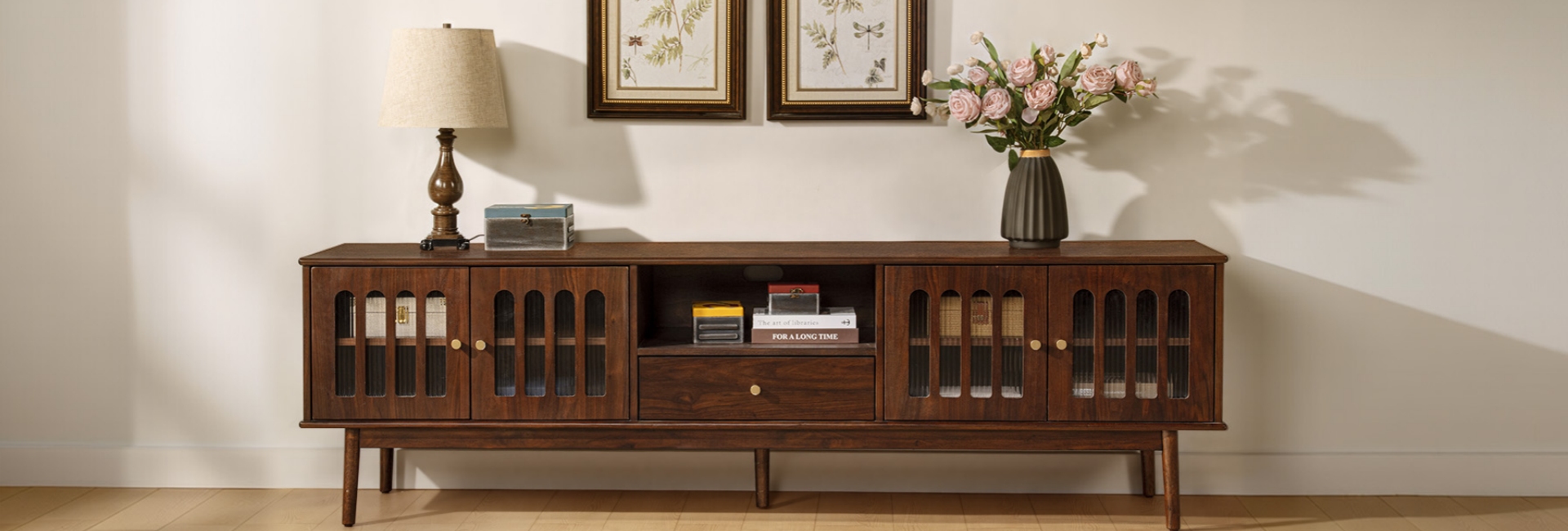
Yes, you can put a TV stand in front of a window, especially when your living room has limited wall space. The key is to control glare, avoid prolonged direct sunlight on the TV, maintain adequate ventilation, and make sure the window remains usable.
Before choosing a console, consider three things: when you usually watch TV, how high the window sill sits, and whether the window can still open. These practical details matter more than following a universal rule about where a television should go.
Table of Contents
- Is It OK to Put a TV Stand in Front of a Window?
- The Three Problems a Window Behind Your TV Can Create
- What Your Window's Direction Tells You
- How to Pick the Right TV Stand for a Window Spot
- Light Control: Curtains, Shades, and Window Film
- Placement Moves That Can Reduce Glare
- Protecting the TV From Sunlight and Heat
- A Step-by-Step Setup Checklist
- Three Hernest Media Consoles to Consider
- How High Should the TV Be in Front of a Window?
- FAQs
- Is it OK to put a TV in front of a window?
- Will a TV in front of a window make the room too dark?
- How far should a TV be from a window?
- Can you leave a TV in front of a window permanently?
- Does sunlight damage a TV placed in front of a window?
- What type of TV screen works best in front of a window?
- Should I use blackout curtains or solar shades?
- How tall should a TV stand be when it is in front of a window?
- Can you mount a TV directly in front of a window?
- How far should the sofa sit from a TV in front of a window?
Is It OK to Put a TV Stand in Front of a Window?
A TV stand in front of a window can work in a small living room, studio apartment, or space where a fireplace or doorway limits your wall options. However, the arrangement needs to suit both your viewing habits and the window's function.
Start by testing the location at the time you normally watch TV. A room that looks comfortable in the morning may have distracting reflections in the late afternoon. Sit in your usual viewing position and check whether bright areas outside make the picture difficult to see.
Also check the window's opening mechanism. If it is your main source of fresh air, leave enough clearance for the sash, handle, blinds, and curtains to move. A console that looks good but prevents you from opening the window may not be the best choice.
If the picture remains comfortable to watch, the window stays accessible, and the television has the ventilation it needs, this layout can be a practical solution.
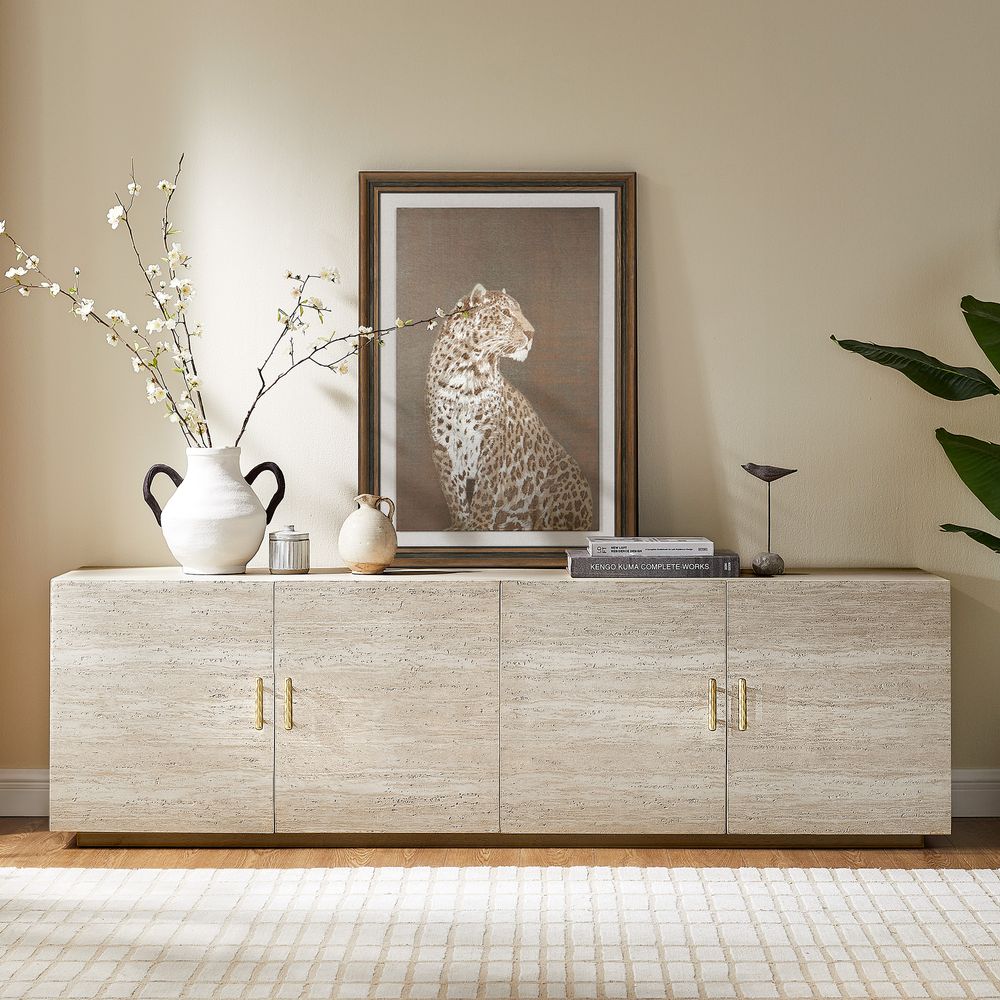
Renata 84-Inch Travertine-Textured Media Console
View Product
The Three Problems a Window Behind Your TV Can Create
A window behind a television can affect the picture through reflections, strong background light, and direct sunlight. Each issue calls for a different approach.
Glare Can Make the Screen Difficult to See
Depending on the screen finish and viewing conditions, a television can reflect the sky, trees, or bright objects outside. These reflections can make dark scenes difficult to see, even when the TV brightness is turned up.
Window treatments are often the simplest place to start. Solar shades, light-filtering blinds, and curtains can reduce the amount of light reaching the screen. The results depend on the fabric, window orientation, and time of day.
If reflections remain distracting, try changing the TV's angle slightly or moving the console away from the brightest part of the window. A television with good reflection handling may also help, but no screen finish eliminates every reflection.
Bright Background Light Can Affect Viewing Comfort
A bright window directly behind a TV creates a strong contrast between the surrounding light and the picture. Dark scenes may become harder to distinguish, and the difference in brightness can make extended viewing less comfortable.
Rather than relying entirely on the TV's picture settings, adjust the light entering the room. Close or reposition the shades when the window becomes too bright, and avoid placing lamps where they create additional screen reflections.
Bias lighting, which illuminates the wall behind the television, is another option. It may make the viewing environment more comfortable, although it cannot replace effective control of direct sunlight and glare.
Direct Sunlight Can Cause Heat and Equipment Concerns
A television exposed to strong, direct sunlight may become hotter than intended. Prolonged exposure can create operating conditions outside the manufacturer's recommendations and may contribute to panel damage.
LG's TV support guidance on heat and direct sunlight warns that direct sunlight can cause overheating and damage. The risk depends on the TV model, the intensity and duration of exposure, and the surrounding temperature.
Window glass also varies in its ability to filter ultraviolet radiation. Glass type, coatings, and window construction affect how much UV passes through, so don't assume every residential window provides the same protection.
The practical approach is to prevent prolonged direct sunlight from reaching the television, keep the surrounding area within the manufacturer's recommended operating conditions, and maintain adequate ventilation.
What Your Window's Direction Tells You
Window orientation can help you anticipate when glare and heat may become a problem. However, the direction alone cannot predict the exact conditions in your room. Season, latitude, nearby buildings, trees, and roof overhangs all affect the amount of sunlight entering the space.
-
North-facing windows: In many parts of the United States, these receive relatively consistent indirect daylight. Glare may be easier to manage, although reflections are still possible.
-
East-facing windows: Morning sunlight may interfere with early viewing. If you usually watch TV in the evening, the window may be easier to manage.
-
West-facing windows: Low afternoon and evening sun can create strong glare. Adjustable solar shades or curtains may be particularly useful.
-
South-facing windows: Depending on your location and the season, these can receive substantial sunlight and contribute to indoor heat gain. Test the room during its brightest hours before settling on a layout.
A simple test can help you avoid a costly mistake. Use low-tack tape to mark the approximate width and height of the television on the window area. Sit in your usual viewing position and check the picture at different times of day. This also helps you judge how much glass the screen will cover.
How to Pick the Right TV Stand for a Window Spot
The right TV stand needs to fit the window, support the television safely, and provide enough space for your media equipment. Height, width, depth, and cable management are worth checking before you order.
Measure the Window Sill Before Choosing a Console
A low console can preserve more of the view above the television, but there is no single height that works for every window.
Measure from the floor to the bottom of the sill, then compare that measurement with the console's actual height. If the console is taller than the sill, it will overlap more of the window. If the sill is high, a taller unit may still fit comfortably.
Remember to account for the television itself. The TV's height, including its stand or feet, determines where the picture sits relative to your eyes. A low console does not automatically guarantee a comfortable viewing position.
The Frode 84" MCM Media Console measures 22.8 inches high, while the Renata 84" Travertine-Textured Media Console measures 25 inches high. These dimensions provide a starting point, but your window sill and TV dimensions should determine which one fits best.
The Renata features American oak veneers and a travertine-textured resin finish. Its four rear cord cutouts provide routes for media cables, helping keep the setup organized when the back of the furniture is visible.
Before choosing it, measure the window opening and confirm that the console will not interfere with the window's operation or the TV's ventilation requirements.
Match the Console Width to Your TV
A console that is too narrow can make a large television look unbalanced. More importantly, if the TV sits on the console, its feet must be supported according to the television manufacturer's installation instructions.
Measure the distance between the TV's feet rather than relying only on its diagonal screen size. Some televisions have widely spaced feet, while others use a central pedestal.
An 84-inch console can suit a wide television wall, but the right choice depends on the television's physical dimensions, its support requirements, and the space available around the window.
Explore Hernest's media consoles to compare widths, finishes, and storage configurations before choosing a console for your room.
Check Depth, Stability, and Weight Capacity
Depth matters when a console sits near a window, curtain, radiator, or walkway. Measure the available floor space and check whether the TV's base, cables, and rear connections will fit without being pressed against the window.
If the television will sit directly on the console, check the console's recommended weight capacity and the TV's base dimensions. If you plan to use a separate mount, verify its compatibility, weight rating, and installation requirements.
Secure the television against tipping using a suitable restraint or mounting solution. This is particularly important in homes with children or pets.
Plan Cable Management Before Installation
A window-front setup can leave the rear of the television and console more visible than a conventional wall arrangement. Loose cables may be noticeable from outside or from other parts of the room.
Look for a console with rear cord cutouts and enough enclosed storage for your media devices. Bundle cables neatly, avoid pinching them behind the furniture, and use an appropriate cable cover where needed.
Keep power cords away from moving window hardware and curtain mechanisms. Do not route cables in a way that blocks ventilation openings or creates a trip hazard.
The Frode 84" MCM Media Console has five rear cord cutouts, along with a large drawer and sliding wood doors. These features help organize streaming devices, remotes, and other media accessories without leaving everything on the console top.
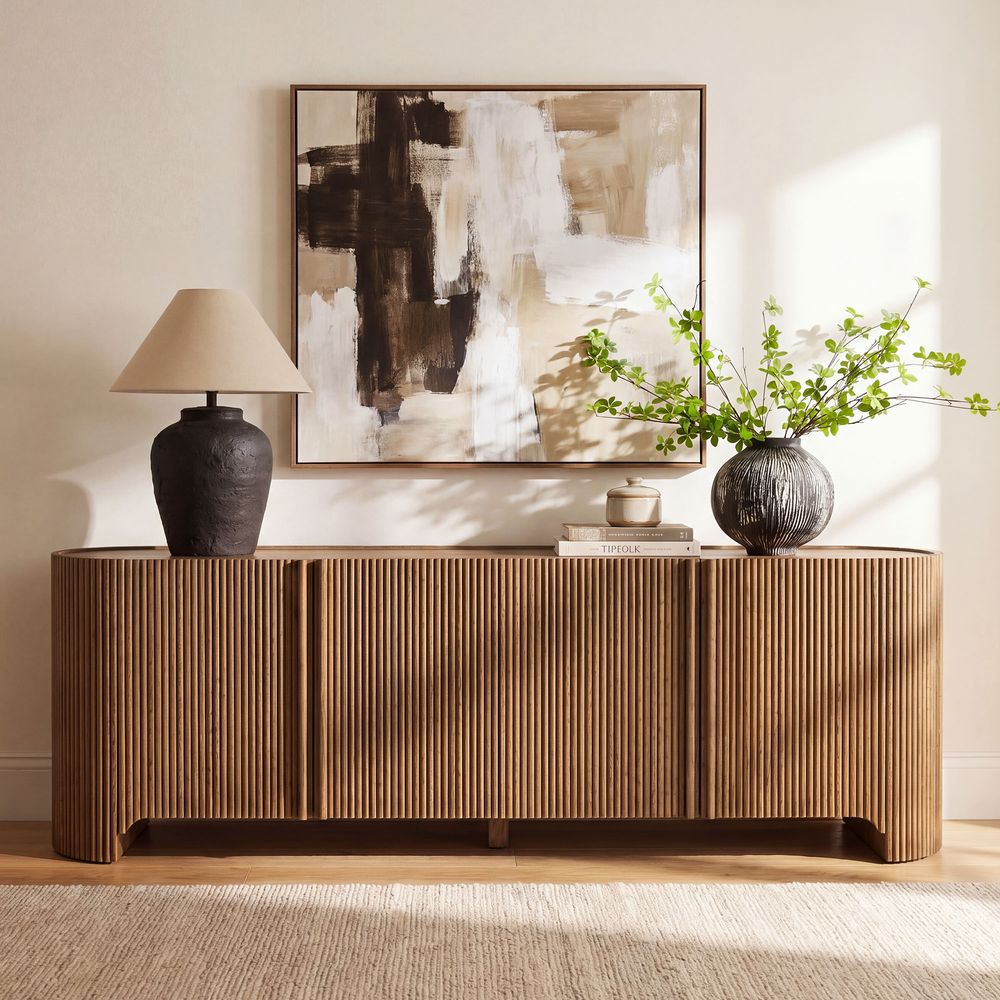
Stria 84-Inch Fluted Media Console
View Product
Light Control: Curtains, Shades, and Window Film
Managing incoming light is often the most important part of making a window-front television setup comfortable. The best treatment depends on whether you want to preserve the outdoor view, reduce daytime glare, or block most incoming light during movie nights.
For flexible light control, consider pairing solar shades with curtains. The shades can reduce glare while preserving some daylight, while the curtains provide more coverage when the sun is particularly strong.
A top-down, bottom-up shade may also help in certain rooms. It allows you to adjust which part of the window is covered, although the available configuration depends on the window and shade system.
Before installing film, confirm that it is compatible with your particular window glass. Some films can increase glass temperature and create thermal stress under certain conditions. Check the film and window manufacturers' recommendations rather than assuming every film is suitable for every window.
Curtain placement matters too. Choose a rod and panel width that allow the curtains to stack away from the screen when open. Make sure the fabric does not hang over the TV, block ventilation openings, or interfere with window handles.
Placement Moves That Can Reduce Glare
Even after choosing suitable window treatments, the exact position of the console can affect how the room functions.
Offset the TV When It Helps Preserve Window Access
Centering the television across the entire window may look symmetrical, but it is not always the most practical arrangement.
If one side of the window needs to remain accessible, shift the console where possible. An offset layout may preserve the opening mechanism and leave more usable glass visible.
Before moving the furniture, check that the TV still faces the main seating area and that the console does not obstruct a walkway or door.
Consider a Corner Position
If the window occupies most of one wall, a nearby corner may provide another option. Angling the television can change the reflections you see from your seating position, but the result depends on the location and direction of the light source.
Measure the console carefully before using a corner layout. A wide 84-inch unit needs enough room to sit securely without extending into a doorway or blocking circulation.
Adjust the Screen Angle When Possible
A small change in screen angle may reduce a reflection coming from a particular direction. If you use a compatible swivel mount or TV stand, check its weight rating, range of movement, and installation requirements.
Not every console supports a swivel mount, and moving the screen will not eliminate all glare. Test the angle from your usual seat before treating this as the main solution.
For a textured furniture option, the Stria 84" Fluted Media Console has a fluted front, adjustable shelves, and four rear cord cutouts. Its textured design adds visual interest, while the enclosed storage keeps media accessories out of sight.
The Stria measures 84 inches wide, 18.1 inches deep, and 28 inches high. That height is important when planning a window-front layout: measure your sill first, because the console may cover a larger portion of the window than a shorter unit.
Its design and storage features make it worth considering, but its height should be assessed against the room rather than assumed to be ideal for every window.
Protecting the TV From Sunlight and Heat
Once the console is in place, check that the television has the operating conditions it needs.
Follow the TV's Ventilation Requirements
Televisions generate heat during use and need sufficient airflow around their ventilation openings. The required clearance varies by model and installation type.
Sony's TV ventilation guidance gives a general reference of 2–6 inches behind the TV and about 4 inches at the sides, while emphasizing that the specific model's manual takes precedence.
Do not allow curtains, cables, or furniture to cover ventilation openings. Also avoid positioning the TV where hot air from a radiator or heating vent blows directly onto it.
If the window area becomes unusually hot in direct sun, consider stronger light control or a different position.
Close the Shades When Direct Sunlight Is Strong
If direct sunlight reaches the TV during part of the day, close the curtains or shades during those hours, even when the screen is off. This reduces direct exposure without requiring a permanent change to the room layout.
Keep the area around the TV clear, check that the console's rear openings remain unobstructed, and make sure the window treatment can move without touching the screen.
These steps help manage the conditions around the television, although no specific extension to its lifespan can be guaranteed.
A Step-by-Step Setup Checklist
Use this sequence to plan the arrangement before moving heavy furniture or mounting the television.
-
Observe the sunlight. Check when direct sunlight reaches the window and whether it falls on the planned TV position. Test during the hours you usually watch.
-
Measure the window. Record the sill height, usable opening, handle location, and space needed for blinds or curtains.
-
Mark the furniture footprint. Use low-tack tape to outline the console and TV dimensions. Check the walking space and the amount of glass that will remain visible.
-
Choose a suitable console. Compare height, width, depth, weight capacity, storage, and cable cutouts. Make sure the TV can be supported safely.
-
Install window treatments. Fit suitable shades or curtains and check that they can move freely.
-
Set the TV at a comfortable height. Consider your seated eye level, the television's dimensions, and the viewing distance recommended for your setup.
-
Organize the cables. Use the console's cord cutouts, keep cables away from moving window parts, and avoid obstructing ventilation openings.
-
Check ventilation and stability. Follow the TV manufacturer's clearance instructions and secure the screen against tipping where appropriate.
-
Test the layout again. Watch from your usual seat at different times of day. Adjust the shades, screen angle, or console position if glare or window access remains a problem.
For a lower-profile option with substantial storage, the Frode 84" MCM Media Console measures 84 inches wide, 17.3 inches deep, and 22.8 inches high. It features a warm brown ash finish, metal legs, a large drawer, sliding wood doors, and five rear cord cutouts.
The console is designed for TVs up to 85 inches and has a recommended weight capacity of 230 pounds. Its height may suit some window-front layouts better than a taller console, but compare it with your sill height and follow the television manufacturer's support and ventilation requirements.
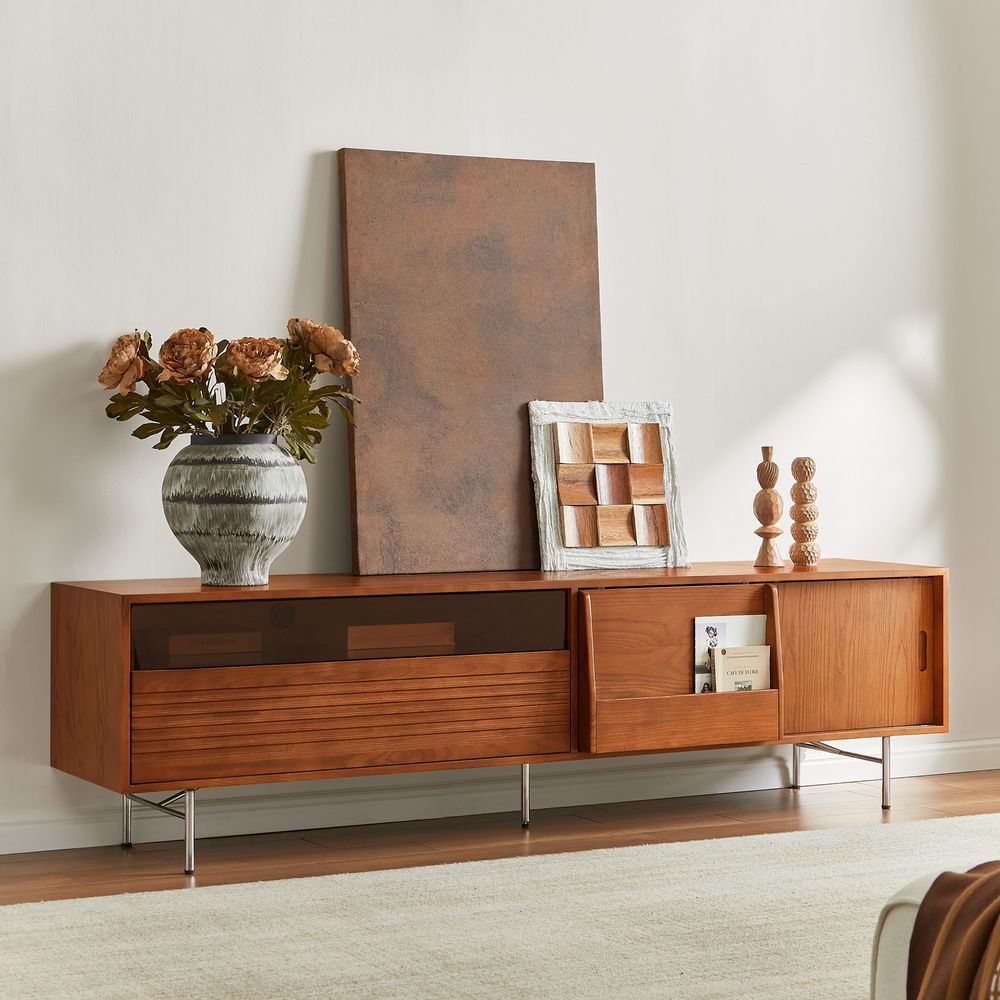
Frode 84-Inch MCM Media Console
View Product
Three Hernest Media Consoles to Consider
When choosing a console for a window-front TV setup, compare the actual dimensions and storage features rather than relying on appearance alone.
All three consoles are 84 inches wide, but their heights and storage layouts differ. Frode is the shortest of the three, while Stria is the tallest. Renata offers a textured finish and four rear cable openings.
These differences matter when furniture sits in front of a window. A console that works in one room may cover too much glass in another, so measure the sill and window opening before deciding.
Explore Hernest's full media consoles collection to compare additional widths, finishes, and storage options.
If you prefer warm wood finishes and furniture with a Mid-Century Modern influence, browse the Mid-Century Modern TV Stands collection for more options.
How High Should the TV Be in Front of a Window?
The ideal TV height depends on your seating position, the television's dimensions, and whether it sits on a console or a separate mount. A useful starting point is to position the center of the screen near seated eye level, then adjust for comfort and the room's layout.
In a window-front setup, you also need to consider the sill height and the amount of glass you want to preserve. A low console can help keep the screen from covering too much of the window, but it should not force you into an uncomfortable viewing position.
Measure the complete height of the TV, including its stand or feet, and compare it with the console height. Then sit in your usual viewing position and check whether the screen feels comfortable to watch.
Viewing distance depends on screen size, resolution, and personal preference. If the bright window makes the picture hard to see, address the lighting rather than assuming that moving the sofa closer will solve the problem.
FAQs
Is it OK to put a TV in front of a window?
Yes, provided the screen remains comfortable to watch, the window can still operate, and the television has adequate ventilation. Use suitable window treatments to manage glare and avoid prolonged direct sunlight on the screen.
Will a TV in front of a window make the room too dark?
It depends on the size of the television, the console, and the window. Measure how much glass the setup will cover, and consider shifting the console to one side if that preserves more daylight or window access. Adjustable shades can help balance natural light with viewing comfort.
How far should a TV be from a window?
There is no universal distance. Leave enough room for window handles, blinds, curtains, and the opening mechanism to work without touching the television. Also follow the TV manufacturer's ventilation and installation requirements.
Can you leave a TV in front of a window permanently?
You can use this layout long-term if it provides a comfortable viewing experience, does not prevent the window from operating, and meets the TV manufacturer's environmental and ventilation requirements. Avoid prolonged direct sunlight and manage excessive heat around the screen.
Does sunlight damage a TV placed in front of a window?
Prolonged direct sunlight can expose a television to excessive heat and may contribute to damage. The risk depends on the TV model and exposure conditions. Use suitable shades, avoid direct sunlight where possible, and follow the manufacturer's instructions.
What type of TV screen works best in front of a window?
A screen with good reflection handling can be easier to watch in a bright room, but performance varies by model. Compare manufacturer specifications and independent reviews if you are shopping for a new television. For an existing TV, controlling incoming light and adjusting the screen position may help.
Should I use blackout curtains or solar shades?
Solar shades can reduce glare while preserving some outdoor visibility, depending on their fabric and openness. Blackout curtains block much more incoming light when closed. Layering the two can provide greater flexibility when sunlight changes throughout the day.
How tall should a TV stand be when it is in front of a window?
Choose a height that balances viewing comfort with the amount of window you want to preserve. Measure the sill height and the complete TV height before buying. A console around 14–18 inches high may suit some low-window layouts, but taller windows and different seating positions can call for other dimensions.
Can you mount a TV directly in front of a window?
A TV can sometimes be positioned in front of a window using a suitable freestanding mount or a compatible mounting system attached to appropriate structural support. Do not drill into glass or assume that a window frame can support a TV mount. Check the mounting hardware's requirements and make sure the installation does not prevent the window from operating.
How far should the sofa sit from a TV in front of a window?
The best viewing distance depends on the TV's size, resolution, and your preferences. Use the manufacturer's guidance or a reliable viewing-distance reference as a starting point, then adjust for comfort. If the bright window makes the picture hard to see, address the lighting rather than assuming that moving the sofa closer will solve the problem.