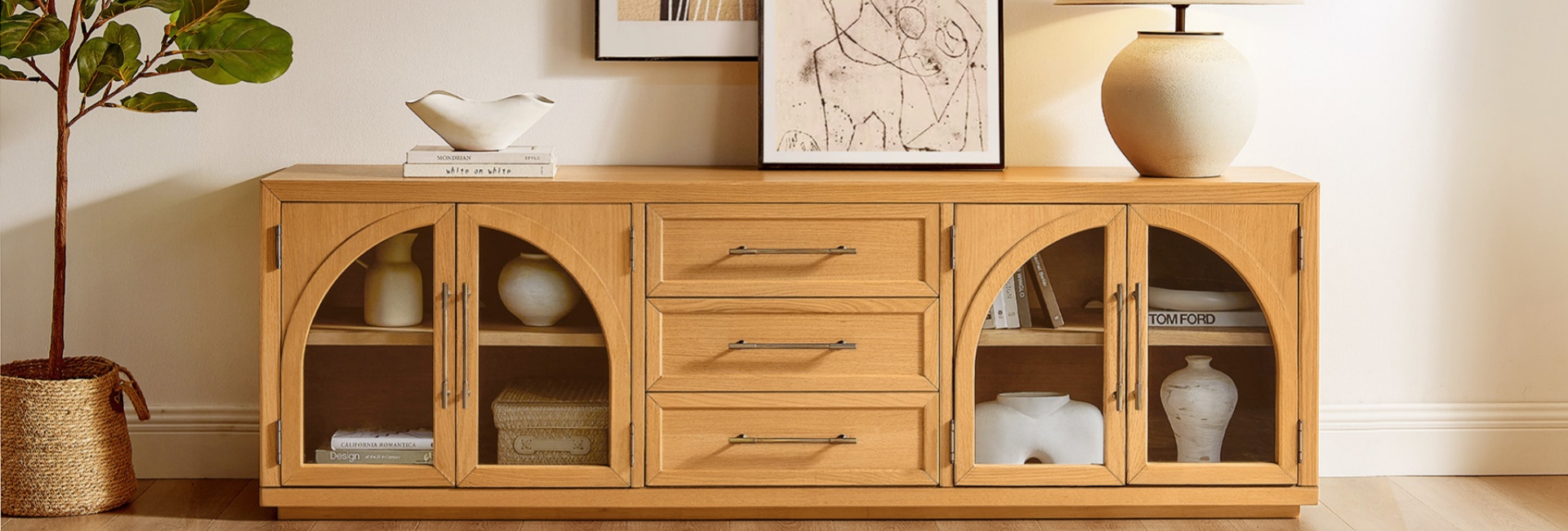
Knowing how to position a TV stand in a living room involves more than choosing an empty wall. The right placement helps you watch comfortably, reduces screen glare, keeps walkways clear, and makes the TV area feel connected to the rest of the room.
Start by considering where you sit, how high the screen should be, and how much space the TV and console need. Then account for windows, cable access, storage, and the proportions of your furniture.
This guide covers practical TV stand placement tips, common mistakes to avoid, and how to choose a console that fits your living room.
Table of Contents
- Start With the Wall Your Sofa Faces
- Get the TV Height Right
- Choose a TV Stand That's Wide Enough
- Leave Enough Distance Between the Sofa and TV
- Avoid Glare From Windows and Lights
- Can You Put a TV Stand in a Corner?
- Keep Walkways Clear
- Choose Storage and Cable Management That Fit Your Setup
- Match the TV Stand to Your Living Room
- Should You Put a TV Above a Fireplace?
- The 60-Second TV Stand Placement Checklist
- Final Thoughts
- FAQs
- What is the best position for a TV stand in a living room?
- How high should a TV stand be?
- How far should a sofa be from a TV?
- Should a TV stand be wider than the TV?
- Can I put my TV stand in front of a window?
- Is it okay to put a TV stand in a corner?
- How do I reduce glare on my TV?
- Where should the center of a 65-inch TV be?
- What size TV stand do I need for an 85-inch TV?
- Should the TV be centered on the wall or the sofa?
- How can I hide cables around a TV stand?
- Is it a good idea to put a TV above a fireplace?
Start With the Wall Your Sofa Faces
In most living rooms, the best place for a TV stand is along the wall that faces the main sofa. This arrangement creates a natural viewing direction and makes it easier to position other furniture around the screen.
Before moving the console, consider three things:
-
Your main seating position: Choose a location where most viewers can see the screen without repeatedly turning their heads.
-
The room's natural traffic flow: Avoid placing the TV stand where it obstructs a doorway, the route to another room, or access to frequently used furniture.
-
The available wall space: Measure the wall and account for windows, doors, outlets, baseboards, and nearby furniture.
If your living room has an open layout, the TV stand can also help define the seating area. Position it opposite the sofa while leaving enough room for people to move between the living room and adjacent spaces.
Avoid choosing a location based on appearance alone. A wall may look ideal but create glare, uncomfortable viewing angles, or awkward circulation once the furniture is in place.
Get the TV Height Right
TV height has a direct effect on viewing comfort. A screen positioned too high can make you tilt your head upward, while one positioned too low may encourage an uncomfortable downward angle.
A useful starting point is to place the center of the screen near your seated eye level. The exact height depends on your sofa, seating posture, screen size, and personal comfort.
For many living rooms, the center of the screen may sit roughly 40 to 42 inches above the floor, but this is a reference point rather than a universal rule. Measure your own seated eye level before deciding where the TV should go.
How to Calculate the TV's Position
Use this simple method:
-
Sit in your usual viewing position on the sofa.
-
Measure from the floor to your eyes.
-
Measure the TV's actual screen height, excluding the stand or surrounding frame if appropriate.
-
Divide the screen height by two.
-
Position the screen so its center is close to your measured seated eye level.
For example, if your seated eye level is 42 inches and your TV screen is approximately 32 inches tall, the screen's bottom edge would be around 26 inches above the floor when its center aligns with your eyes.
The TV stand's height affects this calculation. If the TV sits on its original feet, measure the distance between the bottom of the screen and the surface supporting it. If you wall-mount the TV, you can position the screen independently of the console.
Practical tip: A larger TV may need a lower console to keep the screen center at a comfortable height. Always measure the complete setup rather than choosing a stand based on its appearance alone.
Choose a TV Stand That's Wide Enough
The console should support your TV securely and look proportionate to the screen and surrounding furniture. A stand that is too narrow can make the arrangement look unbalanced, while an oversized console may overwhelm a compact room.
As a general design guideline, aim for a console that is several inches wider than the TV on each side. The exact amount depends on the room, the console's proportions, and whether the TV sits on its own feet or is wall-mounted above it.
The following measurements are approximate starting points, not manufacturer safety specifications.
Actual screen width varies by model and aspect ratio. Before buying a stand, check the TV manufacturer's dimensions, the distance between its feet, and the console's usable top surface. The surface must safely support the TV's weight and base.
For a wider setup, the Frode 84-Inch MCM Media Console offers a substantial surface for a large-screen living room arrangement. Check the product specifications and your TV's base dimensions before deciding whether the two are compatible.
For more sizes, finishes, and storage configurations, explore the Hernest Media Consoles collection.
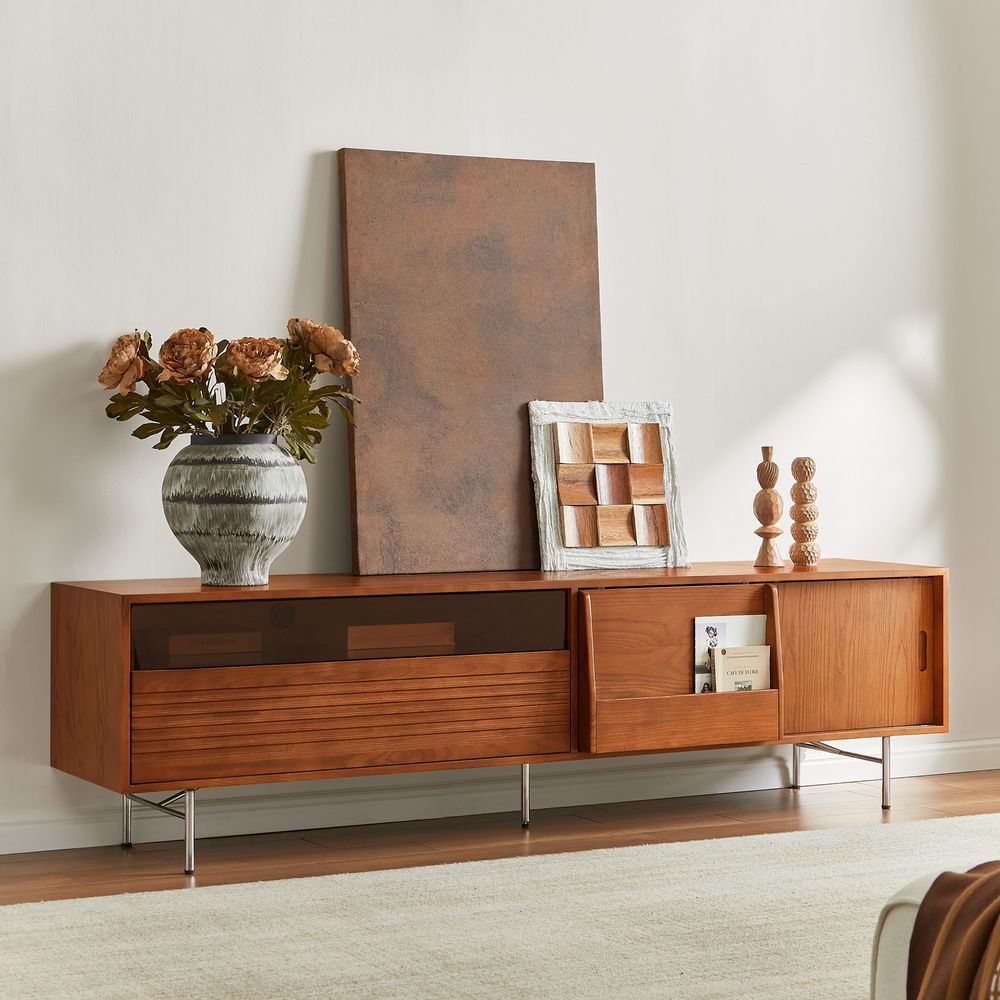
Frode 84-Inch MCM Media Console
View Product
Leave Enough Distance Between the Sofa and TV
A comfortable viewing distance depends on screen size, resolution, viewing angle, and personal preference. There is no single distance that works for every TV or household.
As a broad room-planning starting point, some viewers use a distance of roughly 1.5 to 2.5 times the TV's diagonal screen measurement. This is a flexible guideline, not a universal technical standard. A 4K TV can generally be viewed closer than an older, lower-resolution screen without individual pixels becoming noticeable.
Sony's official TV viewing-distance guide explains that the recommended distance varies with screen size and resolution, as well as viewing conditions and personal comfort.
For initial furniture planning, the following ranges can help you visualize how much space to leave between the screen and your main seating position.
These ranges are rounded planning estimates based on the diagonal-size guideline above. They are not manufacturer-specific recommendations, and they should not override the guidance for your TV model.
If your sofa cannot be moved far enough away, you may prefer a smaller screen or a different seating arrangement. If you enjoy a more immersive viewing experience, a larger screen or a closer seat may work better, provided the image remains comfortable to watch.
Avoid Glare From Windows and Lights
A TV can fit perfectly on a wall and still be difficult to watch if sunlight or indoor lighting reflects off the screen.
Before settling on a position, observe how daylight enters the room at different times. A location that works in the evening may create strong reflections during the afternoon.
To reduce glare:
-
Avoid placing the TV directly opposite a bright window when possible.
-
Keep strong light sources from shining directly onto the screen.
-
Use curtains or blinds to control daylight when necessary.
-
Position lamps so their light does not reflect toward the main seating area.
-
Test the screen from your usual sofa before finalizing the arrangement.
If the only practical wall faces a window, consider adjustable window coverings and softer ambient lighting. A slight change in the TV's angle may also help, although the best solution depends on the screen and room layout.
Can You Put a TV Stand in a Corner?
Yes. A corner can be a practical location for a TV stand in a small living room, an open-plan space, or a room where the main walls are interrupted by windows and doors.
However, corner placement works best when the TV remains easy to view from the main seating area. Before moving the stand, check the following:
-
Viewing angle: Make sure the screen is not so far off-center that viewers must turn their heads throughout a program.
-
Console depth: Measure the available floor space, including the clearance needed for doors, drawers, and cable connections.
-
Walkway clearance: Check that the console does not narrow a frequently used route through the room.
-
Screen reflections: Look for glare from nearby windows and lamps.
-
Cable access: Confirm that power outlets and cable connections remain accessible.
A standard rectangular console can work in a corner if the room has enough space, but it may project farther into the living area than expected. Mark the console's footprint on the floor with painter's tape before moving heavy furniture.
If the corner is particularly tight, compare the console's width and depth rather than focusing on width alone. A narrower, shallower unit may preserve more usable floor space.
Keep Walkways Clear
The TV stand should not interfere with the way people move through the living room. This is especially important in smaller homes and open-plan layouts, where the same area may connect the sofa, dining space, hallway, and kitchen.
A clearance of around 30 to 36 inches is a useful planning target for a main walkway where the room allows it. This is not a universal building-code requirement; the appropriate space depends on the layout, accessibility needs, and local requirements.
When measuring, account for the full depth of the console, protruding handles, open cabinet doors, and drawers that extend into the room.
Also leave enough room for cleaning and routine cable access. A console pushed tightly against other furniture may look compact but become inconvenient to maintain.
If your living room is small, consider these adjustments:
-
Move occasional chairs away from the main walking route.
-
Choose a console with storage that does not require excessive clearance to open.
-
Keep decorative objects from extending into walkways.
-
Avoid placing floor lamps or baskets where people naturally pass.
The goal is to create a TV area that feels intentional without making the rest of the room harder to use.
Choose Storage and Cable Management That Fit Your Setup
TV placement is easier to maintain when the console accommodates the devices and accessories you actually use. Consider whether your setup includes a streaming device, game console, soundbar, router, cable box, or gaming controllers.
Before choosing a console, measure your equipment and check its ventilation requirements. Make sure doors, shelves, and rear panels do not block the airflow required by your devices.
Cable management matters, too. Look for suitable cord cutouts and a layout that lets you connect equipment without leaving wires stretched across the floor.
The Alvborg 84-Inch Rattan Media Console is worth considering for a wider entertainment area. It features six cord cutouts to help keep cables organized behind the console. Check the product specifications and measure your equipment to ensure everything fits your setup.
For a cleaner appearance:
-
Group cables by device before routing them.
-
Use cable clips or sleeves to keep wires organized.
-
Keep power cables accessible without leaving them across walking paths.
-
Avoid tightly bending cables or placing heavy furniture on them.
-
Leave enough clearance for ventilation and routine maintenance.
If you wall-mount the TV, plan the cable route before installation. A wall-mounted screen can create a streamlined look, but exposed cables may still need careful routing to keep the area tidy.
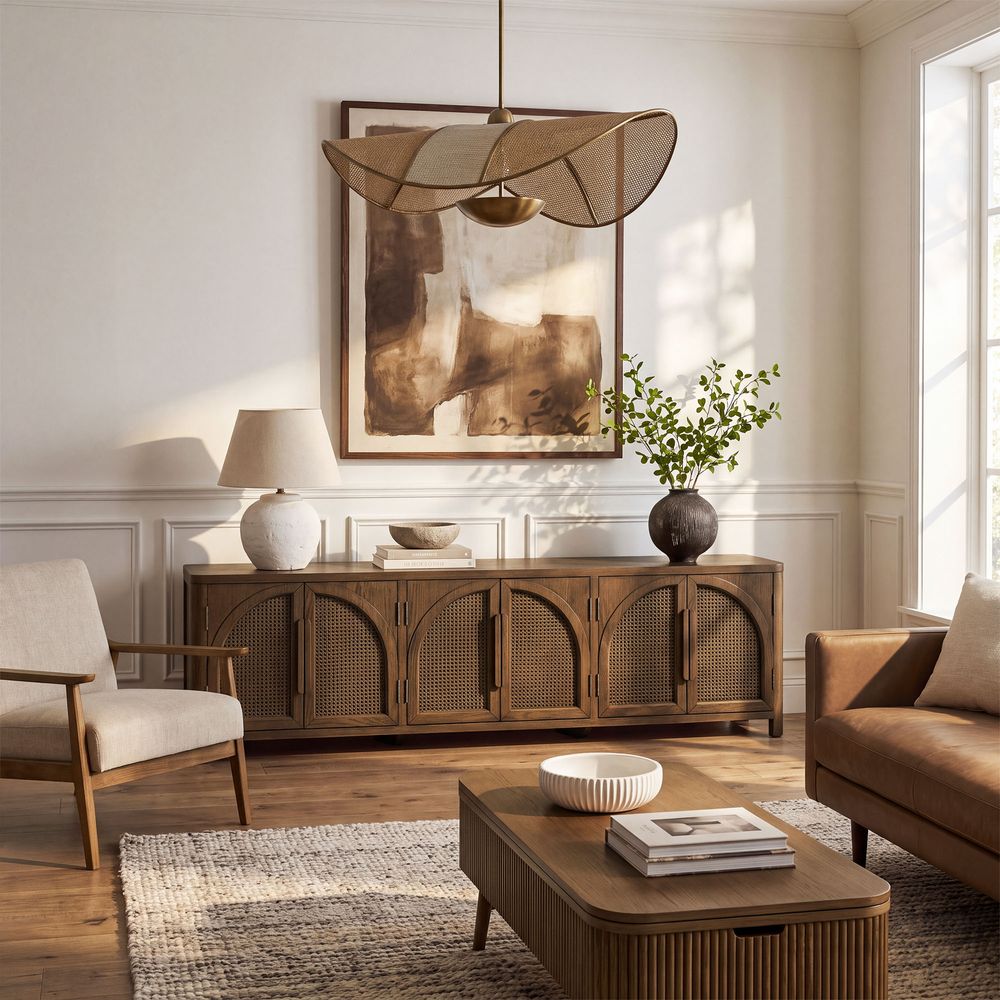
Alvborg 84-Inch Rattan Media Console
View Product
Match the TV Stand to Your Living Room
A TV console occupies a prominent position in many living rooms, so its proportions, finish, and storage design can affect the entire space.
Start with the furniture already in the room. Consider the sofa's visual weight, the flooring color, nearby side tables, and the amount of open space around the TV wall.
A few practical principles can help:
-
Balance the proportions: A wide wall may need a longer console or additional decor to avoid looking empty.
-
Coordinate finishes: Wood tones can complement the floor, coffee table, or other furniture without matching every piece exactly.
-
Consider visual weight: Dark finishes and solid cabinet fronts may make a console feel more substantial, while lighter finishes and open details can create a more relaxed look.
-
Choose storage deliberately: Closed cabinets help conceal accessories, while open sections make frequently used devices easier to reach.
For a coordinated look, browse Hernest's Mid-Century Modern TV Stands to compare different console proportions, finishes, and storage layouts.
The Valborg 80-Inch Oak Media Console is another option for a wider TV area. It measures approximately 80.1 inches wide, 17.9 inches deep, and 25.9 inches high. Check the product page for the available finish, storage configuration, and compatibility details before purchasing.
The best console is not necessarily the largest or most decorative one. It is the piece that supports your TV safely, fits your available space, and provides the storage you need without crowding the room.
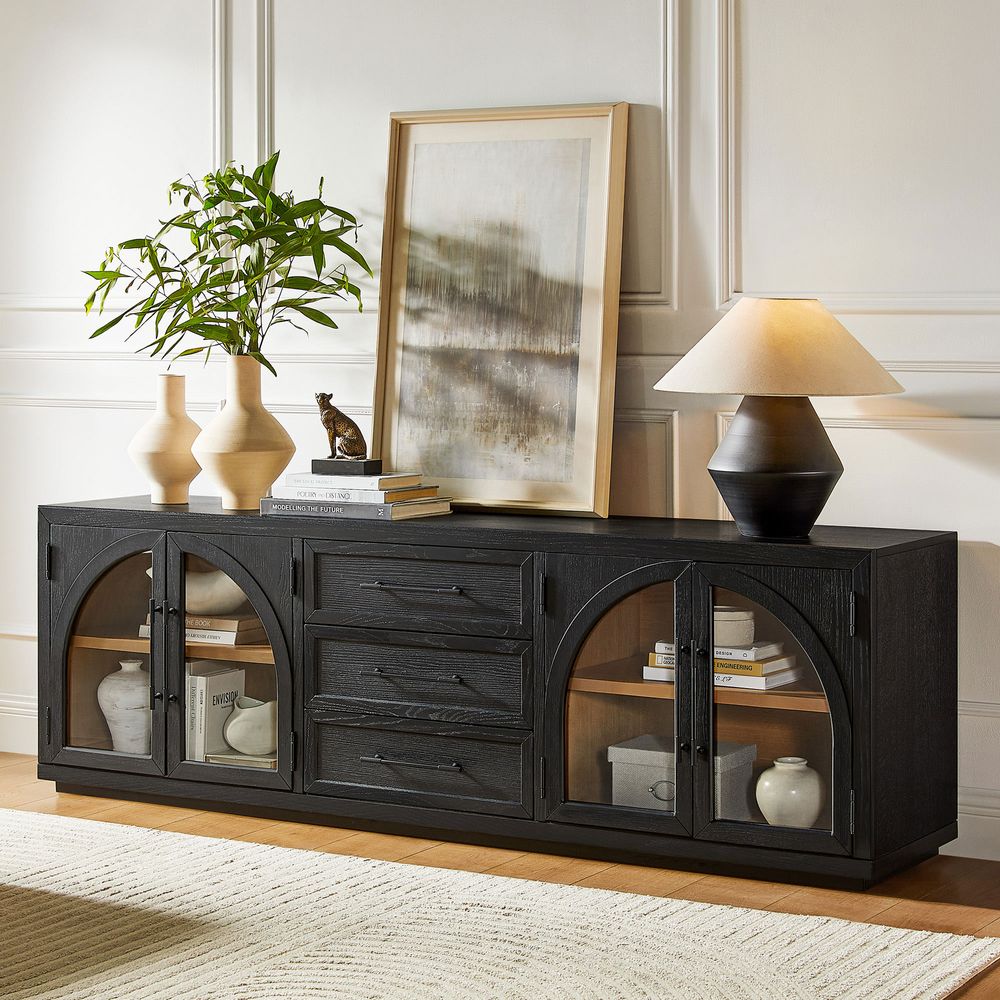
Valborg 80-Inch Oak Media Console
View Product
Should You Put a TV Above a Fireplace?
A TV above a fireplace can save wall space, but it is not always the most comfortable or suitable arrangement.
The first concern is viewing height. A screen mounted high above a fireplace may sit well above seated eye level, requiring you to tilt your head upward. The fireplace may also expose the TV to heat, which can damage equipment if temperatures exceed the manufacturer's limits.
Samsung's official guidance on TV wall mounting and fireplace placement advises against mounting a Samsung TV over a fireplace because of potential heat exposure and viewing-height concerns.
If you are considering this setup:
-
Check the TV manufacturer's installation instructions and maximum operating-temperature limits.
-
Follow the fireplace manufacturer's requirements for clearances and heat management.
-
Measure the screen height from your normal seated position.
-
Consider whether an appropriate tilting mount can improve the viewing angle.
-
Confirm that ventilation openings remain unobstructed.
A TV stand on a separate wall is often easier to position at a comfortable height. If the fireplace is the only practical location, verify that the installation meets the requirements for both the TV and fireplace before proceeding.
The 60-Second TV Stand Placement Checklist
Before finalizing your living room layout, run through this quick checklist:
-
The TV faces the main seating area.
-
The screen center is close to a comfortable seated eye level.
-
The console safely supports the TV and accommodates its base.
-
The screen size and viewing distance work for the room.
-
Windows and lamps do not create distracting reflections.
-
Main walkways remain clear.
-
Cabinet doors and drawers can open without hitting furniture.
-
Devices have enough ventilation.
-
Cables are organized and do not create trip hazards.
-
The console's width, depth, and finish suit the living room.
If most of these points are covered, your TV area is likely to be more comfortable, practical, and visually balanced.
Final Thoughts
The best way to position a TV stand in a living room is to balance viewing comfort, practical clearance, cable management, and the room's overall layout. Start with the sofa and seated eye level, then measure the TV, console, and available floor space before settling on a location.
A well-proportioned console can bring the TV area together while providing useful storage. By checking the dimensions and installation requirements first, you can create a setup that looks considered and works for everyday living.
FAQs
What is the best position for a TV stand in a living room?
In many living rooms, the best position is along the wall facing the main sofa. Choose a location that offers a comfortable viewing angle, limits screen glare, and keeps walkways clear.
How high should a TV stand be?
The right stand height depends on the TV's dimensions, its feet or mounting method, and your seated eye level. Aim to position the center of the screen near your eyes when seated, then calculate the console height needed to achieve that position.
How far should a sofa be from a TV?
Viewing distance depends on screen size, resolution, and personal preference. A distance of roughly 1.5 to 2.5 times the screen's diagonal measurement can serve as an initial planning guideline, but check your TV manufacturer's recommendations for a more specific reference.
Should a TV stand be wider than the TV?
Generally, yes. A console that extends beyond the screen on both sides often looks more balanced. However, the TV's feet, weight, and support requirements matter more than appearance alone, so confirm that the console can safely accommodate the TV.
Can I put my TV stand in front of a window?
You can, but direct sunlight and reflections may make the screen difficult to watch. If another wall is not available, use window coverings and test the viewing position at different times of day.
Is it okay to put a TV stand in a corner?
Yes, provided the TV remains comfortable to view and the console does not block a walkway. Measure the corner's available width and depth, and account for cable connections and cabinet clearance.
How do I reduce glare on my TV?
Avoid direct light on the screen where possible. Adjust curtains, blinds, and lamps, and test the TV from the main sofa before finalizing its position.
Where should the center of a 65-inch TV be?
There is no single required height for every 65-inch TV. Measure your seated eye level and position the screen center close to it. The TV's actual dimensions and mounting method determine the exact height above the floor.
What size TV stand do I need for an 85-inch TV?
An 85-inch TV has a screen width of approximately 74 inches, although the exact measurement varies by model. A console around 80 to 90 inches wide can be a useful starting point, but confirm the TV's base width, weight, and the stand's supported load before buying.
Should the TV be centered on the wall or the sofa?
Prioritize the main seating position. Centering the TV with the sofa usually creates a comfortable viewing arrangement, even if the sofa and TV are not perfectly centered on the wall. In an open-plan room, also consider how the setup looks from adjacent spaces.
How can I hide cables around a TV stand?
Use the console's cord cutouts, cable sleeves, or clips to organize wires. Keep connections accessible, avoid running cables across walkways, and follow the manufacturer's guidance for safe cable routing.
Is it a good idea to put a TV above a fireplace?
It depends on viewing height, heat exposure, and the installation requirements of the TV and fireplace. A TV mounted too high may be uncomfortable to watch, and excessive heat can damage equipment. Check both manufacturers' instructions before choosing this position.