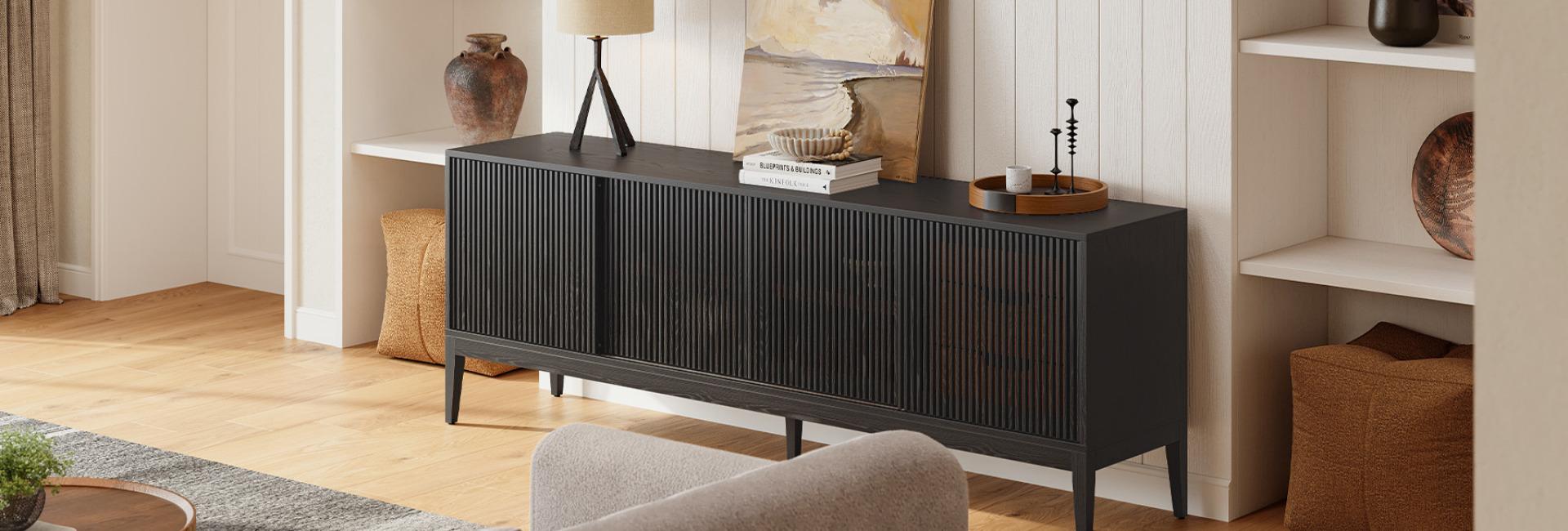
TV stands with adjustable shelves make it easier to organize entertainment equipment, books, and living room accessories without being limited to fixed compartment heights. You can reposition shelves to accommodate taller devices, larger storage baskets, or items you add later. However, adjustability alone does not guarantee a good fit. Usable interior dimensions, shelf support systems, weight capacity, ventilation, and cable access all affect how practical a TV stand will be. This guide explains what to look for when comparing adjustable shelving and choosing a storage layout for your home.
Table of Contents
- What Are TV Stands With Adjustable Shelves?
- Adjustable Shelves vs. Fixed Shelves: Which Is Better?
- What Can You Store in a TV Stand?
- How to Measure TV Stand Interior Dimensions
- How to Choose the Right TV Stand Shelf Configuration
- How to Organize a TV Stand With Adjustable Shelves
- Conclusion
- FAQs
- Are Adjustable Shelves Better Than Fixed Shelves in a TV Stand?
- Can Adjustable Shelves Support Gaming Consoles?
- How Much Weight Can Adjustable Shelves Hold?
- Can You Remove Shelves From a TV Stand?
- Do TV Stands With Adjustable Shelves Need Ventilation?
- How Many Adjustable Shelves Should a TV Stand Have?
- Are Adjustable Shelves Suitable for Large Media Devices?
- Can You Change the Shelf Positions After Assembling a TV Stand?
What Are TV Stands With Adjustable Shelves?
TV stands with adjustable shelves have interior shelving that can be moved to different heights. Rather than being permanently attached at one level, these shelves rest on supports fitted into designated positions inside the cabinet. Depending on the design, you may be able to raise or lower a shelf, remove it, or rearrange several shelves to create different storage compartments.
Items stored in a media console often vary in height. A streaming device may need only a small amount of vertical clearance, while a game console, receiver, or tall decorative object may require a larger compartment. Adjustable shelving allows you to change the available space instead of working around one fixed arrangement.
How Adjustable Shelf Mechanisms Work
Most adjustable cabinet shelves use one of a few common support systems:
-
Shelf pins: Small metal or plastic supports fit into pre-drilled holes along the cabinet sides. The shelf rests on four pins, allowing you to move it to another set of holes.
-
Shelf brackets: Brackets or clips hold the shelf in position. Their shape and installation method vary by furniture design.
-
Track-based supports: Some furniture uses vertical tracks or rails that allow shelves to move between designated positions.
The adjustment range depends on the number and spacing of the available positions. A cabinet with closely spaced holes may offer more precise placement than one with only a few adjustment points. Check the product specifications or assembly instructions to understand how the shelves are supported and repositioned.
Adjustable Shelves Behind Doors and in Open Compartments
Adjustable shelves can appear in different parts of a TV stand. Some models place them behind cabinet doors to keep stored items out of sight, while others combine enclosed cabinets with open compartments for equipment that needs easier access.
Where the shelves are located affects which items you can store there. Shelves inside closed cabinets are useful for books, baskets, and accessories, while open compartments may be more suitable for devices that need frequent access or additional airflow.
Adjustable Shelves vs. Fixed Shelves: Which Is Better?
Adjustable shelves suit changing storage needs, while fixed shelves work well for items with consistent dimensions. The better option depends on what you plan to store and how often you expect your setup to change.
Flexibility for Different Storage Needs
The main advantage of adjustable shelving is the ability to change vertical space. For example, a compartment that currently holds a streaming device and game cases may later need to accommodate a taller receiver. If the shelf above it can be repositioned, you may be able to create enough clearance without changing the entire TV stand.
This feature is also useful for household storage. Books, decorative baskets, and accessories can have different heights, so adjustable shelves provide more options when rearranging cabinet contents.
Stability and Weight Capacity
Adjustable shelves need properly positioned supports to remain stable. Each support should sit securely in its designated hole or bracket, and the shelf should rest evenly across all support points. Missing or incorrectly positioned pins can affect how the load is distributed.
Weight capacity is equally important. A shelf designed for lightweight accessories may not be suitable for a heavy receiver or a large collection of books. Check the manufacturer's stated load limit for the individual shelf or compartment. The overall recommended weight capacity of a TV stand does not necessarily apply equally to every shelf.
When Fixed Shelves May Be Enough
Fixed shelves provide a consistent arrangement. If you mainly store similarly sized books, game cases, or decorative objects, you may not need to adjust the spacing.
They can also be a practical choice when you already know the dimensions of everything you plan to store. In that situation, paying extra attention to the cabinet's fixed compartment dimensions may be more useful than prioritizing adjustability.
What Can You Store in a TV Stand?
A TV stand with adjustable shelving can accommodate more than basic entertainment equipment. Its interior layout can be adapted to different household items, provided the dimensions, weight limits, and storage conditions are suitable.
Gaming Consoles and Entertainment Devices
Gaming consoles, streaming players, routers, and audio equipment have different dimensions and ventilation requirements. Before placing a device inside a cabinet, measure its width, height, and depth in the orientation permitted by its manufacturer. Include the space needed for connected cables and power adapters.
Ventilation deserves particular attention. Electronic devices release heat during operation, and a tightly enclosed compartment can restrict airflow. For example, Sony's official PS5 ventilation guidance advises keeping the console's vents unobstructed, leaving at least 4 inches of free space around each side, and avoiding narrow or cramped spaces. Requirements vary by device, so check the instructions for each console or component.
An adjustable shelf may help create additional vertical clearance, but it does not automatically make a closed cabinet suitable for electronics. Consider whether the compartment has an open front, a ventilated back, or another appropriate airflow path.
Books, DVDs, and Media Collections
Books and media collections are well suited to adjustable cabinet shelves because their heights and thicknesses vary. Larger art books may need more vertical space than paperbacks, while boxed collections can take up more depth than expected.
Measure taller items before setting the shelf height, and leave enough room to remove them without scraping the shelf above. If you store a large book collection in one compartment, consider the combined weight as well as the available width and depth.
For smaller collections, baskets or dividers can keep loose items together. Make sure they fit within the compartment without interfering with cabinet doors.
Decorative Objects and Living Room Accessories
Adjustable shelving can also accommodate decorative objects such as vases, framed photographs, small sculptures, and woven baskets. A taller compartment may hold a vase, while a shorter shelf can provide space for books or smaller accessories.
You can also use the adjustable layout to separate decorative pieces from electronic equipment, keeping frequently used devices accessible while giving accessories their own storage area.
How to Measure TV Stand Interior Dimensions
The exterior dimensions of a TV stand do not tell you exactly how much storage space is available inside. Side panels, center dividers, door frames, back panels, and shelf supports all reduce the usable area. Measure the items you plan to store and compare them with the clear interior dimensions listed for the product.
Measure the Height of Your Items
Start with the tallest item that will sit in each compartment. Measure from the bottom of the device or object to its highest point, including any stand or feet that must remain attached. Allow additional clearance so you can place and remove it comfortably.
For electronics, check where the ventilation openings are located. A device may physically fit beneath a shelf but still have insufficient room around its vents. Follow the device manufacturer's guidance rather than adjusting the shelf to the smallest possible gap.
If you plan to store items of different heights together, group them by size before deciding where each shelf should sit. This helps identify which compartments need more vertical space.
Check the Usable Width and Depth
Measure the width of the widest item in each group. If a cabinet has a center divider, check the width of each separate compartment rather than relying on the total interior width.
Depth is just as important. Measure the item from front to back, including any feet, protruding connectors, or plugs. A device that fits the shelf itself may still be difficult to connect if its power cable presses against the back panel.
Cable openings provide routes for wires, but they do not increase the usable shelf depth. Leave enough room for plugs and cable bends so equipment can be connected and removed without putting unnecessary pressure on its connections.
Plan for Future Storage Changes
Consider whether you may add a soundbar, gaming system, receiver, or other equipment later. You do not need to leave every compartment empty, but having one section with some adjustment flexibility can make future changes easier.
How to Choose the Right TV Stand Shelf Configuration
The number of shelves is only one part of the decision. Their position, width, depth, and relationship to cabinet doors determine how practical the storage layout will be.
Check the Number of Shelves and Compartments
A TV stand with multiple shelves may offer several smaller storage areas, while a cabinet with fewer shelves may provide larger compartments. Choose separate compartments when you want to keep different devices or household items organized. Larger open areas may be more practical for equipment with wider footprints or accessories that need extra clearance.
Also check whether the shelves are adjustable individually. Some cabinets allow each shelf to move independently, while others have a more limited arrangement. The product description and assembly guide should clarify what can actually be repositioned.
For example, the Valborg 80-Inch Oak Media Console combines two cabinet storage areas with three central drawers. The whole media console measures 80.1 inches wide, 17.9 inches deep, and 25.9 inches high. Each interior storage area measures 27.1 inches wide, 15.5 inches deep, and 10.6 inches high.
Its adjustable shelves allow you to reposition the storage space within the cabinets, while the two cord cutouts in the back panel provide routes for connected cables. The oak finish and arched glass cabinet doors keep stored items visible without leaving the cabinet interiors completely open.
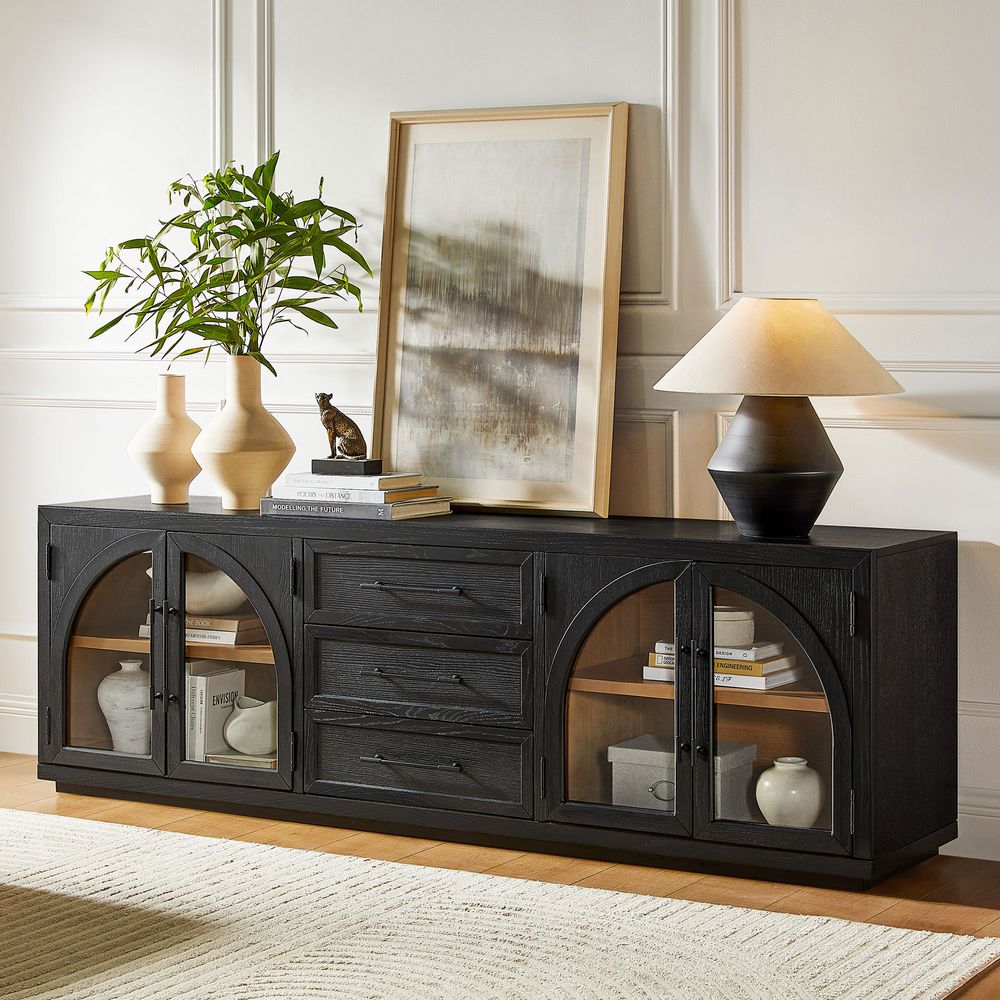
Valborg 80-Inch Oak Media Console
View Product
Consider Open Shelves vs. Closed Cabinets
Open shelves provide easier access and generally allow more direct airflow. They can be useful for equipment that needs regular access, although you should still follow the device manufacturer's ventilation requirements.
Closed cabinets conceal equipment and everyday clutter. They work well for books, board games, controllers, and accessories that do not need to remain accessible during use. However, solid cabinet doors can restrict airflow and may interfere with remote-control signals, depending on the equipment.
A combination of open and enclosed storage offers different options for organizing a media setup. Keep devices that need ventilation or frequent access in suitable compartments, and use closed cabinets for less sensitive items.
The Astrid 84-Inch MCM Slatted Media Console is another example of a mixed-use cabinet layout. It measures 84 inches wide, 18 inches deep, and 30 inches high, with a warm oak finish, vertical slatted sliding doors, and solid wood legs.
Its interior includes a larger compartment measuring 39.3 inches wide, 14.5 inches deep, and 9.4 inches high, alongside a smaller compartment measuring 20.6 inches wide, 14.5 inches deep, and 9.4 inches high. Featuring adjustable shelves, it allows the interior arrangement to be adapted to different storage needs. Four cord cutouts in the back panel provide additional cable routing options.
The slatted sliding doors give the console a distinct mid-century look. If you plan to store a gaming console or receiver inside, check the available interior dimensions and the manufacturer's ventilation requirements.
Valborg combines arched glass doors with central drawers, while Astrid features slatted sliding doors and two differently sized storage compartments. Compare their usable interior dimensions with your actual belongings before deciding which arrangement is more suitable.
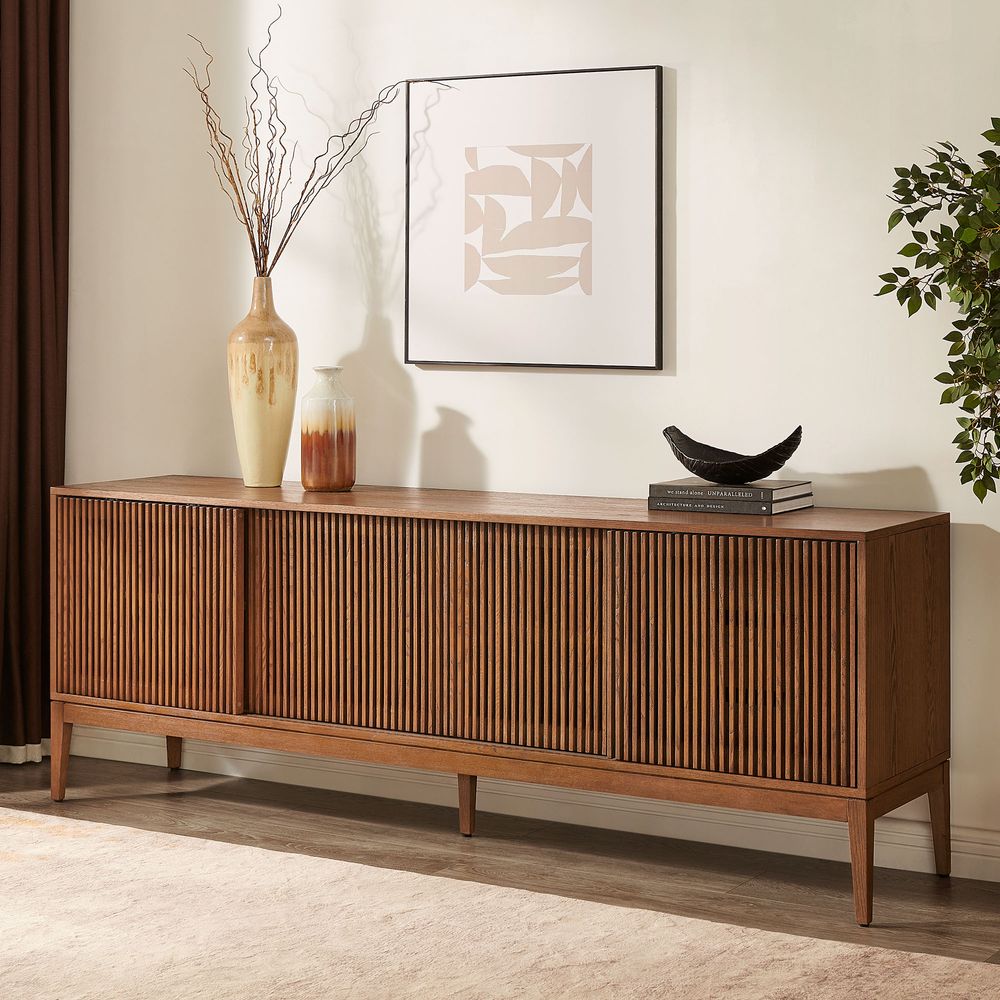
Astrid 84-Inch MCM Slatted Media Console
View Product
Look at Door Access and Shelf Position
A shelf may be adjustable, but the cabinet still needs enough clearance for its doors to open and stored items to slide out. Check whether hinges, door frames, or sliding-door tracks reduce the usable width.
For frequently used equipment, consider how easily you can reach its ports, buttons, and connections. If a device sits behind a door, make sure you can access it without moving other objects first. Hinged doors also need enough room to swing open, while sliding doors require clear space along their tracks.
Consider Materials and Construction
The material and construction of a TV stand influence its appearance, maintenance, and ability to support stored items. Pay attention to both the shelves and the cabinet structure rather than judging the furniture by its exterior finish alone.
TV stands may use solid wood, engineered wood, or panels finished with wood veneer. These materials differ in composition and appearance:
-
Solid wood: Has a natural grain, with variations in color and pattern.
-
Engineered wood: Is manufactured from wood fibers or particles bonded together, often with a surface finish or veneer.
-
Wood veneer: Uses a thin layer of real wood over a supporting substrate to create a natural wood appearance.
When comparing adjustable shelves, check their thickness, support points, and stated weight capacity. A thick-looking shelf is not necessarily rated for heavier equipment. If the manufacturer does not provide a shelf-specific rating, avoid assuming that a heavy device is suitable for that shelf.
Also check the adjustment hardware. Shelf pins should fit securely into their holes, and brackets should sit evenly beneath the shelf. If you want the option to remove a shelf completely, confirm that the manufacturer identifies it as removable. Do not remove fixed or structural components unless the assembly instructions permit it.
Cabinet doors and hardware also affect daily use. Check that doors can open without hitting nearby furniture and that hinges or sliding tracks allow smooth movement. Drawers are useful for smaller accessories, but they should not be treated as substitutes for ventilated compartments for heat-producing electronics.
How to Organize a TV Stand With Adjustable Shelves
Once you have chosen a suitable TV stand, arrange the shelves around the items you use most often. A practical layout should make equipment easy to reach, keep cables manageable, and avoid crowding the compartments.
-
Place frequently used devices within reach. Streaming players, gaming consoles, and other equipment that needs regular access should not be hidden behind items you must move every time.
-
Group similar accessories together. Keep controllers, remotes, charging cables, and small accessories in a drawer, basket, or designated compartment.
-
Keep electronics properly spaced. Avoid positioning devices so closely against shelves, walls, or other objects that their ventilation openings are blocked. Follow the manufacturer's instructions for each component.
-
Plan cable routes before positioning the stand. Identify the power outlet, HDMI connections, and cable openings. Leave enough room for plugs and avoid sharply bending cables.
-
Use shelf height efficiently. Move a shelf when the new position provides a practical benefit. Avoid creating unnecessary gaps that make the rest of the cabinet harder to organize.
-
Check the load after arranging everything. Distribute heavy items according to the manufacturer's capacity guidance and make sure each adjustable shelf is seated securely on its supports.
Leave enough room to access stored items and clean the cabinet. An organized layout should remain practical after the initial setup, rather than requiring frequent rearrangement.
Conclusion
TV stands with adjustable shelves offer more flexibility than a fixed interior layout, especially when you store items of different heights or expect your equipment needs to change. The most useful design is not necessarily the one with the greatest number of shelves. It is the one that provides suitable compartment dimensions, stable shelf supports, appropriate weight capacity, and practical access to stored items.
Before buying, compare the usable interior dimensions with the devices and accessories you plan to store. Check the available shelf positions, door clearance, ventilation, and cable access as well. A suitable shelf arrangement makes it easier to accommodate your current equipment while leaving room for future storage changes.
FAQs
Are Adjustable Shelves Better Than Fixed Shelves in a TV Stand?
Adjustable shelves are more flexible because you can change the spacing to accommodate items of different heights. Fixed shelves provide a consistent layout and work well when you store similarly sized items. Choose based on how often your storage needs change and what you plan to keep inside the cabinet.
Can Adjustable Shelves Support Gaming Consoles?
They can, provided the shelf has sufficient usable width, height, depth, and weight capacity for the console. Check the console's dimensions in its approved orientation, including any required stand or feet. You should also follow the manufacturer's ventilation guidance and make sure cables can connect without pressing against the back panel.
How Much Weight Can Adjustable Shelves Hold?
The weight limit depends on the shelf material, thickness, support system, and cabinet construction. Check the product specifications for a shelf-specific load rating. A TV stand's overall recommended weight capacity does not necessarily apply to each individual shelf.
Can You Remove Shelves From a TV Stand?
Some adjustable shelves are removable, while others are designed to remain in place. Check the product description and assembly instructions before removing one. Do not remove fixed or structural components unless the manufacturer confirms that they can be taken out safely.
Do TV Stands With Adjustable Shelves Need Ventilation?
The furniture itself does not require ventilation in the same way electronic equipment does, but devices stored inside it may need airflow. Gaming consoles, receivers, and other electronics should have unobstructed vents and enough clearance to meet their manufacturers' instructions. Adjustable shelving cannot compensate for a compartment that is too enclosed.
How Many Adjustable Shelves Should a TV Stand Have?
The ideal number depends on what you plan to store. Two or three adjustable shelves may be enough for media devices, books, and small accessories. If you need to organize items of different heights, look for a TV stand with multiple shelf positions so you can change the layout as your storage needs evolve.
Are Adjustable Shelves Suitable for Large Media Devices?
Yes, provided the shelf dimensions and weight capacity can accommodate the device. Measure its width, depth, and height before choosing a TV stand. Also leave enough clearance around the device for cables and airflow, especially if it generates heat during use.
Can You Change the Shelf Positions After Assembling a TV Stand?
Many TV stands with adjustable shelves use shelf pins or pre-drilled holes, allowing you to reposition shelves after assembly. However, the adjustment range varies by design. Check the product details and assembly instructions to understand how many height positions are available and whether any tools are needed.