Find the Right TV Stand for an 80 Inch TV
An 80-inch TV can make a living room feel like a dedicated entertainment space, but choosing the right console involves more than matching the screen size. You need to consider the television's actual dimensions, base placement, weight, viewing height, and the amount of room available along your wall.
An 80-inch television is measured diagonally. For a standard 16:9 screen, the display itself measures approximately 69.7 inches wide and 39.2 inches high, excluding the bezel. The complete television may be slightly larger, depending on its frame and design.
That's why a TV stand for an 80-inch TV doesn't necessarily need to measure 80 inches across. What matters is whether the television has a secure, properly supported surface and whether the console fits comfortably into your living room.
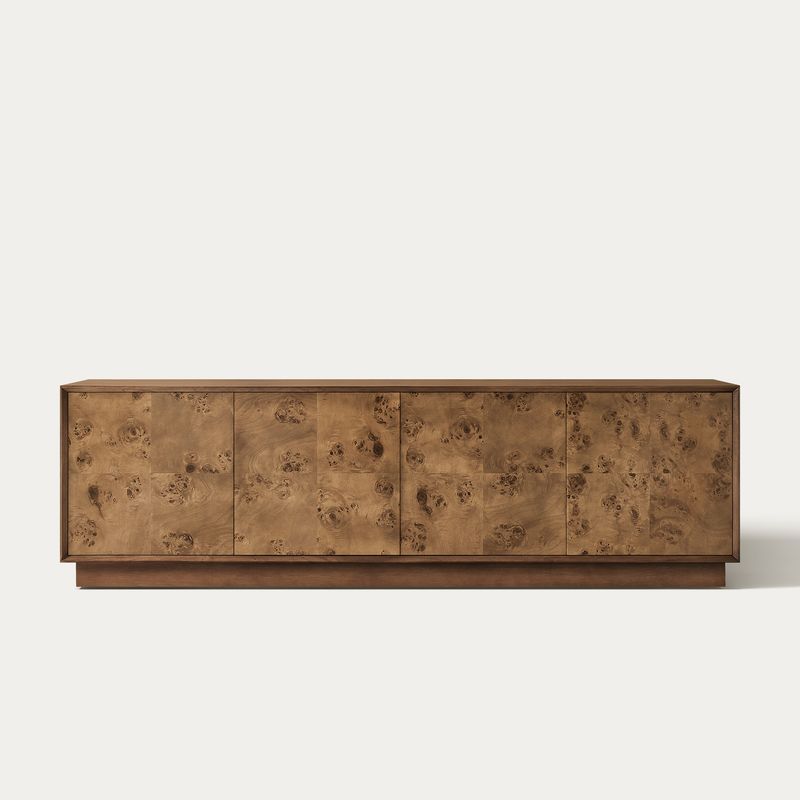
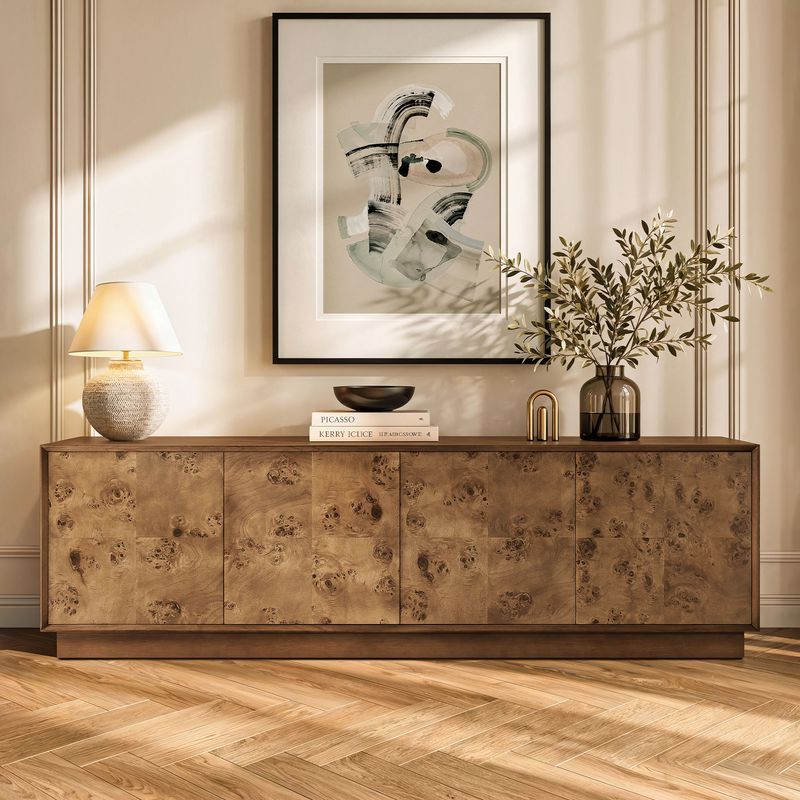
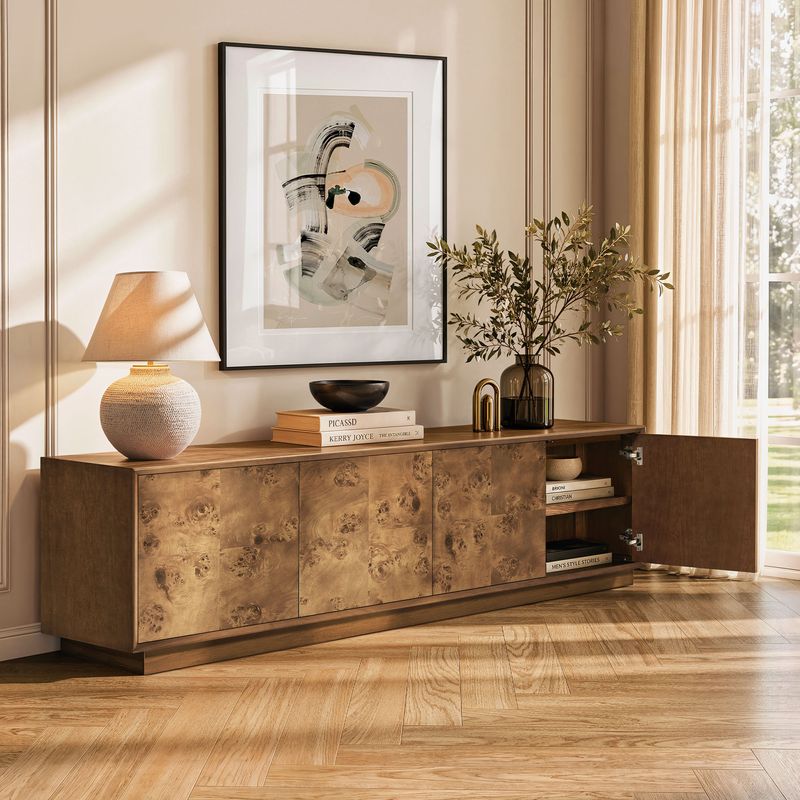
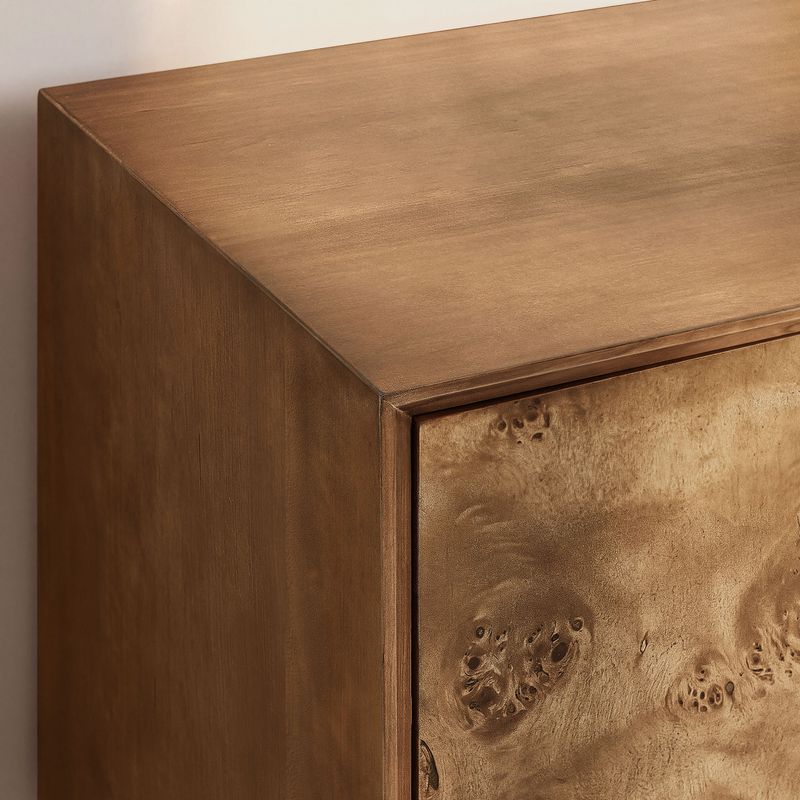
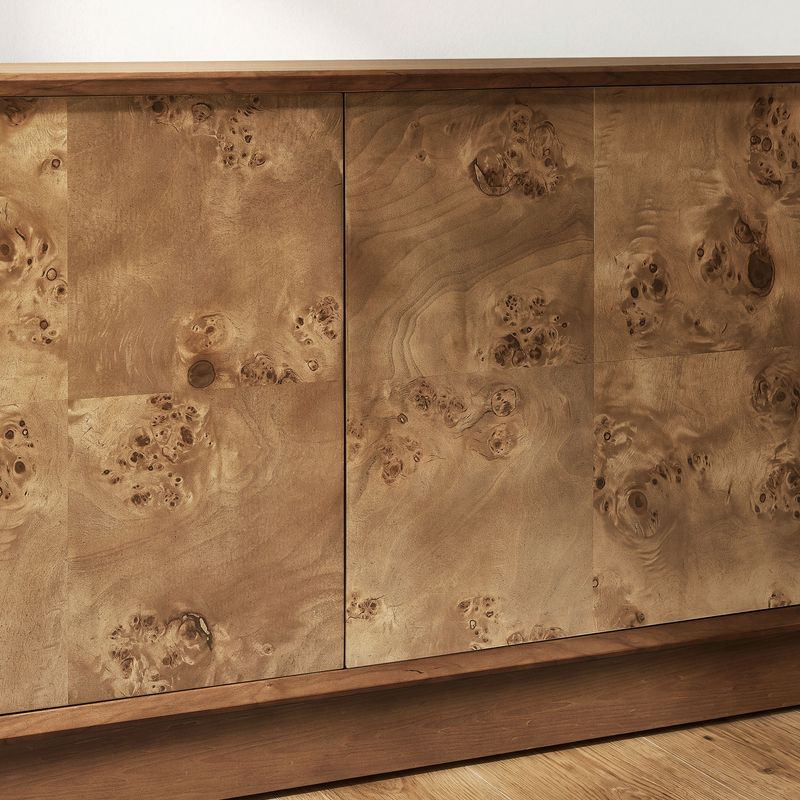
Hernest's Bodil 78-Inch Burl Media Console is designed for TVs up to 80 inches. Measuring 78.7"W × 15.7"D × 23.6"H, it offers a generous top surface, adjustable interior shelving, and a recommended weight capacity of 230 lbs.
Whether you're furnishing a spacious family room or updating a smaller entertainment area, the right console should accommodate your equipment without overwhelming the rest of the space.
Read More
What Size TV Stand Do You Need for an 80 Inch TV?
Start by measuring the television itself. Although an 80-inch screen has an approximate display width of 69.7 inches, its overall dimensions include the bezel and may extend beyond that measurement.
As a general guideline, choose a console at least as wide as the television. A slightly wider surface often creates a more balanced appearance and leaves additional room for compatible accessories.
Before purchasing a TV stand for an 80-inch TV, check these five measurements:
● Overall TV width: Measure from the left edge to the right edge, including the frame.
● Foot spacing: Measure the distance between the television's feet and confirm that both can rest securely on the console.
● Base depth: Check how far the feet extend from front to back.
● TV weight: Compare the television's actual weight with the console's recommended weight capacity.
● Available wall space: Account for nearby furniture, doorways, electrical outlets, and walking paths.
A console measuring approximately 75–80 inches wide can be a useful starting point, although the appropriate dimensions depend on the television's base and the available surface.
For example, Bodil measures 78.7 inches wide and is designed for televisions up to 80 inches. Its dimensions make it an option worth considering if you're looking for a substantial media console without extending too far beyond the screen.
How Wide Should a TV Stand Be for an 80 Inch TV?
Console width affects both practical compatibility and the visual balance of your entertainment area.
A TV stand that extends slightly beyond the screen can create a more intentional arrangement. The extra surface may also accommodate a soundbar or a few decorative accessories, provided they don't interfere with the television or its connections.
Consider your room before deciding how much additional width you need:
● Smaller living rooms: A console close to the television's width can preserve valuable floor and wall space.
● Open living areas: A wider cabinet can help anchor the television against a large wall.
● Media-focused setups: Additional surface space may accommodate a soundbar and compatible equipment.
● Decorative arrangements: A little extra room allows for restrained accents without crowding the screen.
One detail that's easy to overlook is the usable surface area. A console might appear wide enough overall, but its feet, raised edges, or other design features can affect where the television can safely sit.
If your TV has two separate legs, measure the distance between their outer edges. Confirm that both contact points fit securely on the intended surface. For televisions with a central pedestal, check the base dimensions instead.
The best TV stand for an 80-inch TV is not necessarily the widest option. It is the one that supports the television properly and looks proportional in your room.
Choosing the Right TV Stand Depth and Height
Width is only part of the decision. Depth and height influence how securely your television sits and how comfortable the viewing experience feels.
How Deep Should a TV Stand Be?
The console should provide enough usable depth for the television's base, with additional room if you plan to place other equipment on top.
Measure the TV feet from front to back rather than estimating from the screen size. If you use a soundbar, compare its dimensions with the available surface as well.
Hernest's Bodil console measures 15.7 inches deep. This relatively streamlined profile may work for compatible television bases, but shoppers should compare the actual footprint of their TV before making a decision.
How Tall Should a TV Stand Be?
The right console height depends on your sofa, seated eye level, and television dimensions.
For a comfortable arrangement, position the center of the screen near your natural seated eye level whenever practical. This helps avoid a viewing position that requires you to look noticeably upward or downward.
To estimate the appropriate height:
● Sit on your sofa in your usual viewing position.
● Measure your eye level from the floor.
● Check the height of your television.
● Calculate the screen center after placing the TV on the proposed console.
● Compare that position with your seated eye level.
Bodil stands 23.6 inches high, providing one reference point when planning a large-screen entertainment arrangement. The final viewing position will depend on the television's height and your seating setup.
Storage and Cable Management for an 80 Inch TV Setup
A large television often comes with several connected devices. Streaming players, gaming consoles, controllers, remotes, and audio equipment all need accessible storage.
When comparing TV stands for an 80-inch TV, look beyond the top surface. The interior layout can make a noticeable difference in how easy the entertainment area is to maintain.
Here are the features worth considering:
● Adjustable shelves: Change compartment heights to accommodate different equipment and accessories.
● Enclosed cabinets: Keep smaller items and everyday clutter out of sight.
● Open compartments: Provide convenient access to frequently used devices.
● Drawers: Give remotes, controllers, and loose accessories a designated place.
● Rear cord cutouts: Help route cables behind the furniture for a cleaner appearance.
Bodil combines adjustable interior shelving with a rear cord cutout. Its storage interior measures 18.4"W × 13.8"D × 9.2"H, providing specific dimensions shoppers can compare with their equipment.
Before placing a gaming console, receiver, or other electronic device inside an enclosed compartment, check its dimensions and ventilation requirements. Electronic equipment needs sufficient airflow, and a compartment that fits an item physically may not provide adequate ventilation for operation.
It's also worth planning cable access before positioning the furniture. Check the location of wall outlets and allow enough space for plugs and connections behind the console.
Choose a TV Stand Style That Complements Your Living Room
A large television naturally draws attention. The furniture beneath it should complement the screen rather than compete with it.
Material, finish, shape, and detailing all influence how the entertainment area looks alongside your existing furniture.
Warm Wood Finishes and Natural Texture
Wood finishes can soften the appearance of a large black screen and introduce warmth into a living room.
Burl veneer is particularly distinctive because its natural grain patterns create visual movement across the surface. Hernest's Bodil console combines burl veneers with rubber wood and engineered wood, bringing together textured detailing and a substantial cabinet structure.
Its reverse chamfered edges add definition without relying on overly elaborate ornamentation.
Clean Lines and Mid-Century Modern Design
If you prefer a more streamlined interior, Mid-Century Modern furniture offers a balance of simple forms, warm finishes, and carefully considered proportions.
These characteristics work well beneath large televisions because they add personality without making the entertainment area feel overly busy.
Explore Hernest's Mid-Century Modern TV Stands for more options featuring clean lines and timeless design.
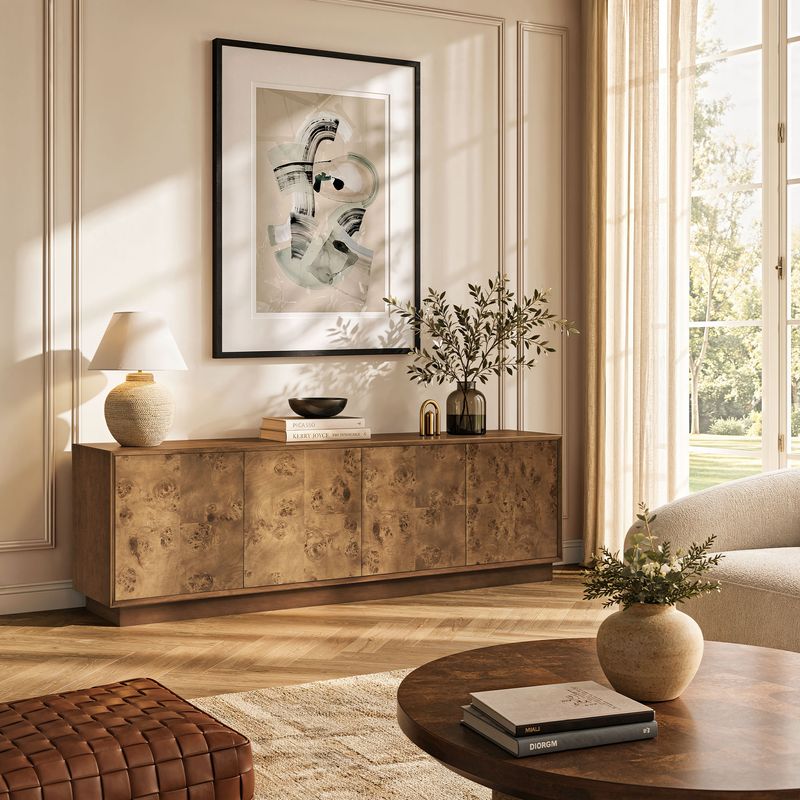
Create a Cohesive Media Wall
Your TV console can also serve as the foundation for a larger living room arrangement.
Consider how its finish works with nearby accent furniture, wall decor, and lighting. In a spacious room, complementary furniture can help balance a large screen. In a smaller space, a streamlined console with useful interior storage may be all you need.
Avoid filling every available surface. A few carefully selected accents generally create a more considered arrangement than a crowded display.
How to Choose the Best TV Stand for Your 80 Inch TV
Before making a purchase, compare the console with your television and the way you use your living room.
Check the television's dimensions. Confirm its overall width, foot spacing, base depth, and weight rather than relying solely on the advertised screen size.
Verify weight capacity. The television's weight must remain within the console's recommended limit, with its base properly supported.
Measure your equipment. Make sure shelves and compartments can accommodate your devices while allowing adequate ventilation.
Plan the room layout. Account for wall width, seating distance, electrical outlets, nearby furniture, and walking paths.
Consider the finish and proportions. Choose a console that complements your existing furniture and suits the overall atmosphere of your home.
These checks make comparing TV stands for an 80-inch TV much easier. Instead of choosing based on appearance alone, you can narrow down the options according to actual measurements and everyday requirements.
For more widths, finishes, and storage configurations, explore Hernest's Media Consoles and TV Stands. The collection offers additional options for creating an entertainment area that works with your living room.