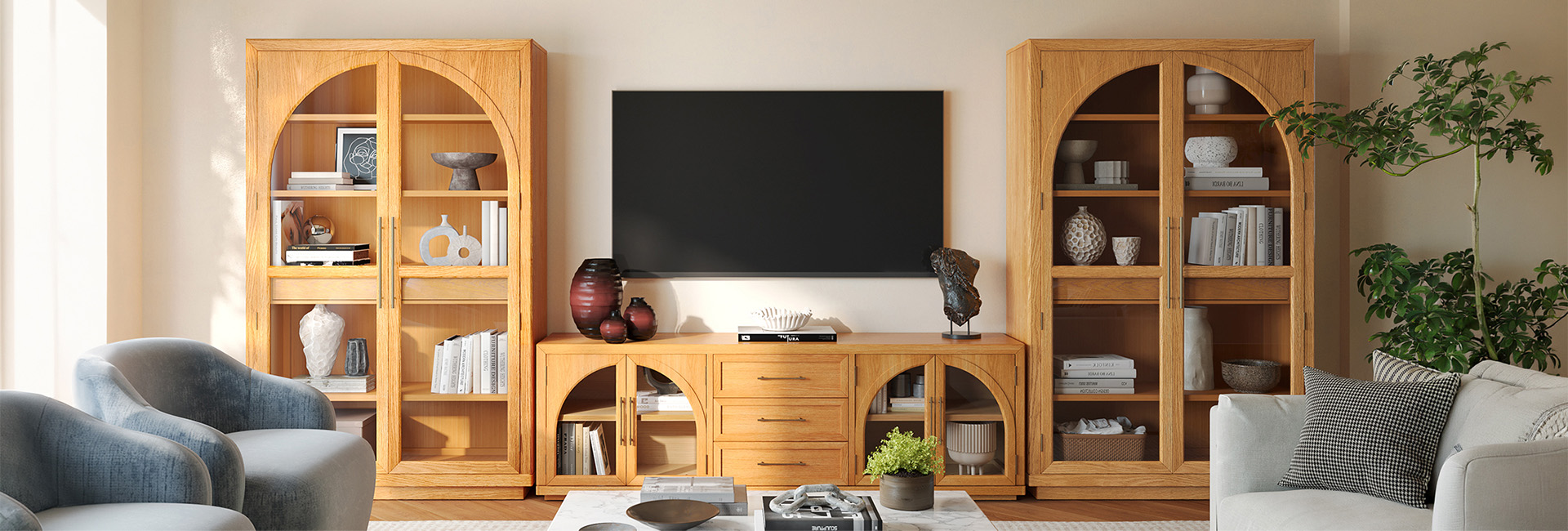
Choosing a new entertainment center can feel overwhelming. Is it a TV stand? A media console? A wall unit? The terms are often used interchangeably, but understanding the differences is the first step to finding the perfect piece for your space, style, and technology.
This guide cuts through the confusion. We'll cover everything from basic definitions and sizing rules to design ideas and common mistakes, helping you make a confident choice. Whether you have a sprawling living room or a cozy apartment, you'll find the answers here.
What Is an Entertainment Center? Understanding the Basics
At its core, an entertainment center is a piece of furniture designed to house a television and associated media components. However, the term has evolved. Today, it's an umbrella term for a range of units, from simple stands to elaborate, room-defining systems.
What is considered an entertainment center? Generally, it's any dedicated furniture that holds your TV and offers storage for items like cable boxes, gaming consoles, DVDs, and decor. The key difference from a simple TV stand is the scale and storage capability. Entertainment centers are often larger, multi-component systems designed to be a focal point in the room.
What Is Another Name for an Entertainment Center?
You'll encounter several names for these furniture pieces, and knowing them is crucial for your search. Common synonyms include:
Media Center: A very popular, modern term.
TV Wall Unit: Often implies a larger, built-in or modular system covering a significant portion of a wall.
Media Console: Typically refers to a long, low unit, often with cabinets and shelves.
Home Theater Cabinet: Emphasizes functionality for audio-visual equipment.
TV Console vs Entertainment Center: What's the Difference?
This is one of the most common points of confusion. While the terms are sometimes used loosely, there are distinct differences:
| Feature | TV Console / TV Stand | Entertainment Center |
|---|---|---|
| Size & Scale | Low-profile, typically 50"-70" wide. Designed to fit under the TV. | Larger, more substantial. Can be 80" wide or more, often spanning a whole wall. |
| Storage | Moderate. May have 1-2 shelves or drawers. | Extensive. Includes multiple cabinets, shelves, and compartments for comprehensive organization. |
| Design | Minimalist and simple. Acts as a support piece. | A statement, room-defining piece of furniture. Often includes side units or hutch components. |
| Best Room Size | Small to medium living rooms, apartments, bedrooms. | Large living rooms, great rooms, dedicated home theaters. |
In short, a TV console is a type of entertainment center, but not all entertainment centers are simply TV consoles. A console is the foundation; an entertainment center is the complete system.
Types of Entertainment Centers to Suit Your Style
Understanding the different types will help you narrow your search. The Living Spaces guide mentions three, but we can expand that for a more comprehensive view.
TV Stands: The most common and versatile. They are open frames, perfect for a clean, simple look. Ideal for smaller spaces.
Media Consoles: Similar to a TV stand but typically feature a combination of open shelves and closed cabinets. This is a great choice for hiding clutter while displaying decor. A perfect example of a large, high-end media console is the Valborg Oak Storage Media Console Set. Its grand scale, elegant arch design, and combination of open and closed storage make it a stunning centerpiece for a large living room, moving far beyond a simple "stand."
Wall Units: These are large, modular systems that often include the TV console, plus side hutches, bookcases, and overhead cabinets. They provide maximum storage and a built-in, custom look.
Corner Entertainment Centers: Specifically designed to fit snugly into a corner, making them an excellent space-saving solution for awkward rooms or apartments.
Floating / Wall-Mounted Consoles: These units attach directly to the wall, freeing up floor space and creating a sleek, modern, and airy aesthetic.
Built-In Entertainment Centers: The ultimate custom solution. These are constructed as part of the room’s architecture, offering a seamless, integrated look.
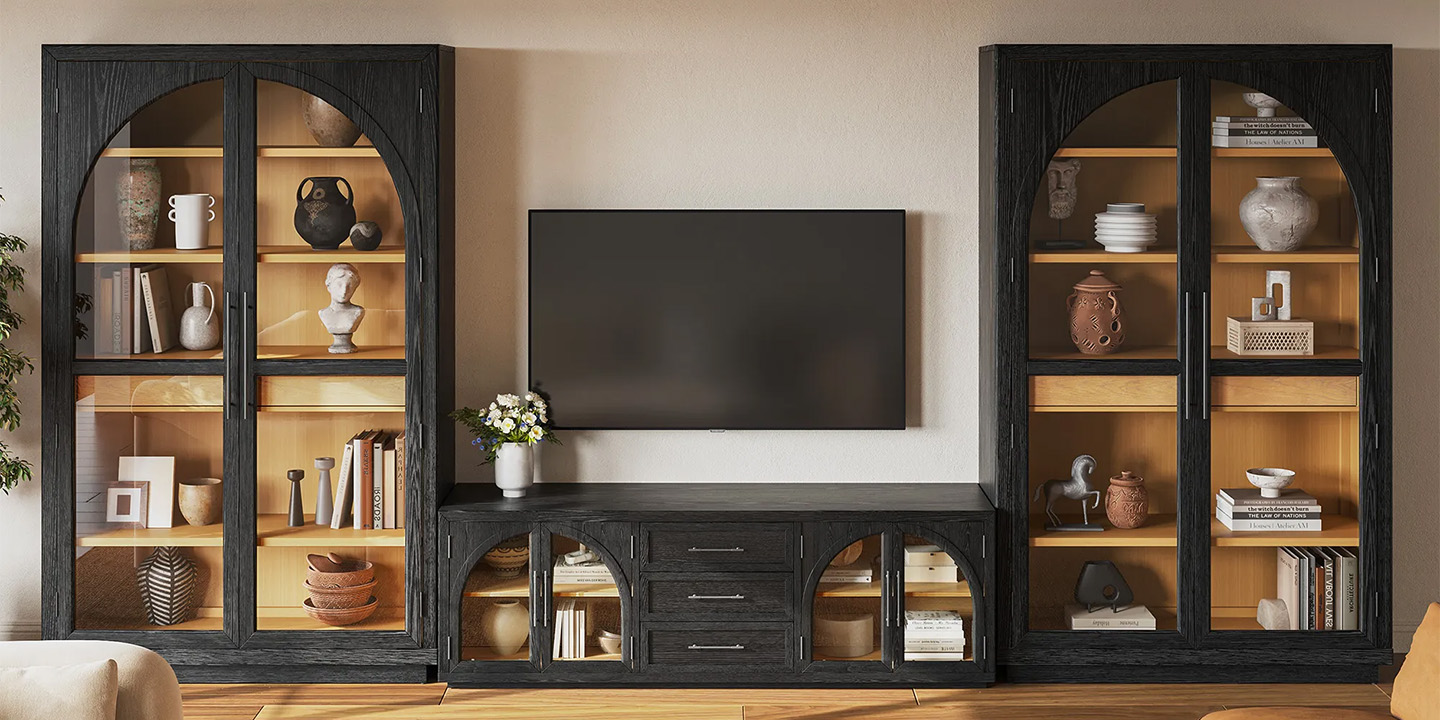
HERNEST Pick: Valborg Oak Storage Media Console Set
The Ultimate Entertainment Center Size Guide: Getting the Measurements Right
Proper sizing is the most critical step. A unit that's too small will look lost; one that's too large will overwhelm the room.
Measuring Your TV
The width of your entertainment center should be at least as wide as your TV, but ideally wider. A good rule of thumb is to choose a unit that is 2-3 inches wider than your TV on each side. This provides a balanced, proportional look.
TV Size to Console Width Chart
Use this chart as a starting point for selecting the minimum console width for your TV.
| TV Size (Diagonal) | Minimum Console Width |
|---|---|
| 50" - 55" | 54" - 60" |
| 60" - 65" | 64" - 72" |
| 70" - 75" | 74" - 80" |
| 77" - 85" | 80"+ |
For truly large televisions and spacious rooms, you need a console that can anchor the space. The Lira Oak Storage Media Console Set is a perfect example. At a massive 178" wide, it provides ample space for a very large TV and creates a dramatic, luxurious focal point for a great room or open-plan living area.
Measuring Your Space
Measure the wall where the unit will go.
Mark the width of your chosen console on the wall with painter's tape. Live with it for a day to ensure it doesn't feel too cramped.
Consider depth. Standard console depth is 15-18 inches. Ensure it doesn't protrude too far into walkways. For wall-mounted TVs, you have more flexibility.
Account for height. The ideal viewing height is for the center of the TV screen to be at eye level when you are seated (typically 40-45 inches from the floor). Adjust your console height or plan to wall-mount the TV accordingly.
TV Viewing Distance & Placement Rules
Guidelines for TV Viewing Chart
Where you sit is just as important as what you put your TV on. This chart helps you find the sweet spot for comfortable viewing.
| TV Size | Recommended Viewing Distance |
|---|---|
| 55" TV | 7.0' - 11.5' |
| 65" TV | 8.0' - 13.5' |
| 75" TV | 9.5' - 15.5' |
| 85" TV | 10.5' - 17.5' |
Entertainment Placement Tips
Eye Level is Key: Your TV should be at eye level when seated. If your console is low, consider a tilting wall mount. If it's high, you might be looking up, which causes neck strain.
Avoid Glare: Position the unit away from windows that will cause direct sunlight to hit the screen.
Plan for Cords: Ensure there's access to power outlets and consider cable management solutions built into the console or available separately. Look for units with pre-drilled cord holes.
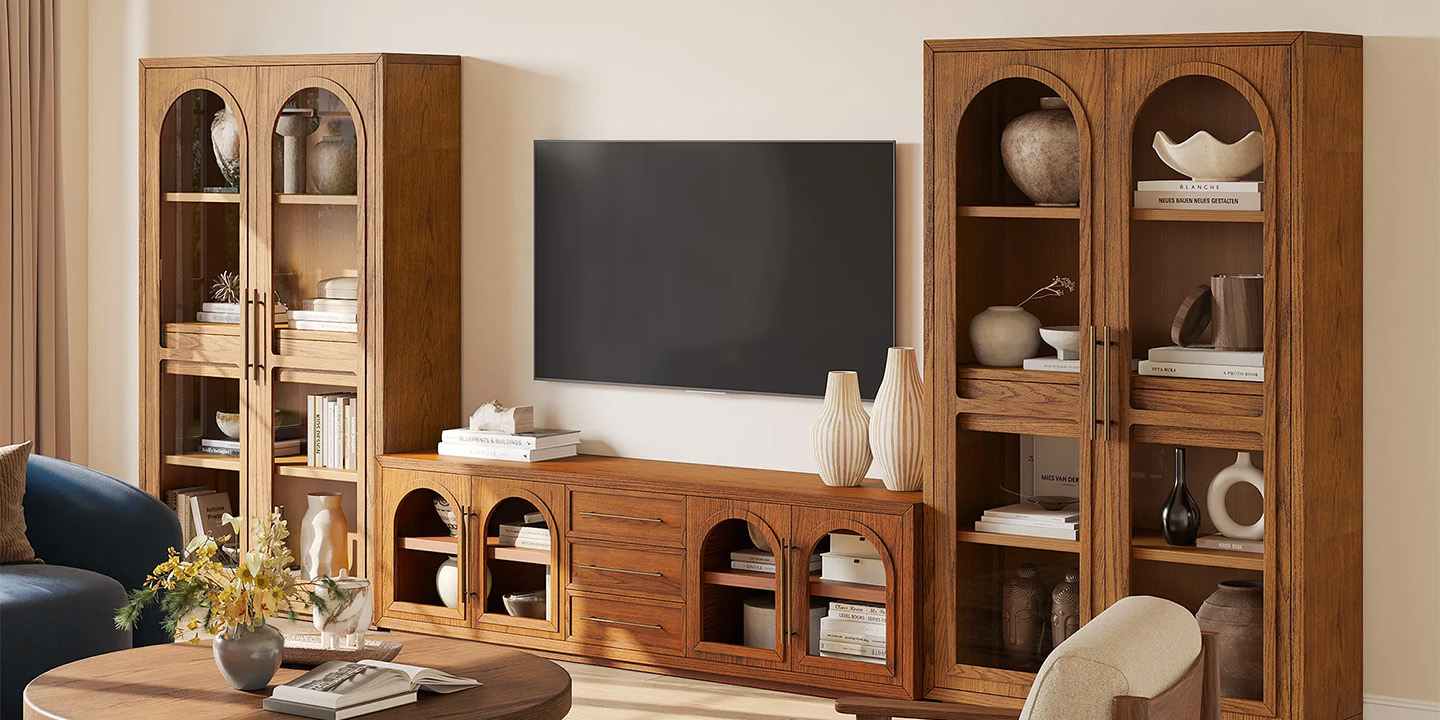
HERNEST Pick: Lira 178-inch Oak Storage Media Console Set
What is a TV Stand With Cabinets Called?
If you're specifically looking for a unit with enclosed storage, you're likely searching for a media console or a TV cabinet. These terms specifically denote units with door-covered compartments, perfect for hiding gaming consoles, routers, and other clutter. High-end versions like the Lira and Valborg sets excel here, offering vast, beautifully finished cabinet space that keeps everything organized and out of sight.
5 Common Mistakes When Buying an Entertainment Center
Buying the Console First: Always buy the console to fit the TV, not the other way around. If you have a 75" TV, you need a console that can support its width and weight.
Ignoring Weight Capacity: Check the specs. A solid wood or high-quality engineered wood console (like those from HERNEST) will easily support heavy modern TVs, but cheaper materials may not.
Forgetting About Ventilation: Electronics generate heat. Ensure your unit has open backings or ventilation holes to prevent overheating. Consoles with open shelving or adjustable shelves are best for AV gear.
Skimping on Depth: A TV stand that's too shallow might not accommodate a modern TV stand (the feet) or a soundbar. Standard TV feet can be up to 15 inches deep. Measure your TV's feet depth before you buy.
Not Considering Future Needs: Will you buy a new, larger TV in a few years? Will you add more components? Buying a slightly larger console than you need right now is a smart, future-proofing move.
Entertainment Center Design Ideas
The Grand Statement: In a large, open-plan space, anchor the room with a monumental piece like the Valborg 174" Oak Storage Media Console. Its architectural arch design and rich oak finish create an instant focal point, balancing the scale of a large TV and seating area.
Sleek & Modern: A floating walnut console with clean lines and hidden storage creates a minimalist, uncluttered look. Pair it with a large piece of wall art above the TV.
Warm & Textural: Use the top of your console to layer in texture. Add a ceramic vase, a stack of coffee table books, and a small, sculptural object. The natural wood grain of a piece like the Lira console provides the perfect warm, organic foundation for this.
Symmetrical Balance: Frame your TV with two matching tall bookcases or cabinets on either side of a central console. This classic library look is both functional and sophisticated.
Gallery Wall Integration: Instead of letting your TV stand alone, integrate it into a curated gallery wall. Lean art and photos around it, mixing frames and mediums for a dynamic, collected-over-time look.
Frequently Asked Questions
1. What are the most popular styles of entertainment centers for modern living rooms?
Sleek, minimalist designs like floating media consoles and modular wall units are very popular. Look for clean lines, neutral finishes (like oak or black), and integrated storage. The mid-century modern influence, with tapered legs and simple forms, also remains strong.
2. How can I choose an entertainment center that fits a smaller apartment or room?
Prioritize vertical space with tall, slender units or make use of an awkward corner with a corner unit. Choose pieces with open shelving to avoid a bulky feeling, or opt for a floating console to free up floor space and create an illusion of more square footage.
3. What materials are best for entertainment centers to ensure durability and a high-end look?
Solid wood offers the ultimate durability and a luxurious, timeless feel. High-quality engineered wood with hardwood veneers (like birch or oak) provides a similar high-end aesthetic with excellent stability and is a popular choice for premium brands. Metal accents can add a modern touch, but the primary structure should be robust.
4. Are entertainment centers with built-in fireplaces a good idea for creating a cozy atmosphere?
Yes, they can be excellent for adding warmth (both visual and physical) and creating a focal point. Many modern electric fireplace inserts offer realistic flame effects and zone heating without needing a chimney, making them a convenient and attractive addition to a living room.
5. What are the benefits of choosing an entertainment center with ample storage compared to a simple TV stand?
The primary benefit is organization. Ample storage—like the deep cabinets found in the Lira and Valborg consoles—allows you to completely hide media components, gaming consoles, cables, and remote controls. This creates a clean, serene, and visually streamlined living space, free from the clutter that often accumulates around a simple TV stand.